
About Screenforge
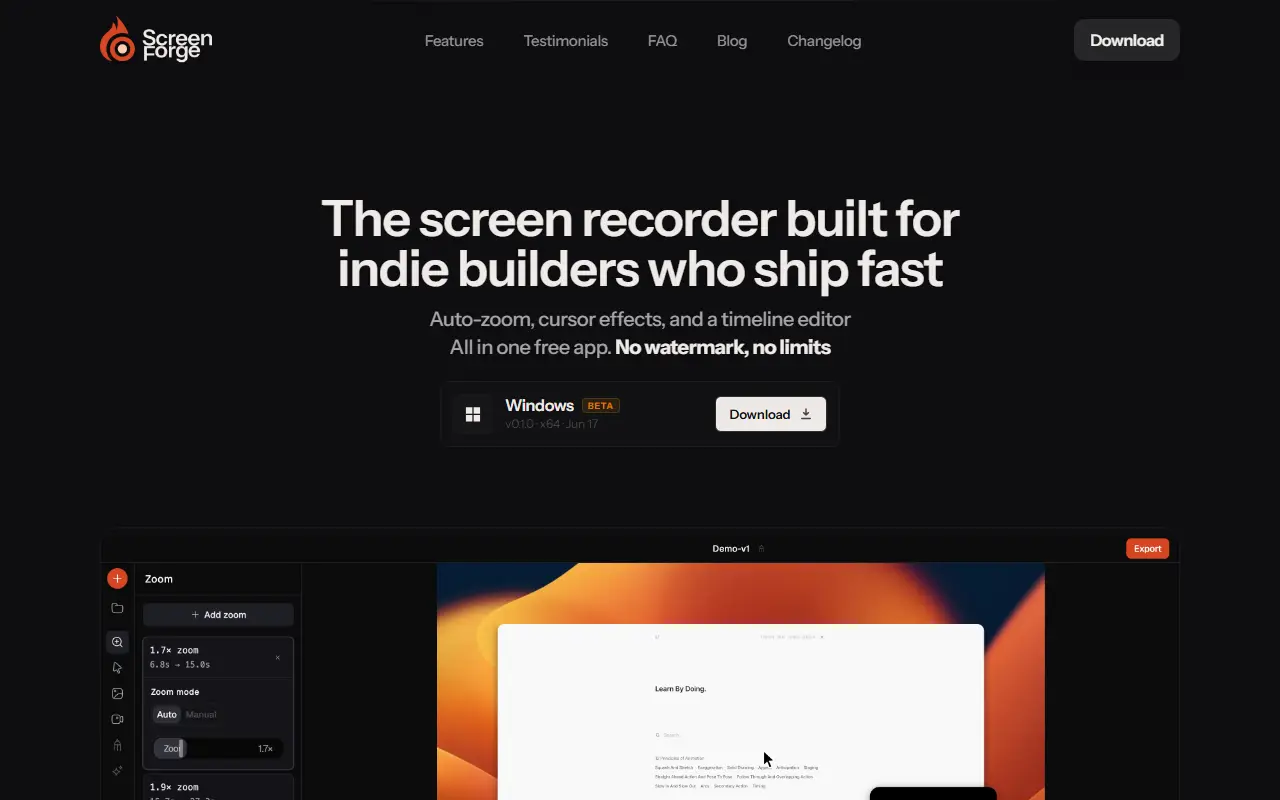
Screenforge is a desktop screen recorder and editor aimed at people who ship demos quickly. It analyzes cursor movement to spot the busiest parts of a recording and adds zoom clips there automatically, with magnification from 1x to 4x, a cursor-following mode and smooth easing. Zoom clips live on their own track, so they can be moved, resized or deleted without touching the recording.
Cursor effects include click ripples, resizing, motion blur and tilt, and hiding the cursor when idle. Recordings can sit on seven wallpapers or solid colors with padding, rounded corners and a drop shadow, and can be cropped with eight-point handles. A camera overlay stays visible as content zooms, the timeline splits, trims and rearranges non-destructively with 100-step undo, and microphone input plus window and region capture are supported. The site says exports carry no watermark and no subscription is needed to remove one, and describes the app as free.
Key features
- Automatic zoom detection from cursor hotspots
- 1x to 4x zoom with cursor following
- Click ripple and motion blur cursor effects
- Wallpaper backgrounds, padding and shadows
- Timeline editor with 100-step undo
- Camera overlay and microphone recording
Good fit for
- Demo videos for indie products
- Tutorials with automatic zoom
Screenforge: questions and answers
- What is Screenforge used for?
- Screenforge is a screen recorder and timeline editor with automatic zoom, cursor effects, backgrounds and camera overlay, free with no watermark on exports. It is a good fit for demo videos for indie products and tutorials with automatic zoom.
- Is Screenforge open source?
- No. Screenforge is proprietary (closed-source) software. In the Video Editing category, open-source options include ScreenToGif, OpenCut and Cap.
- What are some alternatives to Screenforge?
- Screenforge competes with Screen Studio, ScreenFlow and Camtasia.
Open-source alternatives to Screenforge
See all
ScreenToGif
Video Editing
🎬 ScreenToGif allows you to record a selected area of your screen, edit and save it as a
MS-PLvs Snagit★ 28k
OpenCut
Video Editing
The open-source CapCut alternative
MITvs CapCut★ 93k
Cap
Video Editing
Open source Loom alternative. Beautiful, shareable screen recordings.
OSSvs Loom★ 23k
Screenity
Video Editing
The free and privacy-friendly screen recorder with no limits 🎥
GPL-3.0vs Screencastify★ 19k
Shotcut
Video Editing
cross-platform (Qt), open-source (GPLv3) video editor
GPL-3.0vs Adobe Premiere Pro★ 15k
OpenShot
Video Editing
OpenShot Video Editor is an award-winning free and open-source video editor for Linux, Mac
OSSvs Adobe Premiere Pro★ 6.6k
SaaS alternatives to Screenforge
See all
Screen Studio
Video Editing
Mac screen recorder that adds automatic zooms and polished cursor animations
SaaS
ScreenFlow
Video Editing
Mac screen recording and video editing software from Telestream
SaaS
Camtasia
Video Editing
Screen recorder and video editor for tutorials and training videos
SaaS
Tella
Video Editing
Screen and camera recorder with editing for demos and tutorials
SaaS
Loom
Productivity
Loom is a screen and camera recording tool for sharing asynchronous video messages, with editing, comments, transcripts and AI features.
SaaS
Lumiko
Video Editing
Privacy-first screen recorder with automatic cursor zoom, a built-in editor, smart blur and webcam overlays
SaaS