
About Picmal
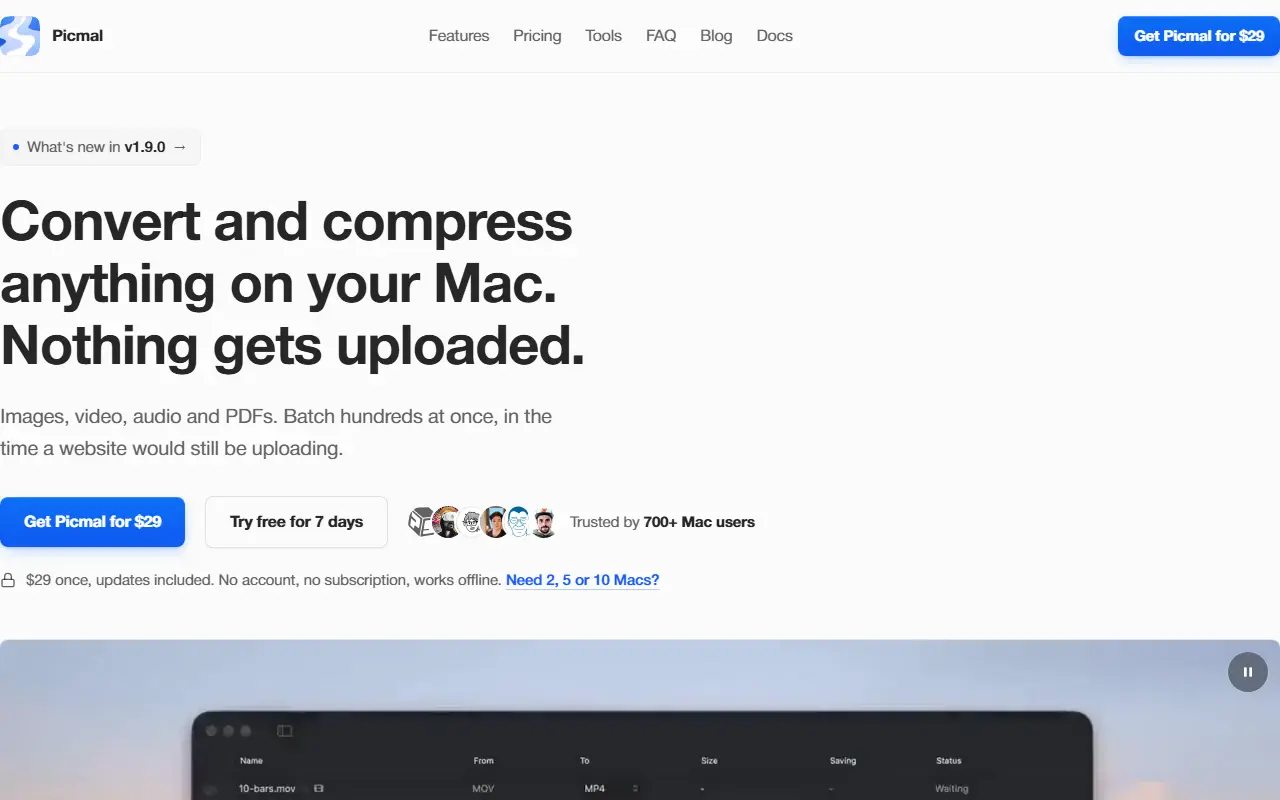
Picmal does file conversion and compression locally on a Mac instead of through upload websites. It handles images, video, audio and PDFs, can batch hundreds of files at once, and works offline with no account and no subscription. PDF tools include turning a multipage PDF into one image per page. Folder watching and clipboard optimization are mentioned as features that set it apart from web converters.
Users describe dragging files onto the window and getting converted files in a folder seconds later with a suffix added, and examples include converting MP4 to MP3 and converting and resizing many images for a presentation. Nothing is uploaded to a server.
It is a one-time purchase of $29 with updates included, with a 7-day free trial and options for licensing 2, 5 or 10 Macs. The site also lists free online tools, a blog and documentation, and its latest release is version 1.9.0.
Key features
- Conversion of images, video, audio and PDFs
- Batch processing of hundreds of files
- Compression of media files
- PDF to image per page
- Folder watching for new files
- Clipboard image optimization
- Offline use with no account
Good fit for
- Converting MP4 videos to MP3 audio
- Resizing many images for a presentation
- Splitting a PDF into page images
Picmal: questions and answers
- What is Picmal used for?
- Picmal is a Mac app that converts, compresses and edits images, video, audio and PDFs offline, sold as a one-time purchase with no account. It is a good fit for converting MP4 videos to MP3 audio, resizing many images for a presentation and splitting a PDF into page images.
- How much does Picmal cost?
- Paid plans for Picmal start at $29 as a one-time payment, and there is no free plan. A free trial is available.
- Is Picmal open source?
- No. Picmal is proprietary (closed-source) software. In the Productivity category, open-source options include Stats, Rectangle and Maccy.
- What are some alternatives to Picmal?
- Other SaaS products in the Productivity category include ClearCut, Compresto and Dictato.
Open-source alternatives to Picmal
See all
Stats
Productivity
macOS system monitor in your menu bar
MIT★ 42k
Rectangle
Productivity
Move and resize windows on macOS with keyboard shortcuts and snap areas
OSSvs BetterTouchTool★ 30k
Maccy
Productivity
Lightweight clipboard manager for macOS
MITvs Paste★ 22k
BentoPDF
Productivity
The Privacy First PDF Toolkit
AGPL-3.0vs iLovePDF★ 16k
NetNewsWire
Productivity
RSS reader for macOS and iOS.
MITvs Feedly★ 10k
OmniTools
Productivity
Self-hosted collection of powerful web-based tools for everyday tasks. No ads, no tracking
MITvs iLovePDF★ 10k
SaaS alternatives to Picmal
See all
ClearCut
Productivity
Native macOS utility with 45 local tools for converting and compressing video, audio, images and PDFs
SaaS
Compresto
Productivity
macOS app that compresses images, videos, PDFs and GIFs with minimal quality loss
SaaS
Dictato
Productivity
Offline dictation software for Mac that turns speech into text in any app
SaaS
Jollycat
Productivity
Native macOS file converter for images, video, audio, documents and PDFs that runs locally
SaaSTurbowhisper
Productivity
Voice-first writing tool for Mac that turns speech into clean text across the apps you already use
SaaS
Wrapscribe
Productivity
On-device dictation, meeting notes and AI rewriting for Mac, as a one-time purchase
SaaS