 TrackMedia
 TrackRev

About OmniTools
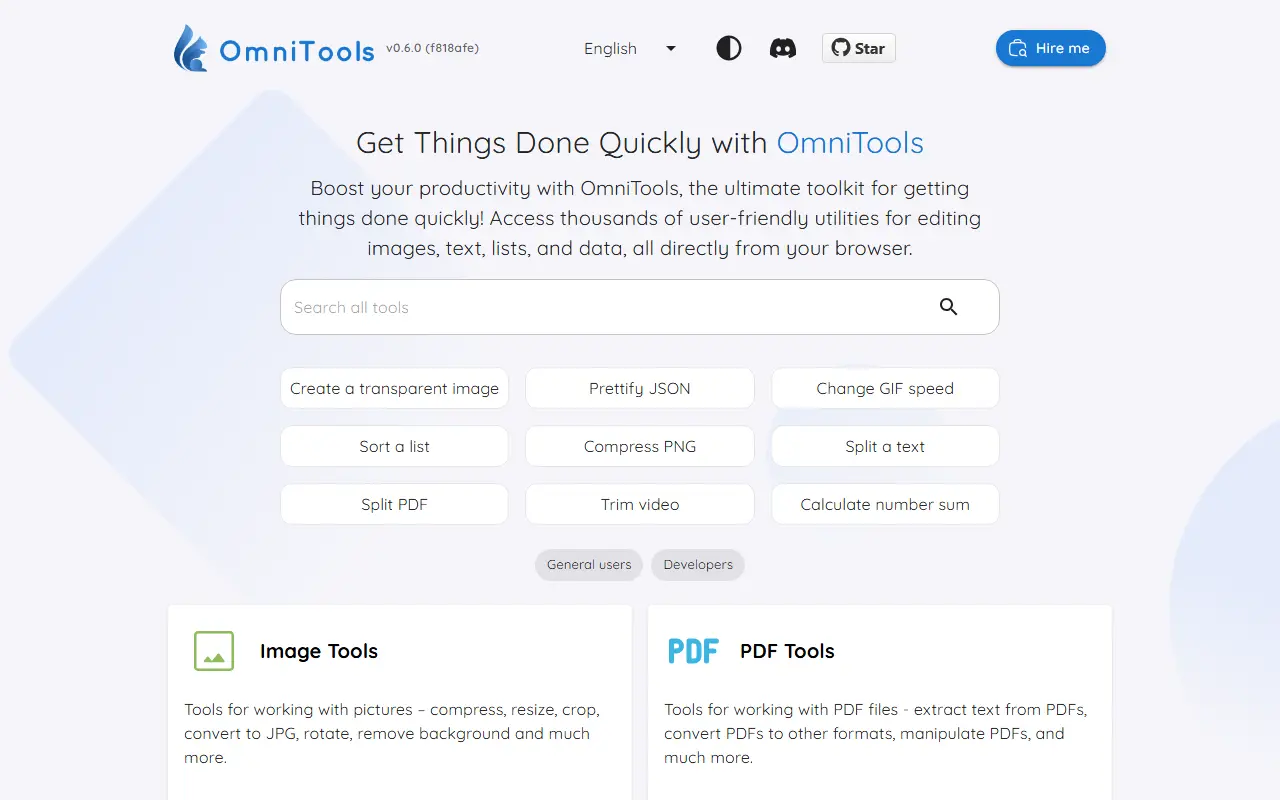
OmniTools is a self-hosted web app that gathers many small utilities in one place, from image and video editing to PDF handling, text formatting and number crunching. It is meant to be a quick, ad-free alternative to the scattered online tools people search for every day.
Its tool categories include image, video and audio tools such as resizing, converting and trimming, PDF tools for splitting, merging and editing, text and list tools such as case converters and shufflers, date and time calculators, math tools, and data tools for JSON, CSV and XML. All files are processed on the client side, so nothing leaves your device, and more tools are added over time.
OmniTools is a React and TypeScript project using Material UI, licensed under MIT. It can be run with Docker or Docker Compose, with a small image that is quick to deploy, and a demo site is available. Translations are managed through Locize, and contributors can add new tools following the project setup instructions.
Key features
- Image, video and audio utilities
- PDF splitter, merger and editor
- Text and list formatting tools
- Date, time and math calculators
- JSON, CSV and XML tools
- Client-side processing with no uploads
- Docker and Docker Compose deployment
Good fit for
- Replacing ad-heavy online converters
- A private toolbox for a team or home lab
- Quick file conversions without uploading data
OmniTools: questions and answers
- What is OmniTools used for?
- OmniTools is a self-hosted collection of web-based everyday tools for images, video, PDFs, text, dates, math and data that process files in the browser with no ads or tracking. It is a good fit for replacing ad-heavy online converters, a private toolbox for a team or home lab and quick file conversions without uploading data.
- Is OmniTools open source?
- Yes. OmniTools is open source under the MIT licence. Its source code is on GitHub at iib0011/omni-tools and is written mainly in TypeScript.
- Is OmniTools free?
- Yes. OmniTools is open source, so the software itself is free to use.
- Can I self-host OmniTools?
- Yes. OmniTools can be self-hosted on your own server or infrastructure.
- What is OmniTools an alternative to?
- OmniTools is an open-source alternative to iLovePDF, Smallpdf and Sejda PDF. Other open-source alternatives to iLovePDF include BentoPDF, Stirling PDF and PDFsam.
- Is OmniTools actively maintained?
- Yes. The most recent commit to OmniTools was on 24 October 2026, and the latest release is v0.7.0, published on 20 October 2026. The project has 11k stars on GitHub, with 397 added in the last 30 days.
Open-source alternatives to OmniTools
See all
BentoPDF
Productivity
The Privacy First PDF Toolkit
AGPL-3.0vs iLovePDF★ 16k
Stirling PDF
Productivity
A free, private PDF editor you can run on any infrastructure.
OSSvs Adobe Acrobat★ 96k
PDFsam
Productivity
PDFsam, a desktop application to split, merge, mix, rotate PDF files and extract pages
AGPL-3.0vs Smallpdf★ 4.7k
LibreOffice
Productivity
Free, open-source office suite with word processing, spreadsheets and presentations
MPL-2.0vs Microsoft 365★ 4.6k
Inkscape
Design
Project Website: https://inkscape.org - Code Repository: https://gitlab.com/inkscape/inksc
OSSvs Adobe Illustrator★ 4.1k
Yuvomi
Productivity
Self-hosted family planner - tasks, calendars, shopping, meals, budget. Your data, your se
MIT★ 2.3k
SaaS alternatives to OmniTools
See all
iLovePDF
Productivity
Online PDF tools for splitting, merging, compressing and converting
SaaS
Smallpdf
Productivity
Browser-based PDF tools for merging, compressing, editing and signing
SaaS
Sejda PDF
Productivity
Online and desktop PDF editor with merge, split, compress and sign tools
SaaS
OxygenPDF
Productivity
Private PDF toolkit that runs without uploading your files
SaaS
PDFWix
Productivity
Free browser-based PDF toolkit to merge, split, compress, convert, edit, sign and secure PDFs
SaaS
PurePDF
Productivity
Online PDF toolkit to translate, merge, compress, convert, edit, sign and OCR files, mostly in the browser
SaaS