
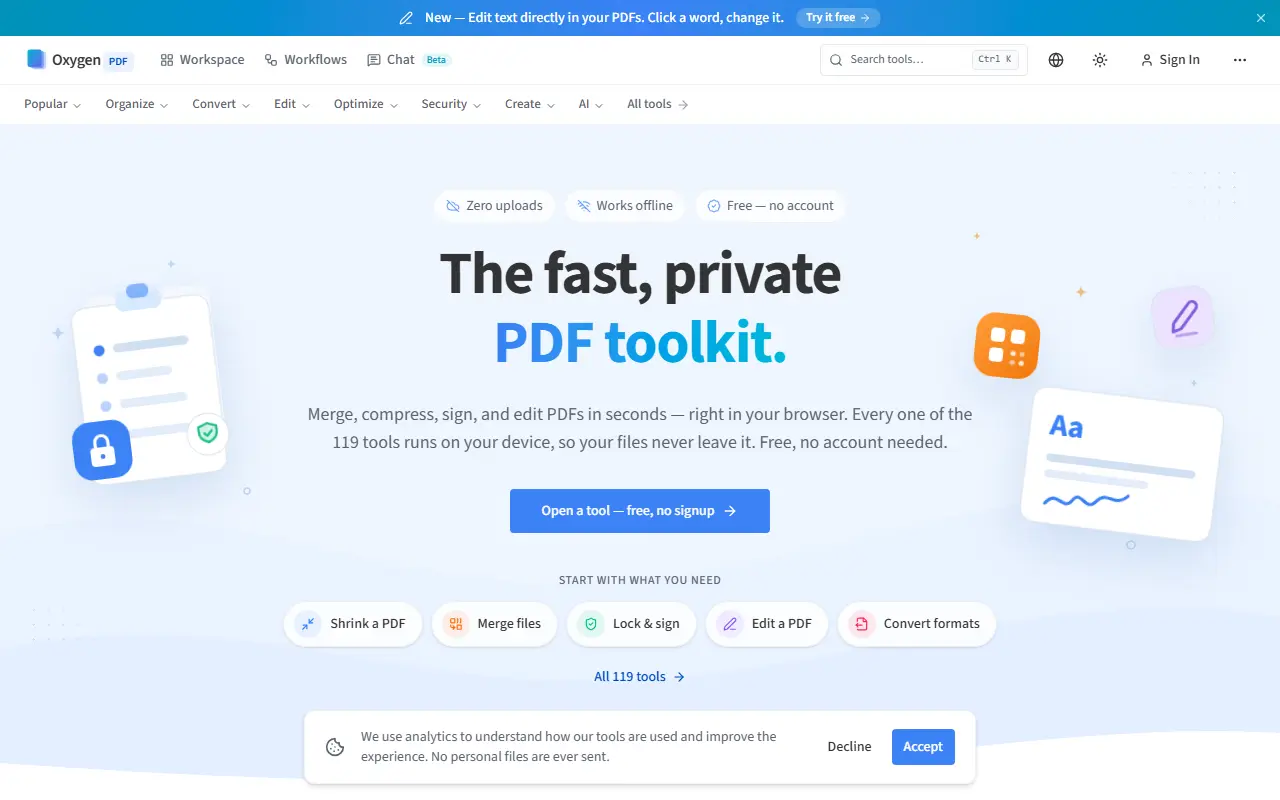
About OxygenPDF
OxygenPDF offers a large set of PDF utilities that run entirely in the browser, so files are never uploaded. Core tools include merge, split, compress, sign, protect, convert and edit, and a newer feature lets you click a word in a PDF and change the text directly. No account or signup is needed, and the site says it works offline.
Its 119 tools are grouped into Organize, Convert, Edit, Optimize, Security, Create and AI. They cover conversions between PDF and Word, Excel, PowerPoint, images and Markdown, OCR, annotation, redaction, watermarks, page numbers, Bates numbering, PDF/A output, form creation, signature validation and PDF comparison, plus a workspace, workflows and a beta chat feature.
The tools are free to use with no account. A Lifetime Pro plan is offered for a one-time $29, and the main pitch is privacy and speed, since nothing is queued on a server or uploaded anywhere, and results appear almost immediately.
Key features
- 119 PDF tools running in the browser
- Direct text editing inside PDFs
- Merge, split and compress
- Conversion between PDF, Word, Excel and images
- OCR, annotation and redaction
- Digital signing and signature validation
- Works offline with no account
Good fit for
- Merging and compressing documents privately
- Signing a PDF without creating an account
- Converting scanned files with OCR
OxygenPDF: questions and answers
- What is OxygenPDF used for?
- OxygenPDF is a browser-based PDF toolkit with 119 tools for merging, compressing, editing and signing that process files on your own device. It is a good fit for merging and compressing documents privately, signing a PDF without creating an account, and converting scanned files with OCR.
- Is OxygenPDF free?
- Yes. OxygenPDF has a free plan, and paid plans start at $29 as a one-time payment.
- Is OxygenPDF open source?
- No. OxygenPDF is proprietary (closed-source) software and can't be self-hosted. In the Productivity category, open-source options include BentoPDF, PDFsam and Stirling PDF.
- What are some alternatives to OxygenPDF?
- OxygenPDF competes with iLovePDF, Smallpdf and Sejda PDF.
Open-source alternatives to OxygenPDF
See all
BentoPDF
Productivity
The Privacy First PDF Toolkit
AGPL-3.0vs iLovePDF★ 16k
PDFsam
Productivity
PDFsam, a desktop application to split, merge, mix, rotate PDF files and extract pages
AGPL-3.0vs Smallpdf★ 4.6k
Stirling PDF
Productivity
A free, private PDF editor you can run on any infrastructure.
OSSvs Adobe Acrobat★ 94k
OmniTools
Productivity
Self-hosted collection of powerful web-based tools for everyday tasks. No ads, no tracking
MITvs iLovePDF★ 10k
OCRmyPDF
Productivity
OCRmyPDF adds an OCR text layer to scanned PDF files, allowing them to be searched
MPL-2.0vs Adobe Acrobat★ 35k
Zen Browser
Productivity
Welcome to a calmer internet
MPL-2.0vs Google Chrome★ 45k
SaaS alternatives to OxygenPDF
See all
iLovePDF
Productivity
Online PDF tools for splitting, merging, compressing and converting
SaaS
Smallpdf
Productivity
Browser-based PDF tools for merging, compressing, editing and signing
SaaS
Sejda PDF
Productivity
Online and desktop PDF editor with merge, split, compress and sign tools
SaaS
Adobe Acrobat
Productivity
PDF reader and editor with e-signature and document conversion
SaaS
Soda PDF
Productivity
Desktop and online PDF editor, converter and e-signature tool
SaaS
PDFWix
Productivity
Free browser-based PDF toolkit to merge, split, compress, convert, edit, sign and secure PDFs
SaaS