
About Jollycat
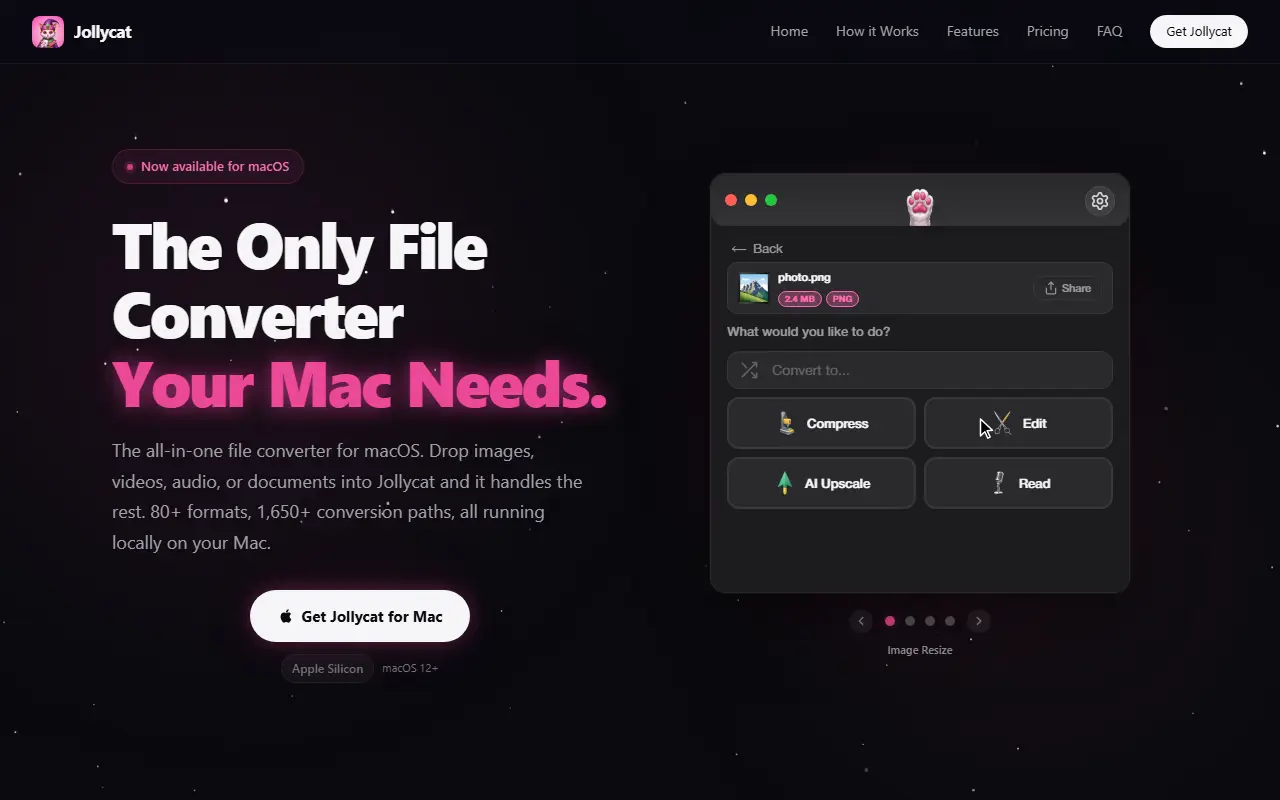
Jollycat is a Mac app for converting files locally. You drop an image, video, audio file or document onto it, and it detects the format, shows the available conversions and processes the job in the background. The site cites more than 80 formats and over 1,650 conversion paths, with nothing uploaded to a browser service and no command-line tools needed.
It goes beyond conversion. The video toolkit trims with frame accuracy, crops, rotates, flips, changes speed, reverses clips, extracts audio and adjusts volume, and compresses with H.264 or H.265. Images can be resized by percentage or dimensions, audio can be transcribed to a text file or translated to English, and PDF and document tools include compression. Batch support handles multiple files at once.
Jollycat runs natively on Apple Silicon and requires macOS 12 or later. The homepage lists a one-time price of $9.99 and says everything runs locally, so files never leave your Mac. The site also has how-it-works, features, pricing and FAQ sections.
Key features
- Conversion across 80+ formats
- Drag-and-drop from the menu bar
- Video trim, crop, rotate and speed control
- Video compression with H.264 or H.265
- Audio transcription and translation to English
- PDF and document compression
- Batch conversion of multiple files
Good fit for
- Converting HEIC or PNG images without uploading them
- Compressing a video before sharing
- Transcribing a recording to text
Jollycat: questions and answers
- What is Jollycat used for?
- Jollycat is a native macOS file converter that handles images, video, audio, documents and PDFs across 80+ formats, entirely offline. It is a good fit for converting HEIC or PNG images without uploading them, compressing a video before sharing and transcribing a recording to text.
- How much does Jollycat cost?
- Paid plans for Jollycat start at $9.99 as a one-time payment, and there is no free plan.
- Is Jollycat open source?
- No. Jollycat is proprietary (closed-source) software. In the Productivity category, open-source options include BentoPDF, Stirling PDF and Stats.
- What are some alternatives to Jollycat?
- Jollycat competes with Smallpdf and iLovePDF.
Open-source alternatives to Jollycat
See all
BentoPDF
Productivity
The Privacy First PDF Toolkit
AGPL-3.0vs iLovePDF★ 16k
Stirling PDF
Productivity
A free, private PDF editor you can run on any infrastructure.
OSSvs Adobe Acrobat★ 94k
Stats
Productivity
macOS system monitor in your menu bar
MIT★ 42k
Rectangle
Productivity
Move and resize windows on macOS with keyboard shortcuts and snap areas
OSSvs BetterTouchTool★ 30k
Maccy
Productivity
Lightweight clipboard manager for macOS
MITvs Paste★ 22k
DocuSeal
Productivity
Free and Open source tool to streamline document filling and signing. Create custom PDF fo
AGPL-3.0vs DocuSign★ 19k
SaaS alternatives to Jollycat
See all
Smallpdf
Productivity
Browser-based PDF tools for merging, compressing, editing and signing
SaaS
iLovePDF
Productivity
Online PDF tools for splitting, merging, compressing and converting
SaaS
Compresto
Productivity
macOS app that compresses images, videos, PDFs and GIFs with minimal quality loss
SaaS
TeraConvert
Productivity
Offline Mac file converter for 800+ formats with PDF text editing, background removal, compression and batch tools
SaaS
terrific.tools
Productivity
Privacy-first desktop file converter for Mac and Windows that converts over 2,000 file types offline
SaaS
ClearCut
Productivity
Native macOS utility with 45 local tools for converting and compressing video, audio, images and PDFs
SaaS