 TrackMedia
 TrackRev

 DaVinci Resolve
 iMovie
 Lightworks
 VEGAS Pro
 Magix Movie Edit Pro
 Adobe Premiere Pro
 Final Cut Pro
About Movavi Video Editor
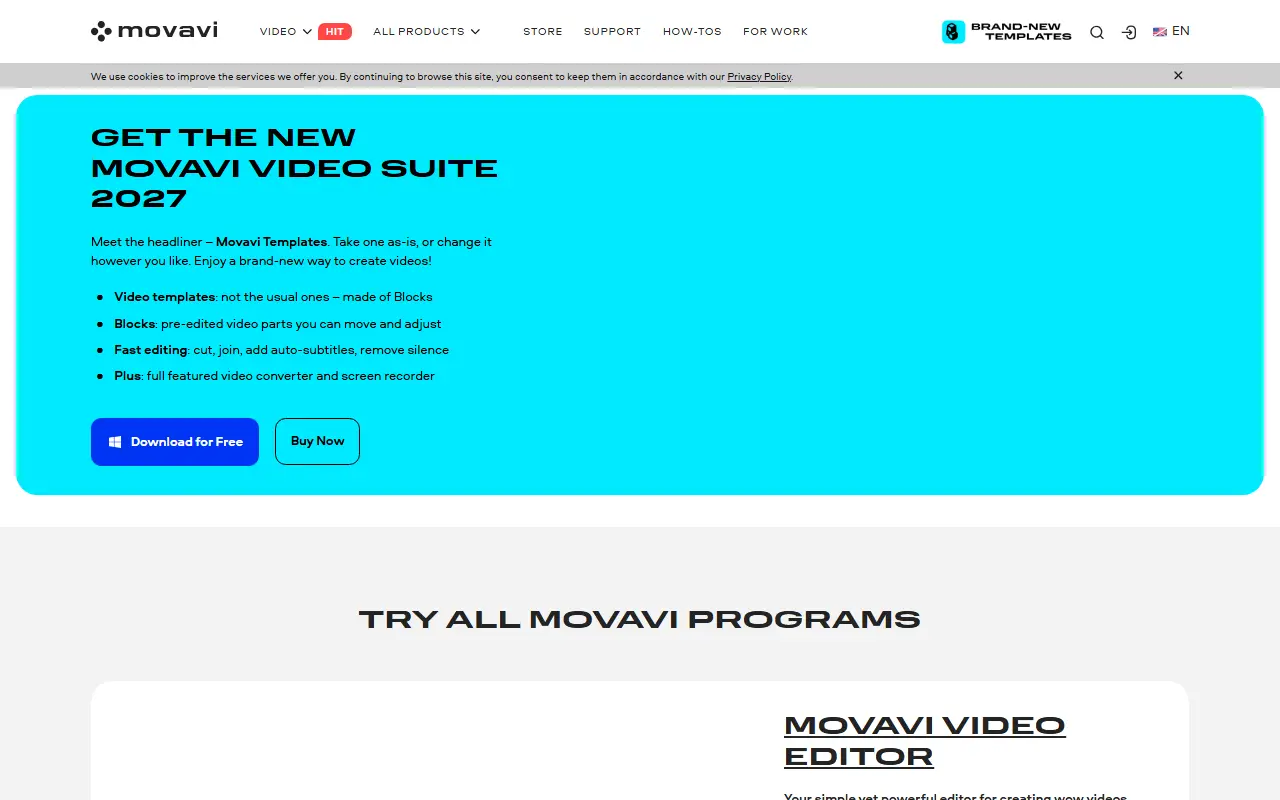
Movavi Video Editor is an easy video editor for beginners on Windows and macOS, aimed at family videos, vlogs, and small-business clips rather than professional projects. Alongside basics such as trimming, color correction, and titles, it offers a large library of drag-and-drop effects and Movavi Video Templates, a multi-style library of customizable, pro-looking, modular templates for any kind of video. Each template is a sequence of short edited Blocks that can be moved, swapped out, added, or restyled, while AI tools generate subtitles, clean up noise, cut silent gaps, and reframe footage for vertical platforms.
It offers fewer fine-grained controls than a professional suite, no flexible interface customization, and no web version or cloud project sync.
Key features
- Movavi Video Templates: customizable templates made of Blocks you can move, swap, add or restyle
- Large library of drag-and-drop effects
- Trimming, color correction and titles
- AI subtitle generation
- AI noise cleanup
- AI cutting of silent gaps
- AI reframing of footage for vertical platforms
- Windows and macOS versions
Good fit for
- People filming vlogs, family events, or product clips who want templates and automatic subtitles to do most of the work
Movavi Video Editor: questions and answers
- What is Movavi Video Editor used for?
- Movavi Video Editor is an intuitive video editor with customizable video templates, one-click AI tools, and hundreds of drag-and-drop effects. It is a good fit for people filming vlogs, family events, or product clips who want templates and automatic subtitles to do most of the work.
- Is Movavi Video Editor free?
- Yes. Movavi Video Editor has a free plan, and paid plans start at $19.95 per month.
- Is Movavi Video Editor open source?
- No. Movavi Video Editor is proprietary (closed-source) software. Open-source alternatives to Movavi Video Editor include Kdenlive, Shotcut and OpenShot.
- What are some alternatives to Movavi Video Editor?
- Movavi Video Editor competes with Wondershare Filmora, Camtasia and CyberLink PowerDirector. For open-source options, see Enlisted's ranked list of open-source Movavi Video Editor alternatives.
Open-source alternatives to Movavi Video Editor
See all
Kdenlive
Video Editing
Free and open source video editor, based on MLT Framework and KDE Frameworks
GPL-3.0vs Adobe Premiere Pro★ 6.1k
Shotcut
Video Editing
cross-platform (Qt), open-source (GPLv3) video editor
GPL-3.0vs Adobe Premiere Pro★ 16k
OpenShot
Video Editing
OpenShot Video Editor is an award-winning free and open-source video editor for Linux, Mac
OSSvs Adobe Premiere Pro★ 6.8k
OpenCut
Video Editing
The open-source CapCut alternative
MITvs CapCut★ 98k
OBS Studio
Video Editing
OBS Studio - Free and open source software for live streaming and screen recording
GPL-2.0vs vMix★ 79k
Blender
3D & CAD
Official mirror of Blender
OSSvs Autodesk Maya★ 22k
SaaS alternatives to Movavi Video Editor
See all
Wondershare Filmora
Video Editing
Video editor for beginners and creators with effects, titles and AI tools
SaaS
Camtasia
Video Editing
Screen recorder and video editor for tutorials and training videos
SaaS
CyberLink PowerDirector
Video Editing
Consumer video editing software with effects, motion tracking and AI tools
SaaSCorel VideoStudio
Video Editing
Consumer video editor from Corel with multi-camera and motion tracking tools
SaaS
Adobe Premiere Elements
Video Editing
Consumer video editing software with guided edits and automated tools
SaaSPinnacle Studio
Video Editing
Video editing software with multi-track timelines and effects, from Corel
SaaS