About Capster
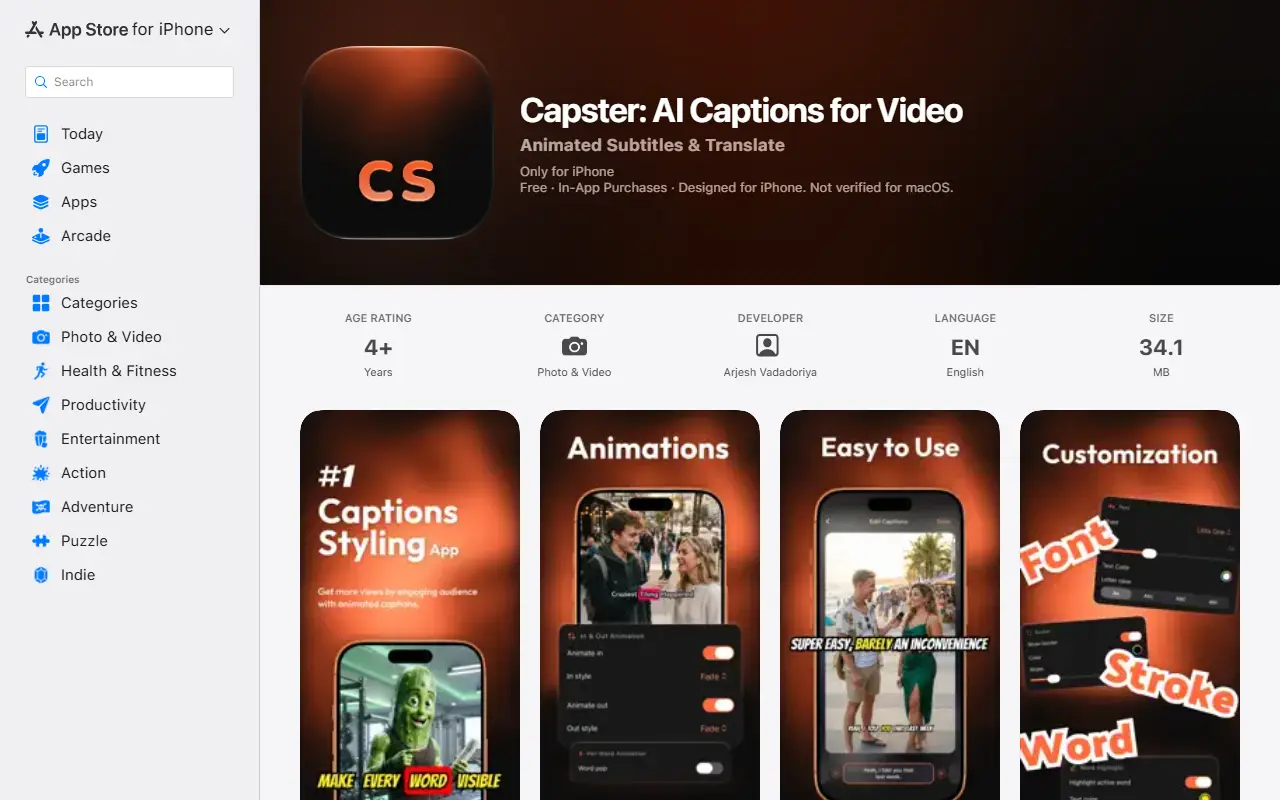
Capster is an iOS app that creates captions for videos. A user imports a clip from Photos or Files, taps generate, and the app transcribes the speech, times each word and displays animated captions that can be styled and burned into the final video. It also detects the spoken language automatically across 99 languages.
Captions can be translated into 86 languages, and long lines are split into short readable segments. Styling options include 17 ready-made presets, additional real-estate-style presets, 18 fonts, outlines, shadows, background boxes and karaoke-style highlighting that gives the spoken word its own color. Where a clip has no speech, captions can be added by hand.
Capster is a commercial mobile app by an independent developer, Arjesh Vadadoriya, and is listed on the App Store as free to download with in-app purchases. It is made for iPhone and suits creators who publish vertical video and want captions without timing them manually.
Key features
- Automatic speech transcription with per-word timing
- Language detection across 99 languages
- Caption translation into 86 languages
- 17 animated caption style presets
- Karaoke-style word highlighting
- Burns captions into the exported video
Good fit for
- →Captioning vertical video for social platforms
- →Translating captions for international audiences
- →Making sound-off videos easier to follow
- Tags
- captions
- subtitles
- ios
- video-editing
- ai-transcription
- translation
- mobile-app
Capster: questions and answers
- What is Capster used for?
- Capster is an iPhone app that transcribes speech in videos into animated word-by-word captions, translates them and burns them into the exported clip. It is a good fit for captioning vertical video for social platforms, translating captions for international audiences and making sound-off videos easier to follow.
- Is Capster free?
- Yes. Capster has a free plan.
Open-source alternatives to Capster
See all
Shotcut
Video Editing
cross-platform (Qt), open-source (GPLv3) video editor
GPL-3.0vs Adobe Premiere Pro★ 15k
OpenShot
Video Editing
OpenShot Video Editor is an award-winning free and open-source video editor for Linux, Mac
OSSvs Adobe Premiere Pro★ 6.6k
Kdenlive
Video Editing
Free and open source video editor, based on MLT Framework and KDE Frameworks
GPL-3.0vs Adobe Premiere Pro★ 5.8k
OpenCut
Video Editing
The open-source CapCut alternative
MITvs CapCut★ 91k
OBS Studio
Video Editing
OBS Studio - Free and open source software for live streaming and screen recording
GPL-2.0vs vMix★ 77k
HandBrake
Video Editing
HandBrake's development repository
OSS★ 25k
SaaS alternatives to Capster
See all
Captions
Video Editing
AI video editing app for captions, dubbing and talking-head content
SaaS
Submagic
Video Editing
AI tool that adds captions and edits to short-form videos
SaaS
CapCut
Video Editing
Video editor for short-form clips with templates, effects and auto captions
SaaS
InShot
Video Editing
Mobile video and photo editor for social media content
SaaS
Captions Bro
Video Editing
Mobile video editor with automatic caption generation and a teleprompter
SaaSClipmonkey
Video Editing
Generates captions for social media videos using AI
SaaS