
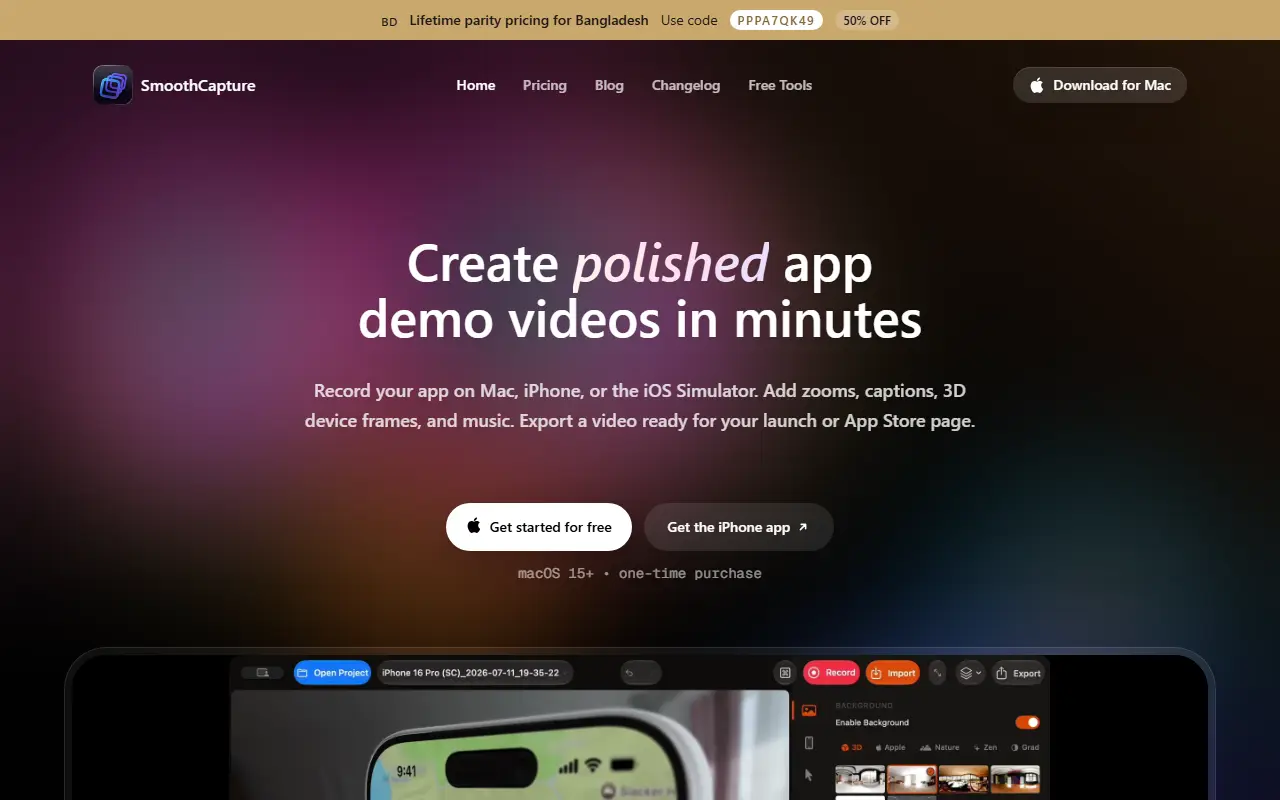
About Smooth Capture
SmoothCapture is a macOS app for making app demo videos. You record a Mac screen, window or selected area, an iPhone or iPad connected over USB, or an iOS Simulator session, and can optionally add webcam, microphone, system audio and keystrokes. Everything is edited in the same app and saved inside one .smoothcapture file.
The editor trims mistakes, splits long clips and reorders scenes, adds zooms and reframing so each step is easy to follow, and places footage in rotatable 3D device frames with adjustable perspective. Captions and music can be added. Exports go to MP4, MOV, GIF or transparent ProRes, and you can save locally, grab a share link or publish to Cloudflare R2 or AWS S3. It requires macOS 15 or later and is sold as a one-time purchase, with a separate iPhone app. The site also has pricing, blog, changelog and free tools pages.
Key features
- Records Mac screen, iPhone over USB or Simulator
- Zooms and reframing to highlight steps
- Rotatable 3D device frames
- Captions, music and trimming in one editor
- Exports MP4, MOV, GIF or transparent ProRes
- Publish to Cloudflare R2 or AWS S3
Good fit for
- App Store preview and launch videos
- Product demo videos for mobile apps
Smooth Capture: questions and answers
- What is Smooth Capture used for?
- Smooth Capture is a Mac app for recording a screen, iPhone or iOS Simulator and turning the footage into app demo videos with zooms, captions, 3D device frames and music. It is a good fit for app Store preview and launch videos, and product demo videos for mobile apps.
- How much does Smooth Capture cost?
- Paid plans for Smooth Capture start at $10 per month, and there is no free plan. A free trial is available.
- Is Smooth Capture open source?
- No. Smooth Capture is proprietary (closed-source) software. In the Video Editing category, open-source options include OBS Studio, Cap and Shotcut.
- What are some alternatives to Smooth Capture?
- Smooth Capture competes with Screen Studio, ScreenFlow and Camtasia.
Open-source alternatives to Smooth Capture
See all
OBS Studio
Video Editing
OBS Studio - Free and open source software for live streaming and screen recording
GPL-2.0vs vMix★ 77k
Cap
Video Editing
Open source Loom alternative. Beautiful, shareable screen recordings.
OSSvs Loom★ 23k
Shotcut
Video Editing
cross-platform (Qt), open-source (GPLv3) video editor
GPL-3.0vs Adobe Premiere Pro★ 15k
OpenShot
Video Editing
OpenShot Video Editor is an award-winning free and open-source video editor for Linux, Mac
OSSvs Adobe Premiere Pro★ 6.6k
Kdenlive
Video Editing
Free and open source video editor, based on MLT Framework and KDE Frameworks
GPL-3.0vs Adobe Premiere Pro★ 5.8k
OpenCut
Video Editing
The open-source CapCut alternative
MITvs CapCut★ 93k
SaaS alternatives to Smooth Capture
See all
Screen Studio
Video Editing
Mac screen recorder that adds automatic zooms and polished cursor animations
SaaS
ScreenFlow
Video Editing
Mac screen recording and video editing software from Telestream
SaaS
Camtasia
Video Editing
Screen recorder and video editor for tutorials and training videos
SaaS
Tella
Video Editing
Screen and camera recorder with editing for demos and tutorials
SaaS
CleanShot X
Productivity
Mac screenshot and screen recording utility with annotation and cloud sharing
SaaS
BlitzRecorder
Video Editing
macOS screen recording app for making product demos, tutorials and short software videos
SaaS