
About Podman Desktop
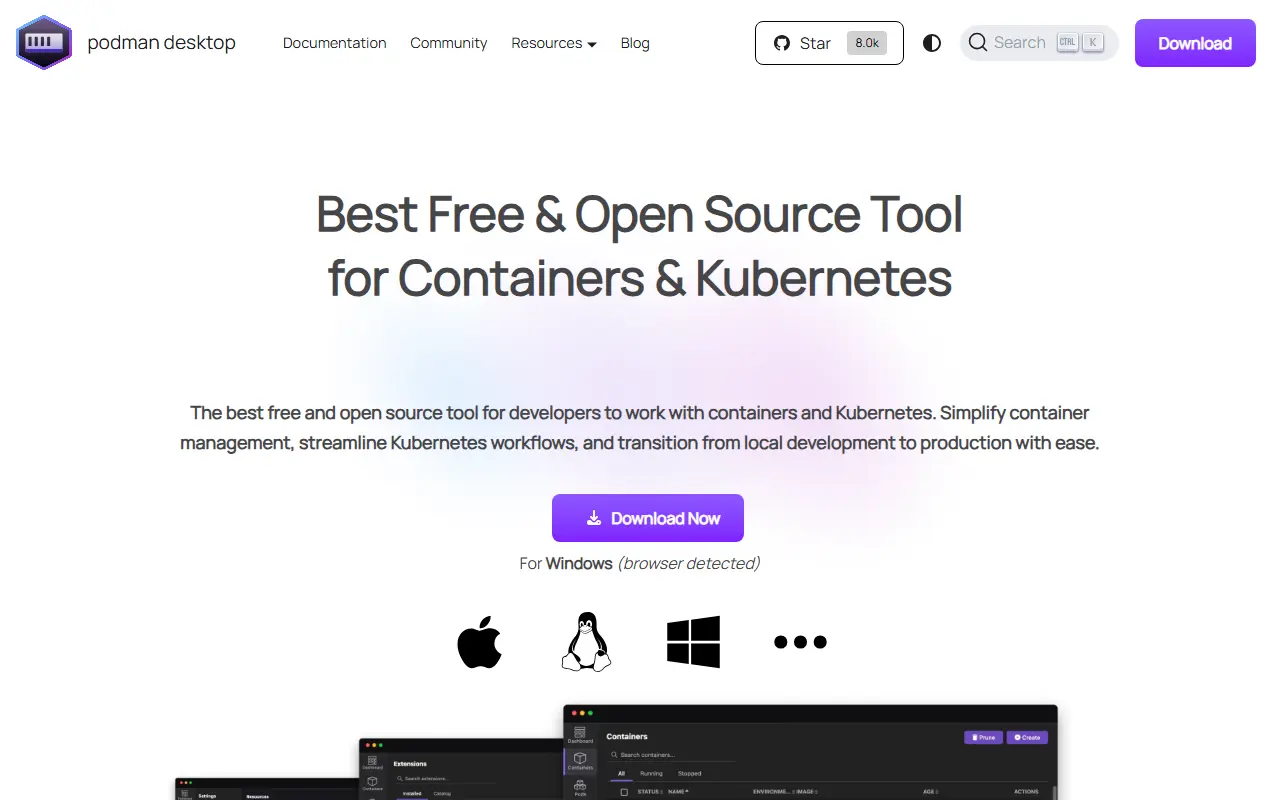
Podman Desktop is a graphical interface that lets application developers work with containers and Kubernetes. It sets up Podman, configures it and keeps it current on a local machine, and adds a system tray so you can check status and interact with the container engine without leaving other tasks.
The application provides a dashboard for containers, images, pods and volumes, and it configures OCI registries and network settings. Developers can build, run, manage and debug containers and pods, run pods on the container engine or on Kubernetes, and convert pods to run on Kubernetes. It also connects to Kubernetes environments to deploy pods. Several engines are supported, including Podman, crc, Lima and Docker, and capabilities can be extended through extensions.
Podman Desktop is written in TypeScript and released under the Apache-2.0 licence. It is downloaded from the project website as a desktop application, and an optional early adopter program lets users try pre-release builds. Documentation covers managing containers, images, pods, clusters and extensions.
Key features
- Dashboard for containers, images, pods and volumes
- Automatic Podman installation and updates
- System tray status and controls
- Support for Podman, Docker, Lima and crc engines
- Deploy pods to Kubernetes
- Extension system
Good fit for
- →Managing local containers without the command line
- →Moving pods from a local engine to Kubernetes
- Tags
- podman
- containers
- kubernetes
- docker
- desktop
- developer-tools
- devops
- typescript
Podman Desktop: questions and answers
- What is Podman Desktop used for?
- Podman Desktop is a free, open-source graphical tool for developers to build and manage containers, pods and Kubernetes from a desktop application. It is a good fit for managing local containers without the command line and moving pods from a local engine to Kubernetes.
- Is Podman Desktop open source?
- Yes. Podman Desktop is open source under the Apache-2.0 licence. Its source code is on GitHub at podman-desktop/podman-desktop and is written mainly in TypeScript.
- Is Podman Desktop free?
- Yes. Podman Desktop is open source, so the software itself is free to use.
- What is Podman Desktop an alternative to?
- Podman Desktop is an open-source alternative to Docker Desktop and OrbStack. Other open-source alternatives to Docker Desktop include Rancher Desktop, Colima and Podman.
- Is Podman Desktop actively maintained?
- Yes. The most recent commit to Podman Desktop was on 2 October 2026, and the latest release is v1.29.3, published on 1 September 2026. The project has 8k stars on GitHub.
Open-source alternatives to Podman Desktop
See all
Rancher Desktop
Infrastructure & Containers
Container Management and Kubernetes on the Desktop
Apache-2.0vs Docker Desktop★ 7.4k
Colima
Infrastructure & Containers
Container runtimes on macOS (and Linux) with minimal setup
MITvs Docker Desktop★ 31k
Podman
Infrastructure & Containers
Podman: A tool for managing OCI containers and pods.
Apache-2.0vs Docker Desktop★ 33k
Lima
Infrastructure & Containers
Linux virtual machines, with a focus on running containers
Apache-2.0vs Docker Desktop★ 22k
Multipass
Infrastructure & Containers
Multipass orchestrates virtual Ubuntu instances
GPL-3.0vs OrbStack★ 9.3k
Portainer
Infrastructure & Containers
Making Docker and Kubernetes management easy.
Zlibvs Lens★ 39k
SaaS alternatives to Podman Desktop
See all
Docker Desktop
Infrastructure & Containers
Desktop app for building and running containers locally, with Kubernetes support
SaaS
OrbStack
Infrastructure & Containers
Lightweight macOS app for running Docker containers and Linux machines
SaaS
Lens
Infrastructure & Containers
Desktop Kubernetes IDE for managing clusters and workloads
SaaS
Parallels Desktop
Infrastructure & Containers
Virtualization software for running Windows and Linux on Mac
SaaS
VMware Workstation
Infrastructure & Containers
Desktop hypervisor for running virtual machines on Windows and Linux
SaaS
Amazon EKS
Infrastructure & Containers
Managed Kubernetes control plane and worker nodes on AWS
SaaS