
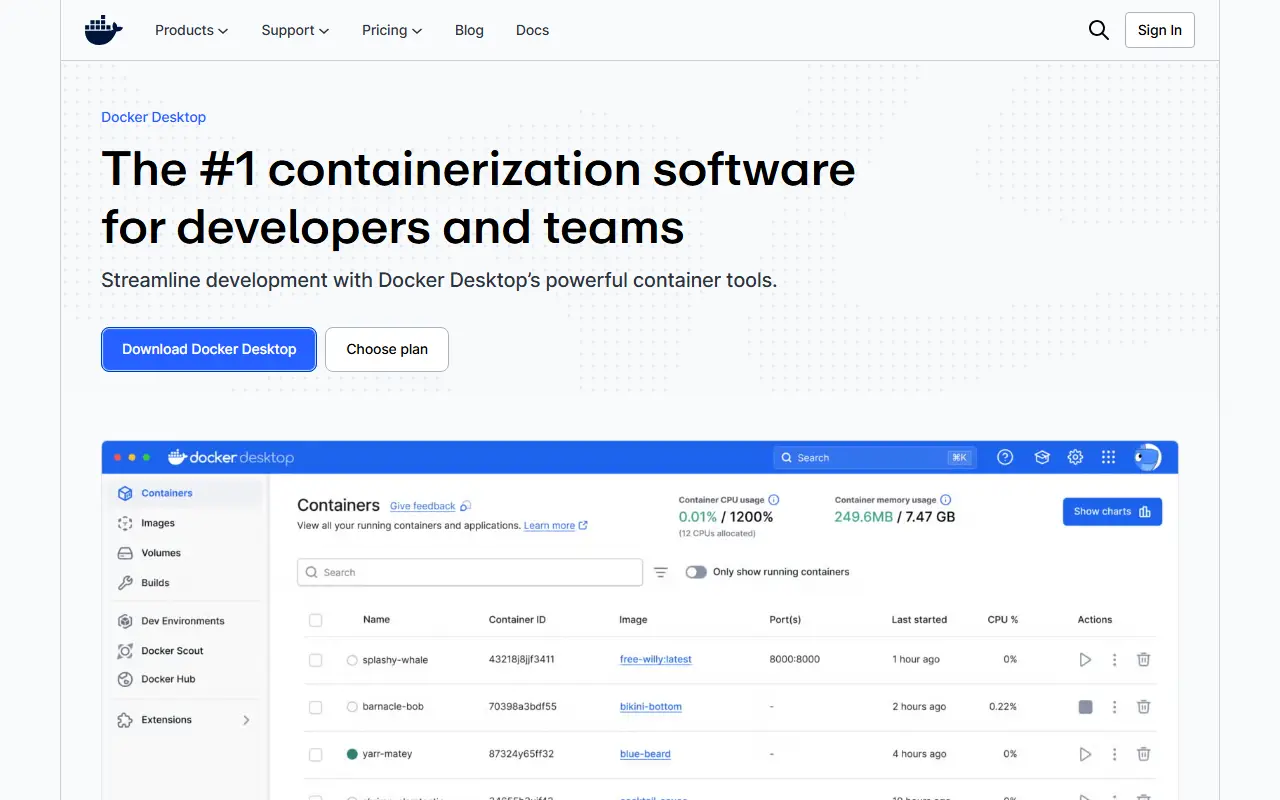
About Docker Desktop
Docker Desktop is a commercial desktop application from Docker that lets developers build, run and test containers on their own computers. It packages the container tooling into a single installable app for Mac, Windows and Linux, so an application can be containerized and run locally the same way it will run in production.
Beyond running containers, the app offers a local Kubernetes option and connects to Docker Hub for finding and sharing images. It sits within a wider Docker product line that includes Docker Scout for software supply chain insight, Docker Model Runner for local model inference, an Extensions SDK for add-on tools, and Docker Offload for moving work off the local machine.
Docker Desktop is proprietary software. A free Personal plan targets individual developers, while the paid Pro, Team and Business plans are billed per user per month and add progressively more collaboration, security, control and compliance features.
Key features
- Build and run containers on a local machine
- Available for Mac, Windows and Linux
- Built-in Kubernetes support for local testing
- Docker Hub integration for sharing images
- Extensions SDK for add-on tools
- Docker Scout supply chain insights
- Docker Model Runner for local LLM inference
Good fit for
- →Containerizing applications during development
- →Testing Kubernetes manifests locally
- →Standardizing dev environments across a team
- Tags
- docker
- containers
- kubernetes
- desktop-app
- devops
- local-development
- proprietary
Docker Desktop: questions and answers
- What is Docker Desktop used for?
- Docker Desktop is a desktop application for building, running and sharing containers locally on Mac, Windows or Linux, with built-in Kubernetes support for developers. It is a good fit for containerizing applications during development, testing Kubernetes manifests locally and standardizing dev environments across a team.
- Is Docker Desktop free?
- Yes. Docker Desktop has a free plan, and paid plans start at $11 per seat per month. A free trial is also available.
- Is Docker Desktop open source?
- No. Docker Desktop is proprietary (closed-source) software. Open-source alternatives to Docker Desktop include Podman Desktop, Colima and Rancher Desktop.
- Can I self-host Docker Desktop?
- Yes. Although Docker Desktop is closed source, it can be self-hosted on your own servers.
- What are some alternatives to Docker Desktop?
- Docker Desktop competes with OrbStack. For open-source options, see Enlisted's ranked list of open-source Docker Desktop alternatives.
Open-source alternatives to Docker Desktop
See all
Podman Desktop
Infrastructure & Containers
Podman Desktop is the best free and open source tool to work with Containers and Kubernete
Apache-2.0vs Docker Desktop★ 8k
Colima
Infrastructure & Containers
Container runtimes on macOS (and Linux) with minimal setup
MITvs Docker Desktop★ 31k
Rancher Desktop
Infrastructure & Containers
Container Management and Kubernetes on the Desktop
Apache-2.0vs Docker Desktop★ 7.4k
Podman
Infrastructure & Containers
Podman: A tool for managing OCI containers and pods.
Apache-2.0vs Docker Desktop★ 33k
Lima
Infrastructure & Containers
Linux virtual machines, with a focus on running containers
Apache-2.0vs Docker Desktop★ 22k
Minikube
Infrastructure & Containers
Run Kubernetes locally
Apache-2.0★ 32k
SaaS alternatives to Docker Desktop
See all
OrbStack
Infrastructure & Containers
Lightweight macOS app for running Docker containers and Linux machines
SaaS
Lens
Infrastructure & Containers
Desktop Kubernetes IDE for managing clusters and workloads
SaaS
Parallels Desktop
Infrastructure & Containers
Virtualization software for running Windows and Linux on Mac
SaaS
VMware Workstation
Infrastructure & Containers
Desktop hypervisor for running virtual machines on Windows and Linux
SaaS
Amazon EKS
Infrastructure & Containers
Managed Kubernetes control plane and worker nodes on AWS
SaaS
Azure Kubernetes Service
Infrastructure & Containers
Managed Kubernetes service on Microsoft Azure
SaaS