
 mSecure
 Codebook
 Bitdefender SecurePass
 Apple Passwords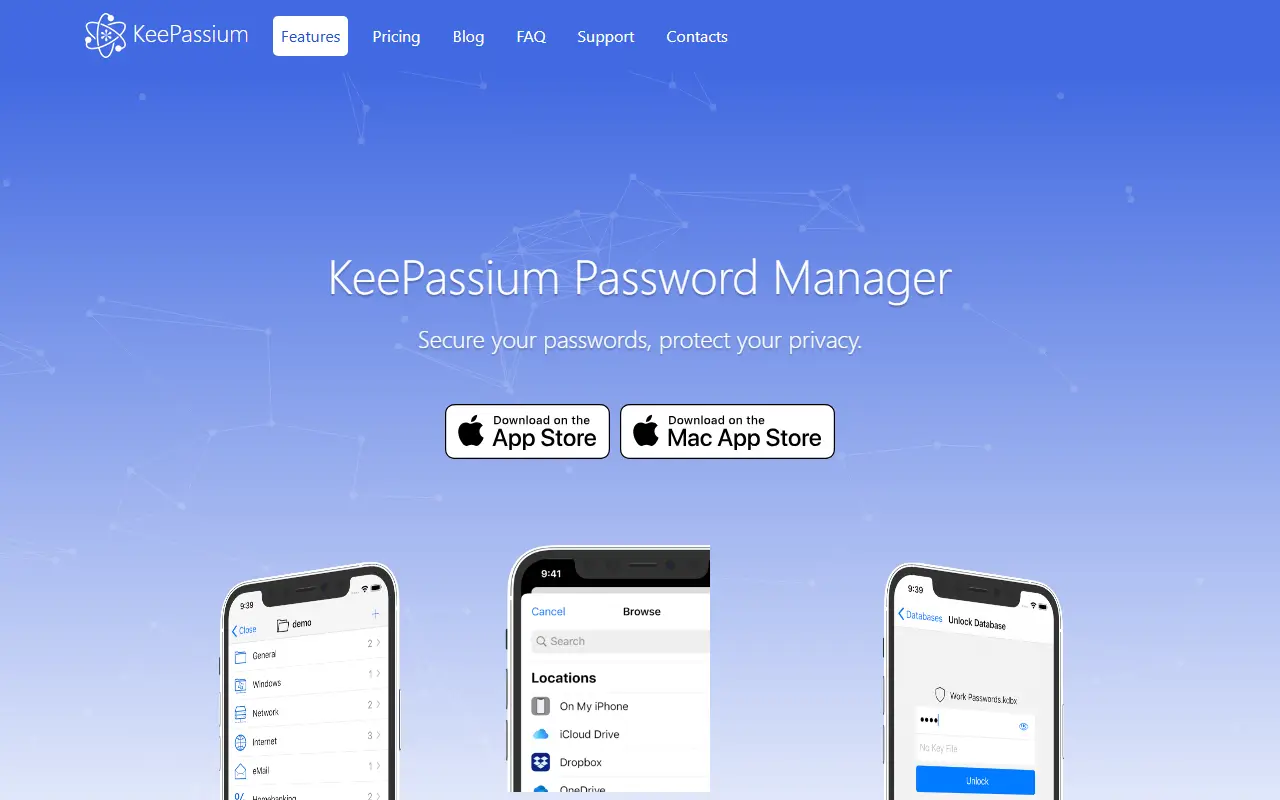
About KeePassium
KeePassium is a password manager that reads and writes KeePass databases on iOS and macOS. The project calls itself a commercial open source app: the commercial side funds maintenance and premium support, while the open source side lets anyone audit the code and build the app themselves. It is aimed at people who want the KeePass ecosystem with a native Apple interface.
It synchronizes databases automatically through the system's own storage integration, so it does not ask for your cloud credentials, and works with iCloud Drive, Dropbox, OneDrive, Google Drive, Box, Nextcloud, SFTP and others. Password AutoFill is supported on iOS. Protection includes Face ID or Touch ID, passcodes, and customizable timeouts for the app, database and clipboard. It handles the kdbx4, kdbx3 and kdb formats with ChaCha20, Argon2, AES, Salsa20 and Twofish, and supports TOTP codes including Steam TOTP, YubiKey challenge-response, attachments, custom fields and custom icons.
Several databases can be used and switched between, and there are no ads. The code is written in Swift, and the repository metadata lists the license as Other, so read the license file for exact terms. The README has a section on whether the app is free; check the vendor for current pricing.
Key features
- Reads and writes KeePass database formats
- Automatic sync with iCloud, Dropbox and SFTP
- Password AutoFill on iOS
- Face ID, Touch ID and passcode protection
- TOTP codes including Steam TOTP
- YubiKey challenge-response support
- Multiple databases with quick switching
Good fit for
- →Using an existing KeePass vault on iPhone or Mac
- →Syncing a password database through your own cloud storage
- Built with
- Swift
- Tags
- password-manager
- keepass
- ios
- macos
- swift
- security
- totp
- yubikey
KeePassium: questions and answers
- What is KeePassium used for?
- KeePassium is a KeePass-compatible password manager for iOS and macOS with automatic cloud sync, AutoFill, biometric protection and YubiKey support. It is a good fit for using an existing KeePass vault on iPhone or Mac and syncing a password database through your own cloud storage.
- Is KeePassium open source?
- Yes. KeePassium is open source under a custom licence. Its source code is on GitHub at keepassium/KeePassium and is written mainly in Swift.
- Is KeePassium free?
- Yes. KeePassium is open source, so the software itself is free to use under the terms of its own licence. Paid plans are also available, starting at €19.99 per year.
- Can I self-host KeePassium?
- Yes. KeePassium can be self-hosted on your own server or infrastructure; there is no official hosted version.
- What is KeePassium an alternative to?
- KeePassium is an open-source alternative to Enpass, Dashlane, Proton Pass and Sticky Password. Other open-source alternatives to Enpass include KeePassXC, Strongbox and AuthPass.
- Is KeePassium actively maintained?
- The most recent commit to KeePassium was on 23 May 2026. The project has 1.7k stars on GitHub.
Open-source alternatives to KeePassium
See all
KeePassXC
Password Management
KeePassXC is a cross-platform community-driven port of the Windows application “KeePass Pa
OSSvs Dashlane★ 29k
Strongbox
Password Management
A KeePass/Password Safe Client for iOS and OS X
AGPL-3.0vs Enpass★ 1.5k
KeePassDX
Password Management
Lightweight vault and password manager for Android, KeePassDX allows editing encrypted dat
GPL-3.0vs Dashlane★ 7.4k
AuthPass
Password Management
AuthPass - Password Manager based on Flutter for all platforms. Keepass 2.x (KDBX 3 and KD
GPL-3.0vs Dashlane★ 2.8kKeepass2Android
Password Management
Password manager app for Android
GPL-3.0vs Dashlane★ 6.3k
Bitwarden
Password Management
Bitwarden infrastructure/backend (API, database, Docker, etc).
OSSvs 1Password★ 20k
SaaS alternatives to KeePassium
See allEnpass
Password Management
Password manager that stores vaults locally and syncs through your own cloud account
SaaS
Dashlane
Password Management
Password manager with autofill, passkey support, dark web monitoring and a built-in VPN
SaaS
Proton Pass
Password Management
Password manager from Proton with email aliases, passkeys and 2FA codes
SaaS
Sticky Password
Password Management
Password manager with local Wi-Fi sync option and a limited free version
SaaS
Steganos Password Manager
Password Management
German-made password manager with local storage and optional cloud sync
SaaSSafeInCloud
Password Management
Password manager that syncs an encrypted database via your own cloud storage
SaaS