
 RoboForm
 Sticky Password
 Google Password Manager
 Avira Password Manager
 Steganos Password Manager
 mSecure
 Codebook
 Bitdefender SecurePass
 SplashID
 ESET Password Manager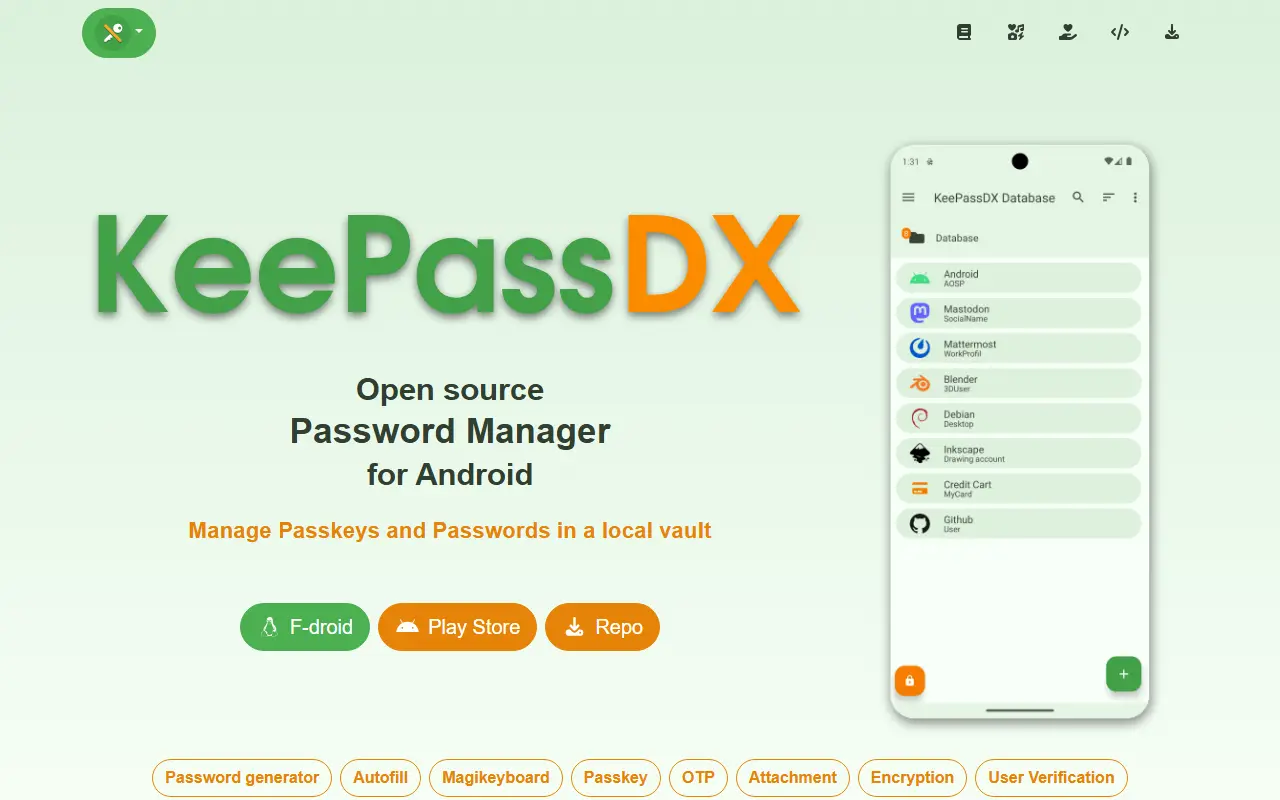
About KeePassDX
KeePassDX is a password safe for Android that edits encrypted data kept in a single file in KeePass format and fills in forms securely. It is a local manager, so your credentials live in a database locked with a master key, a keyfile or both, and you only need to remember one master password.
Features include passkeys for authentication with local storage of private keys, biometric unlocking, one-time password management for HOTP and TOTP, autofill, a Magikeyboard for entering fields, creation of encrypted database files, entries organized in group trees, dynamic templates, entry history and Material Design themes. It supports kdb and kdbx files, versions 1 to 4, with AES, Twofish, ChaCha20 and Argon2, and is compatible with KeePass, KeePassXC and KeeWeb.
KeePassDX is described as open source and ad-free, written natively in Kotlin, Java, JNI and C, and licensed under GPL-3.0. Because the file is yours, you choose how to sync it between devices. It suits Android users who want a private password manager that stays interoperable with desktop KeePass tools.
Key features
- KeePass kdb and kdbx database support
- Passkey storage and authentication
- Biometric unlock with fingerprint or face
- HOTP and TOTP one-time passwords
- Autofill and Magikeyboard input
- Entry groups, templates and history
- Compatible with KeePass and KeePassXC
Good fit for
- →Private password management on Android
- →Sharing a KeePass vault across desktop and phone
- →Storing passkeys locally
- Built with
- Kotlin
- Tags
- password-manager
- android
- keepass
- passkeys
- autofill
- totp
- encryption
- kotlin
KeePassDX: questions and answers
- What is KeePassDX used for?
- KeePassDX is a lightweight Android password and passkey manager that opens KeePass-format database files, with biometric unlock, autofill and one-time password support. It is a good fit for private password management on Android, sharing a KeePass vault across desktop and phone, and storing passkeys locally.
- Is KeePassDX open source?
- Yes. KeePassDX is open source under the GPL-3.0 licence. Its source code is on GitHub at Kunzisoft/KeePassDX and is written mainly in Kotlin.
- Is KeePassDX free?
- Yes. KeePassDX is open source, so the software itself is free to use.
- Can I self-host KeePassDX?
- Yes. KeePassDX can be self-hosted on your own server or infrastructure; there is no official hosted version.
- What is KeePassDX an alternative to?
- KeePassDX is an open-source alternative to Dashlane, Keeper, NordPass and 1Password. Other open-source alternatives to Dashlane include KeePassXC, Bitwarden and Padloc.
- Is KeePassDX actively maintained?
- Yes. The most recent commit to KeePassDX was on 25 September 2026, and the latest release is 4.5.5, published on 25 September 2026. The project has 7.4k stars on GitHub.
Open-source alternatives to KeePassDX
See all
KeePassXC
Password Management
KeePassXC is a cross-platform community-driven port of the Windows application “KeePass Pa
OSSvs Dashlane★ 29k
Bitwarden
Password Management
Bitwarden infrastructure/backend (API, database, Docker, etc).
OSSvs 1Password★ 20k
Padloc
Password Management
A modern, open source password manager for individuals and teams.
AGPL-3.0vs Dashlane★ 2.9k
AliasVault
Password Management
Privacy-first password manager with built-in email aliasing. Fully encrypted and self-host
AGPL-3.0vs NordPass★ 3.1k
AuthPass
Password Management
AuthPass - Password Manager based on Flutter for all platforms. Keepass 2.x (KDBX 3 and KD
GPL-3.0vs Dashlane★ 2.8kVaultwarden
Password Management
Unofficial Bitwarden compatible server written in Rust, formerly known as bitwarden_rs
AGPL-3.0vs 1Password★ 68k
SaaS alternatives to KeePassDX
See all
Dashlane
Password Management
Password manager with autofill, passkey support, dark web monitoring and a built-in VPN
SaaS
Keeper
Password Management
Password manager and privileged access tool for individuals, families and enterprises
SaaSNordPass
Password Management
Password and passkey manager from the makers of NordVPN, with a limited free tier
SaaS
1Password
Password Management
Password manager for individuals, families and teams with shared vaults and passkeys
SaaS
Norton Password Manager
Password Management
Password manager from Norton with autofill, a password generator and synced vault
SaaS
Proton Pass
Password Management
Password manager from Proton with email aliases, passkeys and 2FA codes
SaaS