 TrackMedia
 TrackRev

 Proton Pass
 RoboForm
 Password Boss
 Google Password Manager
 Avira Password Manager
 mSecure
 pCloud Pass
 Bitdefender SecurePass
 Apple Passwords
 SplashID
 ESET Password Manager
 Intuitive Password
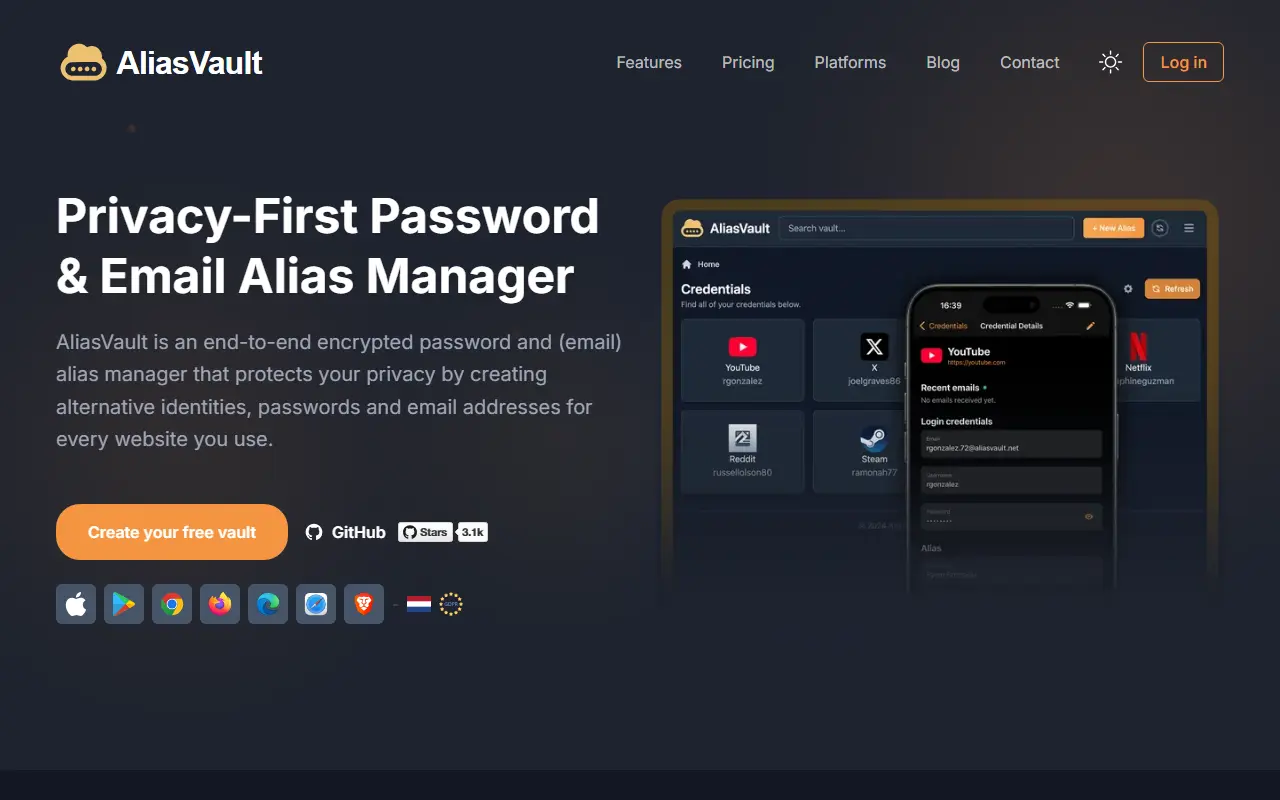
About AliasVault
AliasVault is a privacy-focused password manager that also creates unique identities and random email aliases for each website you sign up to. Data is end-to-end encrypted, and the product includes its own email server with no third-party dependencies. It is released under the AGPL-3.0 license and describes itself as an independent, community-driven alternative to closed-source password managers.
You can use it as a responsive web app, through browser extensions for Chrome, Firefox, Edge, and Safari, and with native iOS and Android apps. The technology list includes Argon2id key derivation, the SRP authentication protocol, and a .NET Blazor client using WebAssembly, with a React front end for some parts.
The official cloud version runs at app.aliasvault.com, and self-hosting is supported with Docker on a 64-bit Linux server, with modest requirements of one vCPU, 1 GB of RAM, and 16 GB of disk. It suits privacy-conscious individuals and small teams who want to reduce tracking and spam by giving every site a separate email address.
Key features
- End-to-end encrypted password vault
- Random email aliases for every website
- Built-in email server for receiving alias mail
- Browser extensions for major browsers
- Native iOS and Android apps
- Docker-based self-hosting
Good fit for
- Reducing spam and tracking with per-site email aliases
- Self-hosting a password manager for a small team
AliasVault: questions and answers
- What is AliasVault used for?
- AliasVault is an end-to-end encrypted password manager with built-in email aliasing and its own email server, available as a cloud service or self-hosted. It is a good fit for reducing spam and tracking with per-site email aliases, and self-hosting a password manager for a small team.
- Is AliasVault open source?
- Yes. AliasVault is open source under the AGPL-3.0 licence. Its source code is on GitHub at aliasvault/aliasvault and is written mainly in TypeScript.
- Is AliasVault free?
- Yes. AliasVault is open source, so the software itself is free to use. A managed cloud version is also available.
- Can I self-host AliasVault?
- Yes. AliasVault can be self-hosted on your own server or infrastructure.
- What is AliasVault an alternative to?
- AliasVault is an open-source alternative to NordPass, Dashlane, Keeper and 1Password. Other open-source alternatives to NordPass include KeePassXC, Bitwarden and Padloc.
- Is AliasVault actively maintained?
- Yes. The most recent commit to AliasVault was on 13 November 2026, and the latest release is 0.31.3, published on 11 November 2026. The project has 3.5k stars on GitHub, with 283 added in the last 30 days.
Open-source alternatives to AliasVault
See all
KeePassXC
Password Management
KeePassXC is a cross-platform community-driven port of the Windows application “KeePass Pa
OSSvs Dashlane★ 30k
Bitwarden
Password Management
Bitwarden infrastructure/backend (API, database, Docker, etc).
OSSvs 1Password★ 21k
Padloc
Password Management
A modern, open source password manager for individuals and teams.
AGPL-3.0vs Dashlane★ 2.9kVaultwarden
Password Management
Unofficial Bitwarden compatible server written in Rust, formerly known as bitwarden_rs
AGPL-3.0vs 1Password★ 71k
KeeWeb
Password Management
Free cross-platform password manager compatible with KeePass
OSSvs Dashlane★ 13k
KeePassDX
Password Management
Lightweight vault and password manager for Android, KeePassDX allows editing encrypted dat
GPL-3.0vs Dashlane★ 7.7k
SaaS alternatives to AliasVault
See allNordPass
Password Management
Password and passkey manager from the makers of NordVPN, with a limited free tier
SaaS
Dashlane
Password Management
Password manager with autofill, passkey support, dark web monitoring and a built-in VPN
SaaS
Keeper
Password Management
Password manager and privileged access tool for individuals, families and enterprises
SaaS
1Password
Password Management
Password manager for individuals, families and teams with shared vaults and passkeys
SaaS
LastPass
Password Management
Password manager with autofill, vault sharing and admin controls
SaaS
Norton Password Manager
Password Management
Password manager from Norton with autofill, a password generator and synced vault
SaaS