
About Frame2pdf
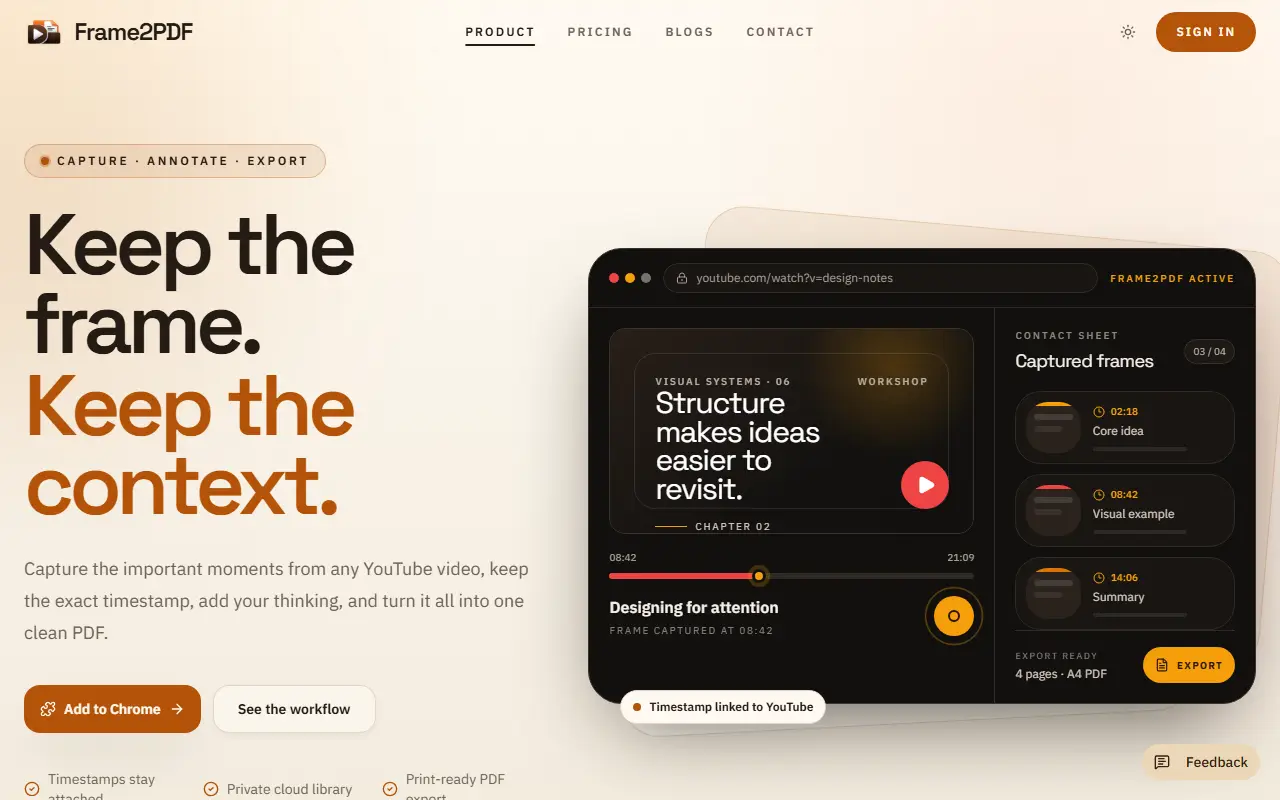
Frame2PDF is for people who learn or research from YouTube videos. While watching, a shortcut saves the exact frame without breaking the flow, the timestamp stays attached, and a note can be added while the thought is fresh. Frames are grouped by video and shaped into a document in the extension before anything is exported to a print-ready A4 PDF.
Each captured frame keeps a link back to the source moment on YouTube. PDFs can be downloaded, stored, or shared through a link that can be switched back to private, and paid PDFs stay in private cloud storage until shared. The site suggests uses for students building revision packets, researchers keeping evidence with timestamps and professionals turning training and demos into reference documents. The Free plan allows 5 exports a month of up to 10 pages with a small watermark and downloads to your device. Pro offers unlimited exports of up to 100 pages and cloud storage, monthly or yearly.
Key features
- Frame capture from YouTube with timestamps
- Notes attached to each frame
- Timestamp links back to the video
- Grouping and organizing before export
- Print-ready A4 PDF export
- Shareable links to PDFs
Good fit for
- Making a revision packet from a tutorial
- Documenting a recorded process with screenshots and notes
Frame2pdf: questions and answers
- What is Frame2pdf used for?
- Frame2pdf is a Chrome extension that captures frames from YouTube videos with their timestamps, lets you add notes and exports everything as a structured, shareable PDF. It is a good fit for making a revision packet from a tutorial, and documenting a recorded process with screenshots and notes.
- Is Frame2pdf free?
- Yes. Frame2pdf has a free plan, and paid plans start at $10 per month.
- Is Frame2pdf open source?
- No. Frame2pdf is proprietary (closed-source) software and can't be self-hosted. In the Note Taking category, open-source options include Obsidian LLM Wiki, Context Note and AppFlowy.
- What are some alternatives to Frame2pdf?
- Frame2pdf competes with Glasp.
Open-source alternatives to Frame2pdf
See all
Obsidian LLM Wiki
Note Taking
Karpathy's LLM Wiki implementation plugin for Obsidian - turns notes and PDFs into a linke
Apache-2.0★ 687Context Note
Note Taking
A note-taking chrome extension: taking notes on the web with their context.
MITvs Evernote★ 717
AppFlowy
Note Taking
AppFlowy is the AI collaborative workspace where you achieve more without losing control o
AGPL-3.0vs Notion★ 77k
AFFiNE
Note Taking
There can be more than Notion and Miro. AFFiNE(pronounced [ə‘fain]) is a next-gen knowledg
OSSvs Notion★ 73k
MarkText
Note Taking
📝A simple and elegant markdown editor, available for Linux, macOS and Windows.
MITvs Typora★ 62k
Joplin
Note Taking
Joplin - the privacy-focused note taking app with sync capabilities for Windows, macOS, Li
OSSvs Evernote★ 57k
SaaS alternatives to Frame2pdf
See all
Glasp
Note Taking
Web highlighter that saves and shares highlights and notes from articles and videos
SaaS
annotate.foo
Note Taking
Save highlights and annotations across websites and PDFs with a Chrome extension
SaaS
Margin
Note Taking
Turns YouTube videos into structured notes saved as Google Docs and suggests video ideas for creators
SaaS
markwise.app
Note Taking
Organises notes, tabs and bookmarks into shareable Spaces with AI-powered search
SaaS
PDF Highlights App
Note Taking
Turns every highlight in your PDFs into a card in one searchable workspace organised by idea
SaaS
Kortex
Note Taking
Turns Google NotebookLM into an interconnected, searchable knowledge base for AI chats, web research and social content
SaaS