
About PDF Highlights App
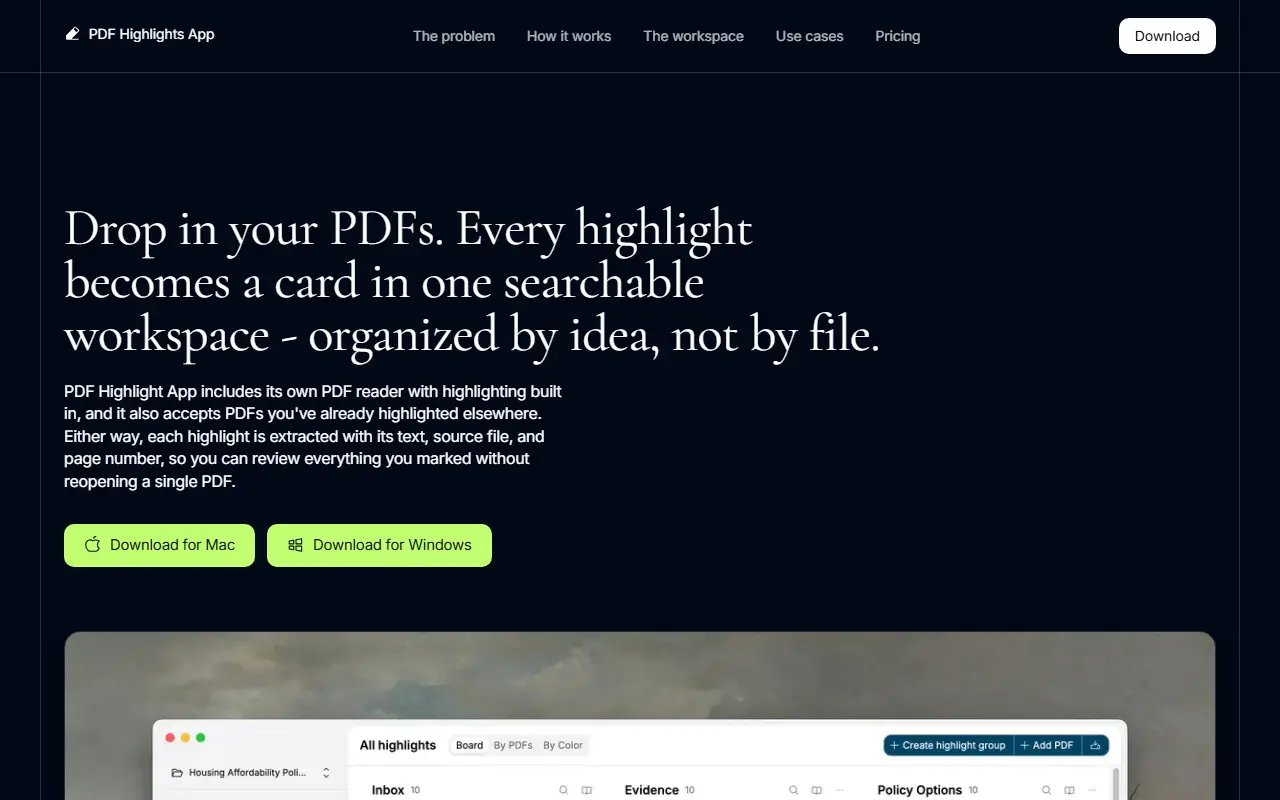
PDF Highlights App is a desktop app for people who read and highlight many PDFs, such as case files, papers and course readings. You mark up PDFs in its built-in reader, or import files already highlighted in Preview, Acrobat or another reader, and each highlight becomes a card holding the exact quoted text, the file it came from, its page number and a link to the spot in the PDF. Highlight colors can become tags.
The workspace lets you narrow cards by tag, run a full-text search across every highlight, and group cards by theme or arrange them into outlines, so you can build a brief, literature review or argument without reopening every file. Organized notes can be copied out, or exported as Markdown, CSV or JSON files that carry citations and surrounding context.
The app runs on Mac and Windows and works with local project workspaces, so your documents stay on your own machine. A 7-day free trial is available, and pricing is on a separate page that lists the plan details.
Key features
- Highlights extracted as cards
- Verbatim text with source file and page number
- Link back to the exact PDF location
- Highlight colors turned into tags
- Search and filter across all highlights
- Export to Markdown, CSV and JSON
- Built-in PDF reader with highlighting
Good fit for
- Law students organizing case highlights
- Researchers building a literature review
- Synthesizing themes across many PDFs
PDF Highlights App: questions and answers
- What is PDF Highlights App used for?
- PDF Highlights App turns highlights from annotated PDFs into searchable cards in one local workspace, organized by idea and exportable with citations. It is a good fit for law students organizing case highlights, researchers building a literature review and synthesizing themes across many PDFs.
- How much does PDF Highlights App cost?
- Paid plans for PDF Highlights App start at $10 per month, and there is no free plan. A free trial is available.
- Is PDF Highlights App open source?
- No. PDF Highlights App is proprietary (closed-source) software. In the Note Taking category, open-source options include Tangent, SiYuan and Zettlr.
- What are some alternatives to PDF Highlights App?
- PDF Highlights App competes with Readwise, LiquidText and Glasp.
Open-source alternatives to PDF Highlights App
See all
Tangent
Note Taking
The Tangent monorepo.
Apache-2.0vs Obsidian★ 565
SiYuan
Note Taking
思源笔记 - 隐私优先的个人知识管理系统,支持 Markdown 排版、块级引用和双向链接
AGPL-3.0vs Notion★ 47k
Zettlr
Note Taking
Your One-Stop Publication Workbench
GPL-3.0vs Typora★ 14k
TidGi
Note Taking
TidGi is an privacy-in-mind, automated, auto-git-backup, freely-deployed knowledge managem
MPL-2.0vs Evernote★ 2k
Neuron
Note Taking
Future-proof note-taking and publishing based on Zettelkasten (superseded by Emanote: http
AGPL-3.0vs Obsidian★ 1.6k
Hubble.md
Note Taking
The best notepad for you and your agents
MITvs Notion★ 1.5k
SaaS alternatives to PDF Highlights App
See all
Readwise
Note Taking
Collects highlights from books and articles for review and export to note apps
SaaS
LiquidText
Note Taking
PDF and document annotation workspace for connecting excerpts across files
SaaS
Glasp
Note Taking
Web highlighter that saves and shares highlights and notes from articles and videos
SaaS
Mendeley
Productivity
Reference manager from Elsevier for organizing research papers and citations
SaaS
annotate.foo
Note Taking
Save highlights and annotations across websites and PDFs with a Chrome extension
SaaS
Noteillum
Note Taking
iOS app to capture, organize and rediscover insights from books in a personal knowledge base
SaaS