 TrackMedia
 TrackRev

 Passwork
 Google Password Manager
 TeamPassword
 Passportal
 mSecure
 Zoho Vault
 Bitdefender SecurePass
 Steganos Password Manager
 ESET Password Manager
 Passpack
About Teampass
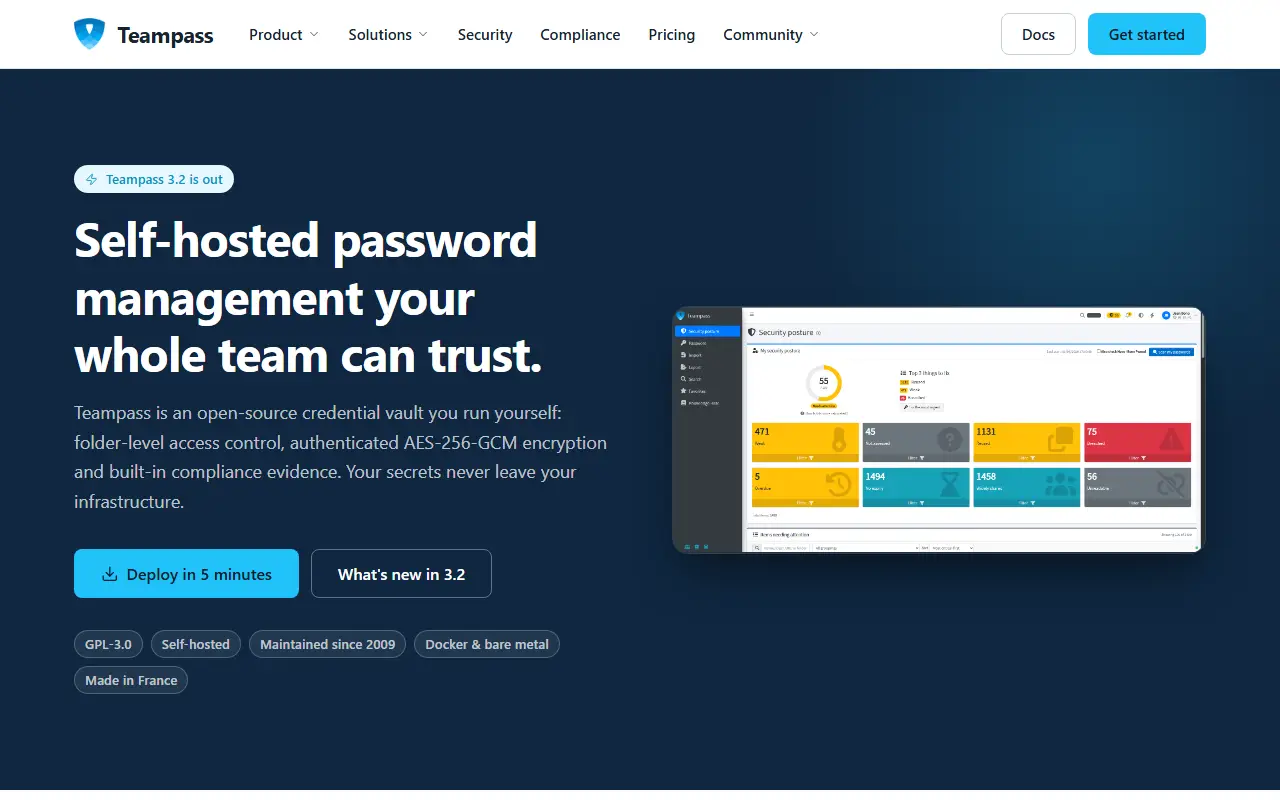
Teampass is a credential vault that you run yourself, licensed under GPL-3.0 and maintained since 2009. The server is described as having folder-level access control, authenticated AES-256-GCM encryption and built-in compliance evidence, and it runs under Docker or on bare metal. The current release line is 3.2.
For teams it uses folders and roles, records who accessed what and when, and offers Secure Send, which creates expiring, view-limited links for people outside the vault. Enterprise features include access recertification campaigns, compliance report export, LDAP/AD with nested groups, OAuth2 SSO and agentless rotation of Linux account passwords over SSH. Passkeys can be stored in items and used to sign in to Teampass.
Key features
- Folder-level access control and AES-256-GCM encryption
- Import from other password managers
- Expiring, view-limited links for outsiders
- Agentless Linux password rotation over SSH
- Passkeys stored in items and usable for sign-in
- Access recertification and compliance exports
Good fit for
- Sharing team credentials
- Homelab password vault
- Audit evidence for access reviews
- Rotating Linux account passwords
Teampass: questions and answers
- What is Teampass used for?
- Teampass is a self-hosted, open source collaborative password manager with folder-level access control and AES-256-GCM encryption. It is a good fit for sharing team credentials, homelab password vault and audit evidence for access reviews.
- Is Teampass open source?
- Yes. Teampass is open source under the GPL-3.0 licence. Its source code is on GitHub at nilsteampassnet/TeamPass and is written mainly in PHP.
- Is Teampass free?
- Yes. Teampass is open source, so the software itself is free to use.
- Can I self-host Teampass?
- Yes. Teampass can be self-hosted on your own server or infrastructure.
- What is Teampass an alternative to?
- Teampass is an open-source alternative to Enpass, Passwordstate, Securden and Devolutions. Other open-source alternatives to Enpass include Bitwarden, Passbolt and Vaultwarden.
- Is Teampass actively maintained?
- Yes. The most recent commit to Teampass was on 12 November 2026, and the latest release is 3.2.4.2, published on 8 November 2026. The project has 1.9k stars on GitHub, with 59 added in the last 30 days.
Open-source alternatives to Teampass
See all
Bitwarden
Password Management
Bitwarden infrastructure/backend (API, database, Docker, etc).
OSSvs 1Password★ 21k
Passbolt
Password Management
Passbolt Community Edition (CE) API. The JSON API for the open source password manager for
AGPL-3.0vs Keeper★ 6.2kVaultwarden
Password Management
Unofficial Bitwarden compatible server written in Rust, formerly known as bitwarden_rs
AGPL-3.0vs 1Password★ 71k
KeePassXC
Password Management
KeePassXC is a cross-platform community-driven port of the Windows application “KeePass Pa
OSSvs Dashlane★ 30k
Padloc
Password Management
A modern, open source password manager for individuals and teams.
AGPL-3.0vs Dashlane★ 2.9k
LessPass
Password Management
:key: stateless open source password manager
GPL-3.0vs Dashlane★ 6.1k
SaaS alternatives to Teampass
See allEnpass
Password Management
Password manager that stores vaults locally and syncs through your own cloud account
SaaS
Passwordstate
Password Management
Self-hosted enterprise password vault for shared credentials with auditing
SaaS
Securden
Password Management
Password vault and privileged access manager for storing and sharing admin credentials
SaaS
Devolutions
Password Management
Remote connection manager and password vault for IT teams, with cloud-hosted options
SaaS
ManageEngine Password Manager Pro
Password Management
Privileged password vault with session recording and password rotation for IT teams
SaaSKaspersky Password Manager
Password Management
Password manager from Kaspersky with a free tier and paid sync across devices
SaaS