
 Chrome Remote Desktop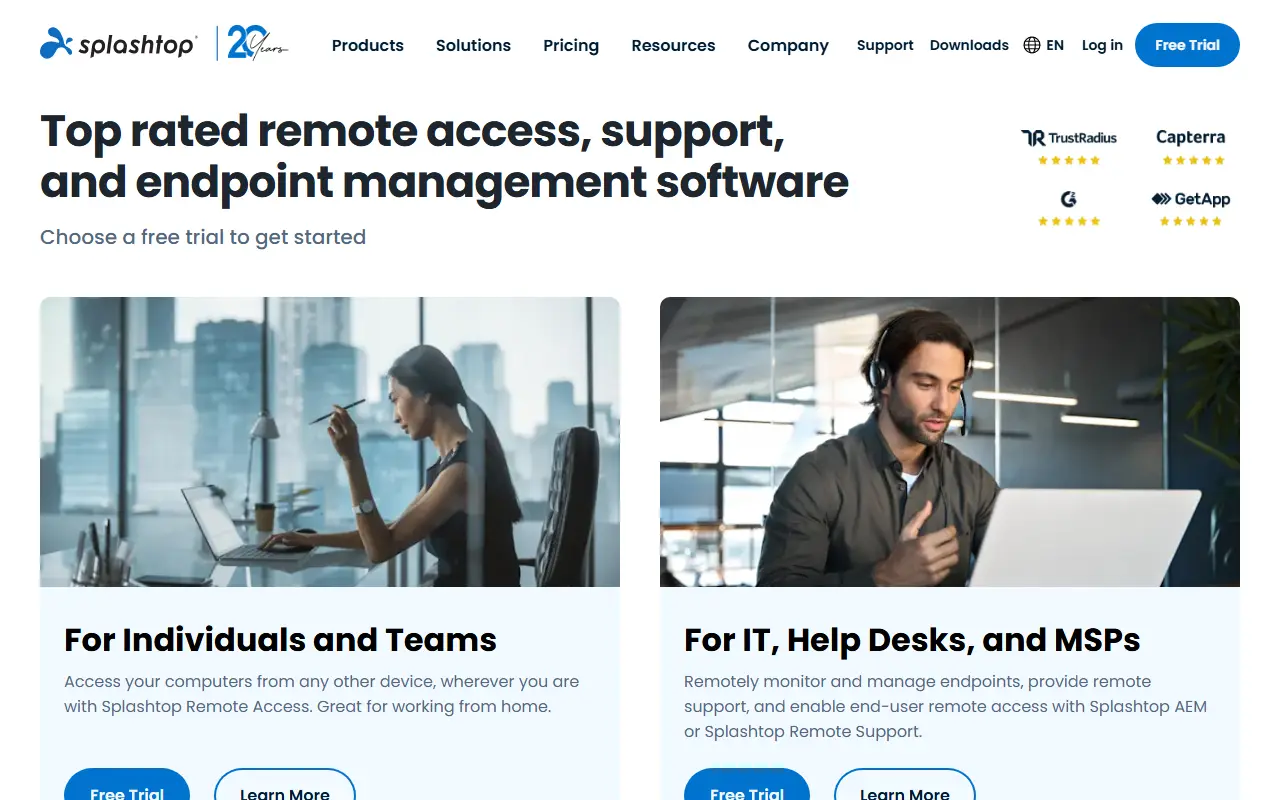
About Splashtop
Splashtop is a commercial remote desktop product family. Its remote access offering lets individuals and small teams reach their work computers from any device, while the remote support product is aimed at IT professionals who need to fix problems on other people's machines.
The wider portfolio includes autonomous endpoint management for monitoring and patching devices, an enterprise edition with single sign-on and advanced manageability, and security products such as antivirus and endpoint detection and response. Real-time patch management is available as an add-on to remote support.
Splashtop offers a free trial and lists on-premises deployment options for its remote support and enterprise editions, alongside the standard cloud service. It is used by IT help desks, MSPs, schools and remote workers as an alternative to RDP or VPN-based access.
Key features
- Remote access to work computers from any device
- Remote support for attended and unattended devices
- Endpoint management with real-time patching
- Enterprise edition with single sign-on
- Antivirus and endpoint detection and response
- Optional on-premises deployment for some editions
Good fit for
- →IT help desks supporting remote employees
- →MSPs managing customer endpoints
- →Reaching an office desktop from home
- Tags
- remote-access
- remote-support
- remote-desktop
- endpoint-management
- msp
- it-support
Splashtop: questions and answers
- What is Splashtop used for?
- Splashtop is remote access and remote support software for individuals, IT teams and MSPs, with endpoint management and security add-ons. It is a good fit for IT help desks supporting remote employees, MSPs managing customer endpoints and reaching an office desktop from home.
- How much does Splashtop cost?
- Paid plans for Splashtop start at $6 per seat per month, and there is no free plan. A free trial is available.
- Is Splashtop open source?
- No. Splashtop is proprietary (closed-source) software. Open-source alternatives to Splashtop include TigerVNC, Remmina and RustDesk.
- Can I self-host Splashtop?
- Yes. Although Splashtop is closed source, it can be self-hosted on your own servers, and the vendor also offers a hosted version.
- What are some alternatives to Splashtop?
- Splashtop competes with TeamViewer, AnyDesk and ConnectWise ScreenConnect. For open-source options, see Enlisted's ranked list of open-source Splashtop alternatives.
Open-source alternatives to Splashtop
See all
TigerVNC
Networking & VPN
High performance, multi-platform VNC client and server
GPL-2.0vs TeamViewer★ 7.5k
Remmina
Networking & VPN
Mirror of https://gitlab.com/Remmina/Remmina The GTK+ Remmina Remote Desktop Client
GPL-2.0vs TeamViewer★ 2.6k
RustDesk
Networking & VPN
RustDesk is the best open-source remote desktop software. Secure alternative to TeamViewer
AGPL-3.0vs TeamViewer★ 125k
FreeRDP
Networking & VPN
FreeRDP is a free remote desktop protocol library and clients
Apache-2.0vs TeamViewer★ 14k
MeshCentral
Networking & VPN
A complete web-based remote monitoring and management web site. Once setup you can install
Apache-2.0vs TeamViewer★ 7.3k
KasmVNC
Networking & VPN
Modern VNC Server and client, web based and secure
GPL-2.0vs TeamViewer★ 5.3k
SaaS alternatives to Splashtop
See all
TeamViewer
Networking & VPN
Remote access and support software for desktops, servers and mobile devices
SaaS
AnyDesk
Networking & VPN
Remote desktop software for support, administration and file transfer
SaaS
ConnectWise ScreenConnect
Networking & VPN
Remote support, access and meeting software for IT and MSP teams
SaaS
RealVNC
Networking & VPN
Remote access software built on the VNC protocol
SaaS
Zoho Assist
Networking & VPN
Remote support and unattended remote access software
SaaS
GoTo Resolve
Networking & VPN
IT support and remote access tool with help desk features
SaaS