
About Slidekick
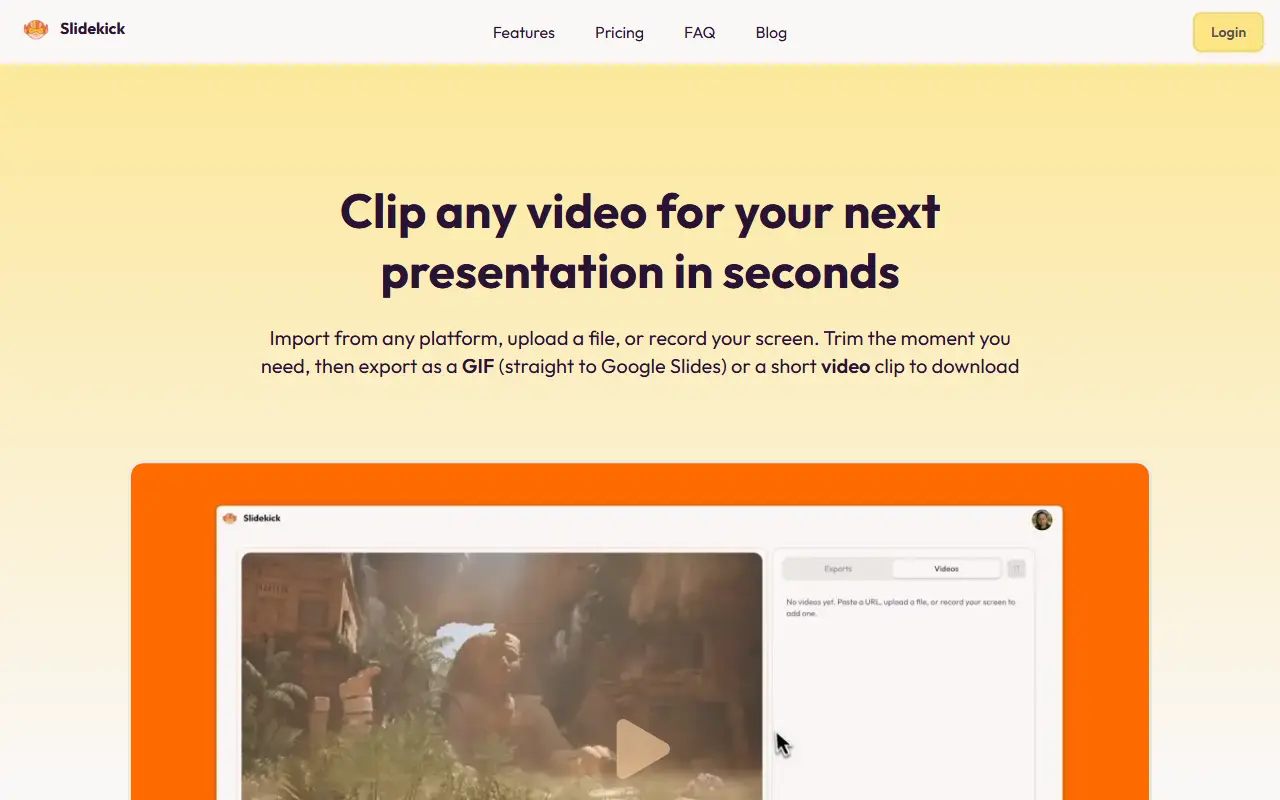
Slidekick is a web-based video clipper for presentations. You bring a video by pasting a public URL from sites such as YouTube, TikTok, Instagram, Pinterest or Vimeo, by uploading a file from your computer, or by recording your screen. You then trim the moment you need on a timeline and crop to square, vertical, widescreen or another aspect ratio.
One export menu offers two formats. A looping GIF can be sent straight to a slide in Google Slides once you connect your account, and a short 720p MP4 clip downloads for use in PowerPoint, Keynote, Slack or anywhere that supports video. The homepage presents the combination of importing, uploading, screen recording, trimming, GIF and MP4 export and Google Slides delivery in a single browser tab as its differentiator. The site also has pricing, FAQ and blog pages.
Key features
- Import videos from public URLs
- Upload files or record your screen
- Timeline trimming with precise start and end
- Crop to square, vertical or widescreen
- Export looping GIFs or 720p MP4 clips
- One-click send of GIFs to Google Slides
Good fit for
- Adding short video clips to a presentation
- Turning a screen recording into a GIF for slides
Slidekick: questions and answers
- What is Slidekick used for?
- Slidekick is a browser editor that imports, uploads or screen-records video, trims and crops it, then exports a looping GIF to Google Slides or a short 720p MP4. It is a good fit for adding short video clips to a presentation and turning a screen recording into a GIF for slides.
- Is Slidekick free?
- Yes. Slidekick has a free plan, and paid plans start at $4.99 per month.
- Is Slidekick open source?
- No. Slidekick is proprietary (closed-source) software and can't be self-hosted. In the Productivity category, open-source options include LibreOffice, BetterShot and PowerToys.
- What are some alternatives to Slidekick?
- Other SaaS products in the Productivity category include MagicSlides, AISlide and Annotator.
Open-source alternatives to Slidekick
See all
LibreOffice
Productivity
Free, open-source office suite with word processing, spreadsheets and presentations
MPL-2.0vs Microsoft 365★ 4.5k
BetterShot
Productivity
Screenshot, screen recording, and video editor for macOS. Native SwiftUI app with capture
OSSvs CleanShot X★ 2.4k
PowerToys
Productivity
Microsoft PowerToys is a collection of utilities that supercharge productivity and customi
MITvs Alfred★ 139k
Stirling PDF
Productivity
A free, private PDF editor you can run on any infrastructure.
OSSvs Adobe Acrobat★ 94k
Ladybird
Productivity
Truly independent web browser
BSD-2-Clausevs Google Chrome★ 66k
Files
Productivity
A modern file manager that helps users organize their files and folders.
MIT★ 46k
SaaS alternatives to Slidekick
See all
MagicSlides
Productivity
Google Slides add-on that generates presentation slides with AI from a title, slide count and extra text
SaaS
AISlide
Productivity
Mobile app that turns a text prompt into a full presentation, exportable as PDF or PPTX
SaaS
Annotator
Productivity
Windows app for drawing live annotations over anything on your screen
SaaS
Apple Keynote
Productivity
Apple's presentation app for Mac, iPad and iPhone with animated transitions
SaaS
Beautiful.ai
Productivity
Presentation software with smart templates that auto-format slides and generate decks
SaaS
Blur It
Productivity
Censors passwords, emails and sensitive data on your screen before you share it on Zoom, Meet or Loom
SaaS