
About PrompterX
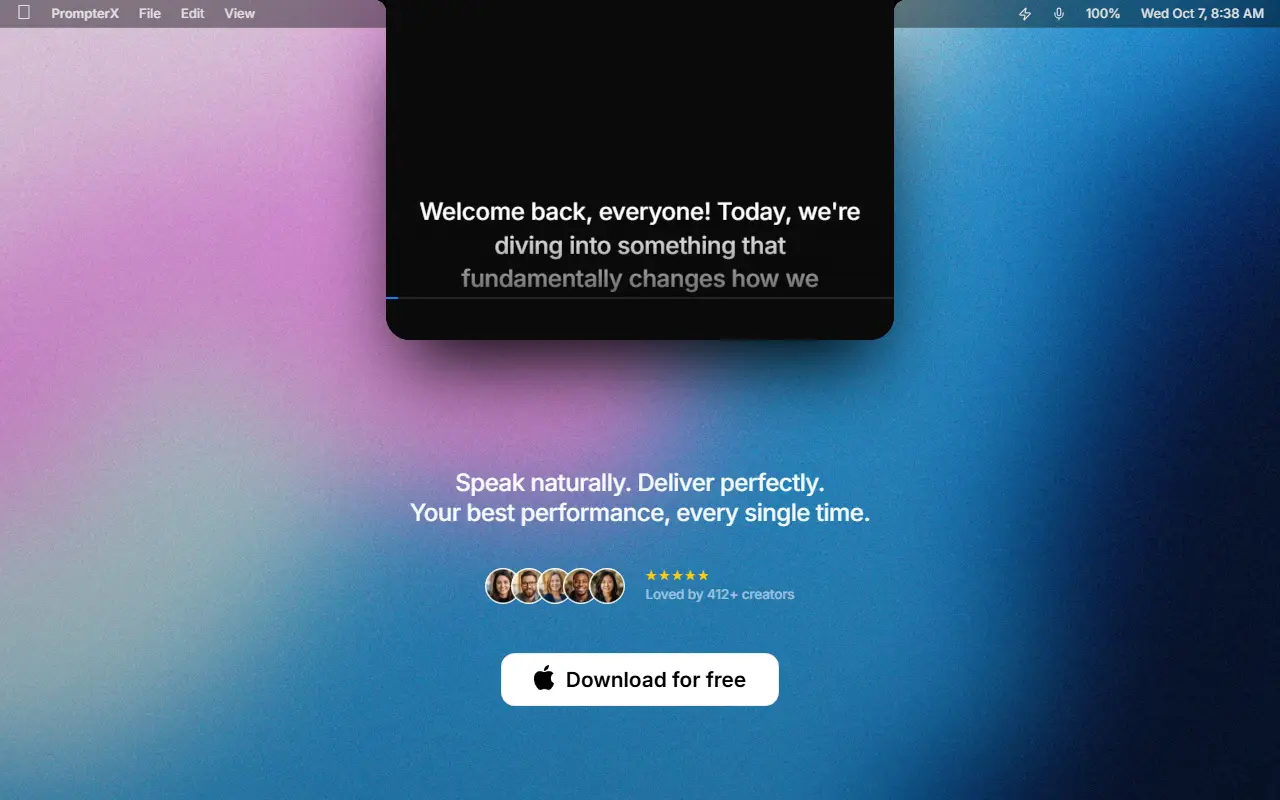
PrompterX is a teleprompter app for macOS aimed at people who record video or present on camera. The script sits in the Mac's notch or along a screen edge, close to the camera, so the speaker can read while keeping eye contact. You open the app, paste your text and start speaking.
Its VoiceSync feature listens to the speaker and moves the text at that pace, which removes the need for manual speed controls. The app is meant to run alongside video tools such as Zoom, Teams, Loom and OBS, and for YouTube recordings. The homepage also mentions smart chapters, focus modes and styling options as part of the package.
Key features
- Script placed in the Mac notch or screen edge
- VoiceSync scrolling that follows your speaking pace
- Works alongside Zoom, Teams, Loom and OBS
- Smart chapters and focus modes
- Text styling options
Good fit for
- Recording YouTube tutorials from a script
- Reading a script during video calls
PrompterX: questions and answers
- What is PrompterX used for?
- PrompterX is a Mac teleprompter that sits in the notch or screen edge and scrolls the script in step with your voice. It is a good fit for recording YouTube tutorials from a script and reading a script during video calls.
- Is PrompterX open source?
- No. PrompterX is proprietary (closed-source) software. In the Video Editing category, open-source options include OpenCut, OBS Studio and HandBrake.
- What are some alternatives to PrompterX?
- Other SaaS products in the Video Editing category include Teleprompter, CueCam and iRecord.
Open-source alternatives to PrompterX
See all
OpenCut
Video Editing
The open-source CapCut alternative
MITvs CapCut★ 93k
OBS Studio
Video Editing
OBS Studio - Free and open source software for live streaming and screen recording
GPL-2.0vs vMix★ 77k
HandBrake
Video Editing
HandBrake's development repository
OSS★ 25k
Cap
Video Editing
Open source Loom alternative. Beautiful, shareable screen recordings.
OSSvs Loom★ 23k
Screenity
Video Editing
The free and privacy-friendly screen recorder with no limits 🎥
GPL-3.0vs Screencastify★ 19k
Shotcut
Video Editing
cross-platform (Qt), open-source (GPLv3) video editor
GPL-3.0vs Adobe Premiere Pro★ 15k
SaaS alternatives to PrompterX
See all
Teleprompter
Video Editing
Teleprompter and video recording app for iOS and Android
SaaS
CueCam
Video Editing
Teleprompter and video creation app for recording on camera without memorizing lines
SaaS
iRecord
Video Editing
Lightweight screen recording and video editor for macOS
SaaS
Scripttie Voice Teleprompter
Video Editing
Phone teleprompter app that follows your voice and scrolls the script at your pace
SaaS
Apple Motion
Video Editing
Motion graphics software for Mac that works with Final Cut Pro
SaaS
autozoom
Video Editing
Screen recorder with automatic zoom, motion blur and 4K export
SaaS