
About PdfCraft
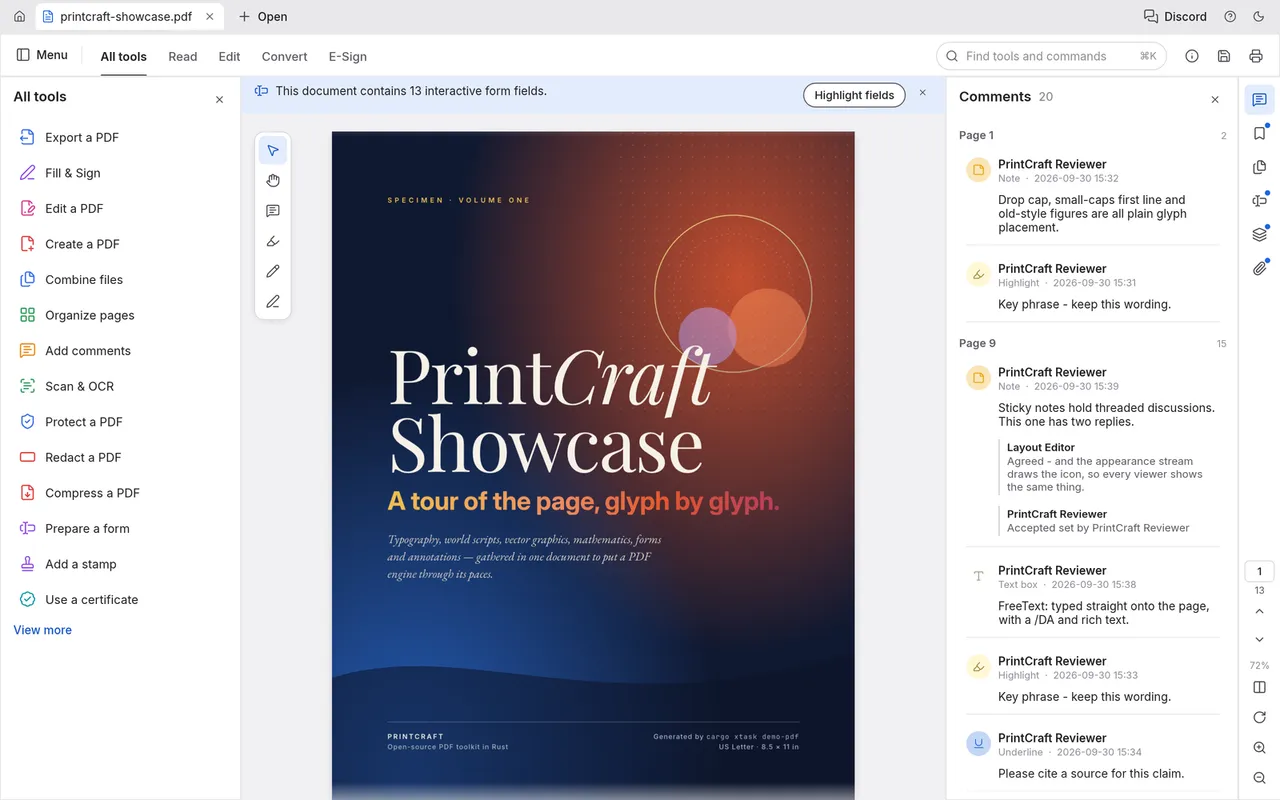
PdfCraft is an open-source PDF workbench built in Rust from the ground up. It provides a fast, native application for reading, organizing, combining, splitting and securing PDF files. The app does not require an account, telemetry or cloud services.
The software is available for macOS, Windows, Linux and the web, and is free and open source. It includes features such as faithful rendering of world scripts and color emoji, instant search, page organization with undo, document assembly and splitting, incremental saves with crash recovery, and support for encryption from RC4 to AES-256.
Key features
- Faithful rendering of world scripts, vertical Japanese, color emoji and transparency
- Instant search as you type with text selection following reading order
- Organize pages like cards with rotate, delete, insert and reorder, with deep undo
- Combine, extract and split documents while preserving links, form fields, layers and bookmarks
- Incremental, atomic saves with autosave and crash recovery
- Built-in security supporting RC4 to AES-256 encryption and honoring author permissions
Good fit for
- Reading and annotating PDFs
- Organizing and reordering pages
- Combining or splitting PDF documents
PdfCraft: questions and answers
- What is PdfCraft used for?
- PdfCraft is a native PDF workbench written in Rust that allows users to read, organize, combine, split and secure PDFs. It is a good fit for reading and annotating PDFs, organizing and reordering pages, and combining or splitting PDF documents.
- Is PdfCraft open source?
- Yes. PdfCraft is open source under the Apache-2.0 licence. Its source code is on GitHub at storytold/pdfcraft and is written mainly in Rust.
- Is PdfCraft free?
- Yes. PdfCraft is open source, so the software itself is free to use.
- Can I self-host PdfCraft?
- Yes. PdfCraft can be self-hosted on your own server or infrastructure; there is no official hosted version.
- What is PdfCraft an alternative to?
- PdfCraft is an open-source alternative to Adobe Acrobat. Other open-source alternatives to Adobe Acrobat include Stirling PDF, OCRmyPDF and BentoPDF.
- Is PdfCraft actively maintained?
- Yes. The most recent commit to PdfCraft was on 14 October 2026, and the latest release is v0.7.1, published on 12 October 2026. The project has 13k stars on GitHub.
Open-source alternatives to PdfCraft
See all
Stirling PDF
Productivity
A free, private PDF editor you can run on any infrastructure.
OSSvs Adobe Acrobat★ 94k
OCRmyPDF
Productivity
OCRmyPDF adds an OCR text layer to scanned PDF files, allowing them to be searched
MPL-2.0vs Adobe Acrobat★ 35k
BentoPDF
Productivity
The Privacy First PDF Toolkit
AGPL-3.0vs iLovePDF★ 16k
PDFsam
Productivity
PDFsam, a desktop application to split, merge, mix, rotate PDF files and extract pages
AGPL-3.0vs Smallpdf★ 4.6k
Sioyek
Productivity
Sioyek is a PDF viewer with a focus on textbooks and research papers
GPL-3.0vs Adobe Acrobat★ 9.9k
LibreOffice
Productivity
Free, open-source office suite with word processing, spreadsheets and presentations
MPL-2.0vs Microsoft 365★ 4.5k
SaaS alternatives to PdfCraft
See all
Adobe Acrobat
Productivity
PDF reader and editor with e-signature and document conversion
SaaS
Bluebeam
Productivity
PDF markup and collaboration software for architecture, engineering and construction
SaaS
Docs to PDF
Productivity
Batch converts Google Drive documents to PDFs while keeping their formatting
SaaS
Foxit PDF Editor
Productivity
PDF editor for creating, annotating and signing documents
SaaS
Fynepdf
Productivity
PDF tools with AI agents to merge, compress, convert and sign PDFs and review resumes, contracts and statements
SaaS
iLovePDF
Productivity
Online PDF tools for splitting, merging, compressing and converting
SaaS