
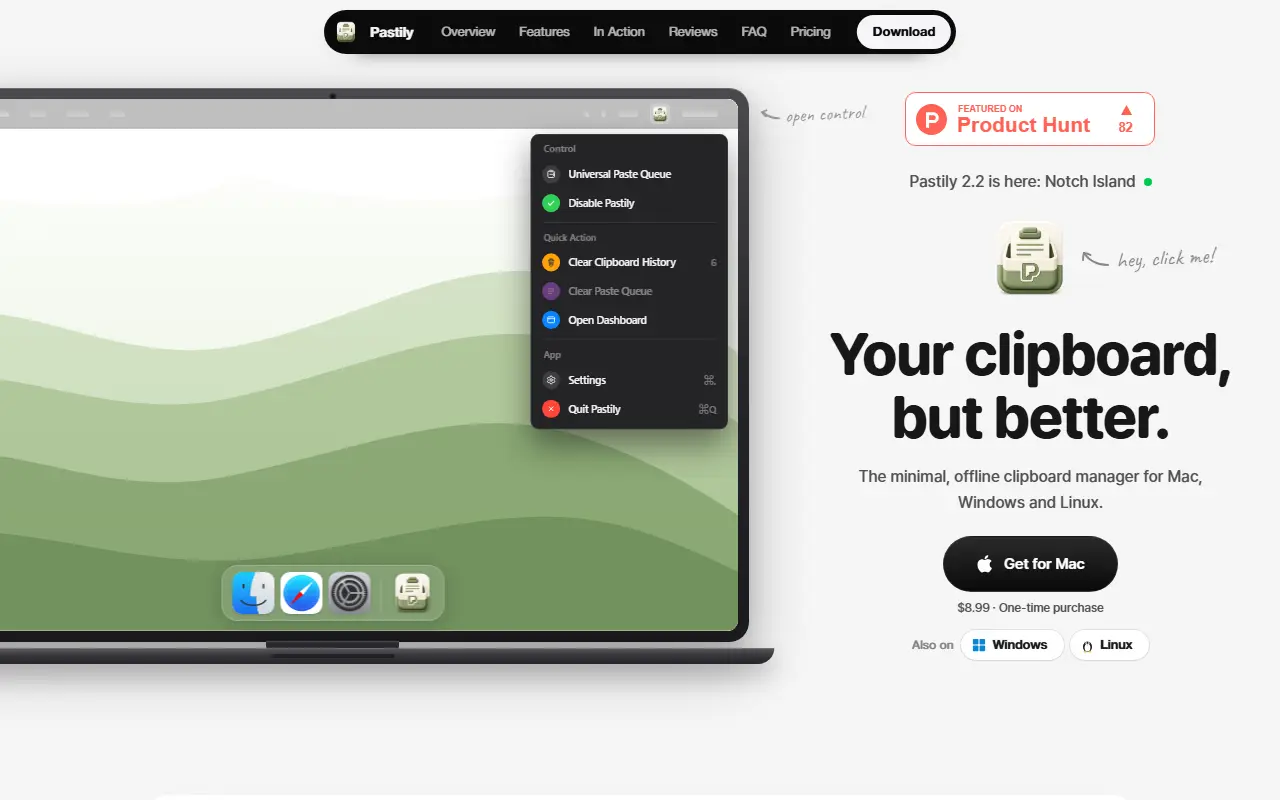
About Pastily
Pastily keeps a history of everything you copy, including text, links, code and images, and makes it searchable, with results returning in less than a millisecond even when it holds thousands of clips. It runs fully offline: the product says there is no cloud, no telemetry and no network access, and everything stays on the device. Hex color codes turn into live swatches with formats ready to copy, and copied images can be saved to disk in one click.
Sensitive items such as passwords and API keys can auto-expire on a timer and are wiped from memory and disk. Other features include a paste queue, snippets, and, in version 2.2, Notch Island for MacBooks with a notch, which shows copy previews, the queue, auto-delete countdowns and recent clips.
The Mac version is a one-time purchase at $8.99, and Windows 10 and 11 and Linux desktops are also supported, so the same offline clipboard approach works across Mac, Windows and Linux machines. Further pages on the site cover documentation, a changelog and a comparison with other clipboard managers.
Key features
- Searchable history of text, links, code and images
- Search answering in under a millisecond
- Auto-expiring clips for passwords and keys
- Paste queue for ordered pasting
- Color swatches from hex codes
- Notch Island for MacBook notch
- Fully offline with no telemetry
Good fit for
- Finding a link or snippet copied earlier
- Handling copied passwords with auto-delete
- Pasting several copied items in order
Pastily: questions and answers
- What is Pastily used for?
- Pastily is an offline clipboard manager for Mac, Windows and Linux with instant search, a paste queue, snippets and auto-expiring clips. It is a good fit for finding a link or snippet copied earlier, handling copied passwords with auto-delete and pasting several copied items in order.
- How much does Pastily cost?
- Pastily is a paid product with no free plan. One-time purchase; the Mac version is $8.99.
- Is Pastily open source?
- No. Pastily is proprietary (closed-source) software. In the Productivity category, open-source options include Maccy, BentoPDF and Espanso.
- What are some alternatives to Pastily?
- Pastily competes with Paste, Raycast and Alfred.
Open-source alternatives to Pastily
See all
Maccy
Productivity
Lightweight clipboard manager for macOS
MITvs Paste★ 22k
BentoPDF
Productivity
The Privacy First PDF Toolkit
AGPL-3.0vs iLovePDF★ 16k
Espanso
Productivity
A Privacy-first, Cross-platform Text Expander written in Rust
GPL-3.0vs TextExpander★ 15k
MarkerOn
Productivity
Lightweight (~1.5 MB) open-source screen annotation with click-through mode and keyboard-f
MIT★ 1.1k
PowerToys
Productivity
Microsoft PowerToys is a collection of utilities that supercharge productivity and customi
MITvs Alfred★ 139k
Files
Productivity
A modern file manager that helps users organize their files and folders.
MIT★ 46k
SaaS alternatives to Pastily
See all
Paste
Productivity
Clipboard manager for Mac and iOS with a searchable history
SaaS
Raycast
Productivity
Launcher for macOS and Windows with extensions, snippets and an AI assistant
SaaS
Alfred
Productivity
macOS launcher with workflows, clipboard history and snippets
SaaS
CopyCat
Productivity
Native macOS clipboard app that stores everything you copy and lets you choose what to paste
SaaS
Notchclip
Productivity
Notch-based clipboard manager for macOS that keeps everything you copy
SaaS
Supaste
Productivity
Saves your clipboard and screenshots in a searchable visual history grouped by type, app and category
SaaS