 TrackMedia
 TrackRev

About MarkerOn
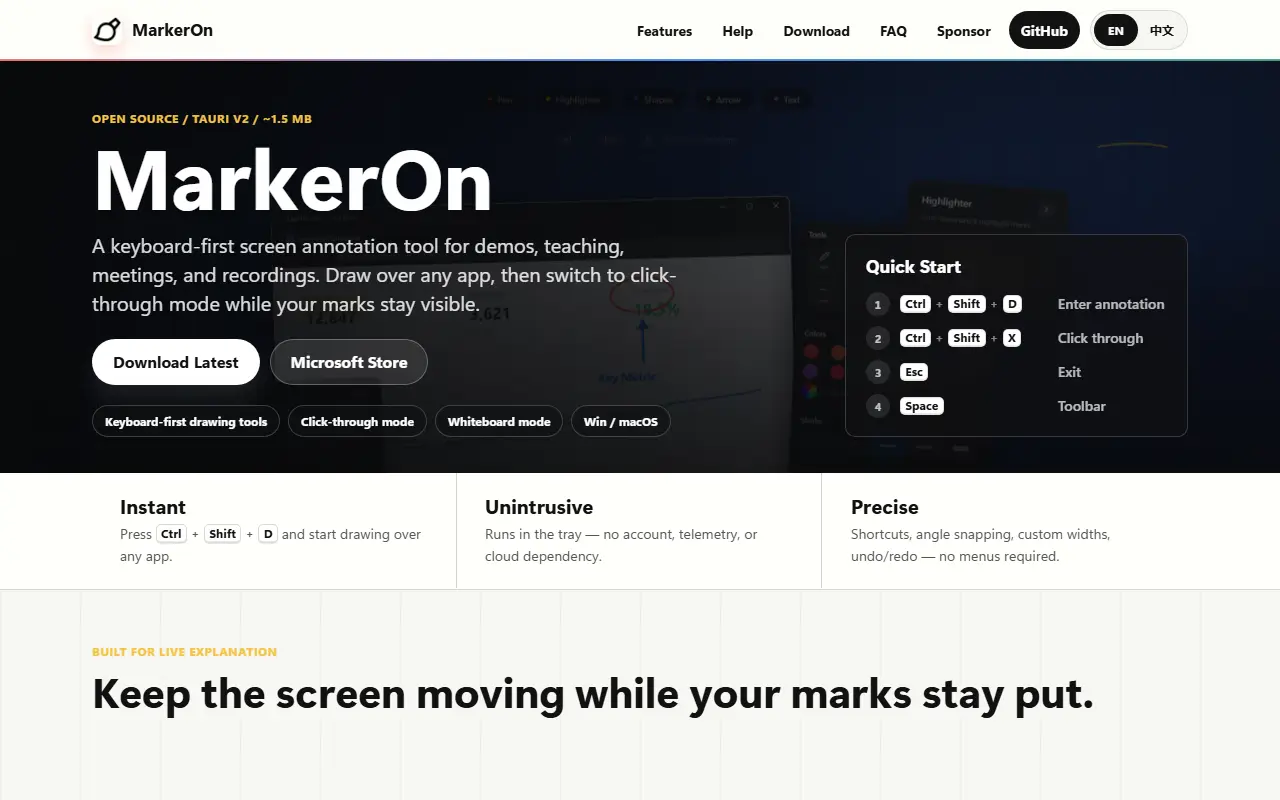
MarkerOn is a small screen annotation tool for Windows and macOS. You press a hotkey and can instantly draw, highlight and annotate anywhere on your desktop, which is handy for demos, teaching, meetings and screen recordings. It runs in the system tray and shows no window until you need it.
Press Ctrl+Shift+D, or Command+Shift+D on macOS, to enter annotation mode, then use number keys or V to choose tools. Eleven tools are listed, including select, pen, highlighter, laser, arrow, rectangle, ellipse, line, eraser, text and stamp. A click-through mode lets you interact with the apps underneath while annotations stay visible, a marquee selection supports batch editing, and a toolbar appears with the Space key. A portable Windows build keeps its configuration beside the executable.
The tool is built with Tauri, Rust, Vue 3 and TypeScript, has an installer of roughly 1.5 MB, and states that it has no extra daemons or telemetry. It is licensed under MIT, with downloads on GitHub Releases and the Microsoft Store. It suits presenters, teachers and streamers who annotate their screens.
Key features
- Hotkey-triggered drawing over any app
- Eleven annotation tools including laser and stamp
- Click-through mode
- Marquee selection and batch edit
- Portable Windows build
- Small installer with no telemetry
Good fit for
- Highlighting content during live demos
- Annotating slides and screens when teaching
- Marking up recordings and meetings
MarkerOn: questions and answers
- What is MarkerOn used for?
- MarkerOn is a lightweight desktop screen annotation tool for Windows and macOS with hotkey drawing, click-through mode and 11 tools for demos, teaching and meetings. It is a good fit for highlighting content during live demos, annotating slides and screens when teaching, and marking up recordings and meetings.
- Is MarkerOn open source?
- Yes. MarkerOn is open source under the MIT licence. Its source code is on GitHub at ifer47/markeron and is written mainly in TypeScript.
- Is MarkerOn free?
- Yes. MarkerOn is open source, so the software itself is free to use.
- Can I self-host MarkerOn?
- Yes. MarkerOn can be self-hosted on your own server or infrastructure; there is no official hosted version.
- What are some alternatives to MarkerOn?
- Similar open-source tools in the Productivity category include RustCast, Rectangle and PowerToys. SaaS products in the same category include SortCopy, AI Renamer and Annotator.
- Is MarkerOn actively maintained?
- Yes. The most recent commit to MarkerOn was on 11 November 2026, and the latest release is v2.15.0, published on 11 November 2026. The project has 1.2k stars on GitHub, with 42 added in the last 30 days.
Open-source alternatives to MarkerOn
See all
RustCast
Productivity
An open source alternative to raycast, in rust!! (retired)
MITvs Raycast★ 1.1k
Rectangle
Productivity
Move and resize windows on macOS with keyboard shortcuts and snap areas
OSSvs BetterTouchTool★ 30k
PowerToys
Productivity
Microsoft PowerToys is a collection of utilities that supercharge productivity and customi
MITvs Alfred★ 141k
ShareX
Productivity
ShareX is a free and open-source application that enables users to capture or record any a
GPL-3.0vs Snagit★ 41k
Files
Productivity
A modern file manager that helps users organize their files and folders.
MIT★ 47k
Maccy
Productivity
Lightweight clipboard manager for macOS
MITvs Paste★ 22k
SaaS alternatives to MarkerOn
See all
SortCopy
Productivity
Free Windows clipboard manager that auto-sorts links, code, images and text into a searchable history
SaaS
AI Renamer
Productivity
Renames files automatically based on their content using AI, with a local or cloud mode
SaaS
Annotator
Productivity
Windows app for drawing live annotations over anything on your screen
SaaS
Apple Numbers
Productivity
Apple spreadsheet app for Mac, iPhone and iPad
SaaS
AWNA
Productivity
Windows notch at the top of the screen with tabs for meetings, tasks, notes, timers and clipboard history
SaaS
Book My Luck
Productivity
Desktop app that hangs a swinging lucky charm from the top of your Mac or Windows screen
SaaS