
About AI Renamer
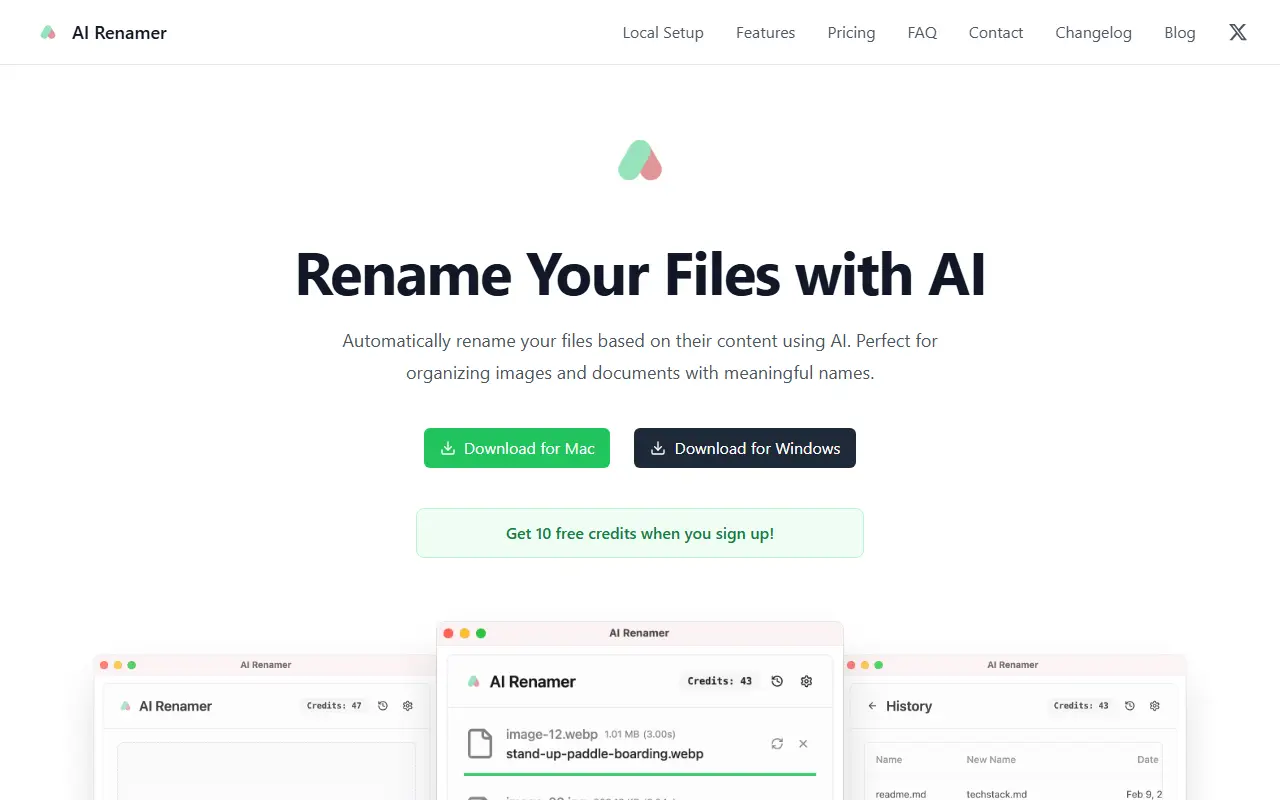
AI Renamer is a desktop utility for people with piles of badly named files. It reads the content of each file with AI, including image contents and EXIF data, and proposes a meaningful name, so screenshots, photos, PDFs and text files become easier to find.
You can drag in many files and rename them in one batch, previewing the results before applying them, and add custom instructions to set naming patterns and formatting rules. It handles JPG, PNG, GIF and WEBP images plus PDF and text-based documents. Models can be hosted by the vendor, supplied through OpenAI or another custom endpoint, or run locally with Ollama or LM Studio, which keeps files on your computer. AI Renamer is a commercial product with downloads for macOS and Windows, and new sign-ups receive a small amount of free credit.
Key features
- Renames files from their content
- Batch renaming with drag and drop
- Preview names before applying
- Custom naming instructions
- Local models via Ollama and LM Studio
- OpenAI and custom model support
Good fit for
- →Organizing a folder of screenshots
- →Renaming scanned PDFs and documents
- →Offline renaming with private local models
- Tags
- file-renamer
- desktop-app
- ollama
- local-ai
- file-organization
- macos
- windows
AI Renamer: questions and answers
- What is AI Renamer used for?
- AI Renamer is a Mac and Windows desktop app that renames images and documents based on what they contain, using cloud models or local ones through Ollama and LM Studio. It is a good fit for organizing a folder of screenshots, renaming scanned PDFs and documents, and offline renaming with private local models.
- How much does AI Renamer cost?
- AI Renamer is a paid product with no free plan. New sign-ups get 10 free credits; paid options are listed on the vendor's pricing page.
- Is AI Renamer open source?
- No. AI Renamer is proprietary (closed-source) software. In the Productivity category, open-source options include MarkerOn, Rectangle and RustCast.
- Can I self-host AI Renamer?
- Yes. Although AI Renamer is closed source, it can be self-hosted on your own servers, and the vendor also offers a hosted version.
- What are some alternatives to AI Renamer?
- AI Renamer competes with Hazel.
Open-source alternatives to AI Renamer
See all
MarkerOn
Productivity
Lightweight (~1.5 MB) open-source screen annotation with click-through mode and keyboard-f
MIT★ 1.1k
Rectangle
Productivity
Move and resize windows on macOS with keyboard shortcuts and snap areas
OSSvs BetterTouchTool★ 30k
RustCast
Productivity
An open source alternative to raycast, in rust!! (retired)
MITvs Raycast★ 1.1k
Ice
Productivity
Powerful menu bar manager for macOS
GPL-3.0vs Bartender★ 30k
PowerToys
Productivity
Microsoft PowerToys is a collection of utilities that supercharge productivity and customi
MITvs Alfred★ 139k
Files
Productivity
A modern file manager that helps users organize their files and folders.
MIT★ 46k
SaaS alternatives to AI Renamer
See all
Hazel
Workflow Automation
macOS utility that watches folders and organizes files with rules automatically
SaaS
Book My Luck
Productivity
Desktop app that hangs a swinging lucky charm from the top of your Mac or Windows screen
SaaS
Annotator
Productivity
Windows app for drawing live annotations over anything on your screen
SaaS
Apple Numbers
Productivity
Apple spreadsheet app for Mac, iPhone and iPad
SaaS
AWNA
Productivity
Windows notch at the top of the screen with tabs for meetings, tasks, notes, timers and clipboard history
SaaS
BlurScreen
Productivity
Blurs sensitive data on your screen while recording or screen sharing, with no post-editing
SaaS