About LayerDock
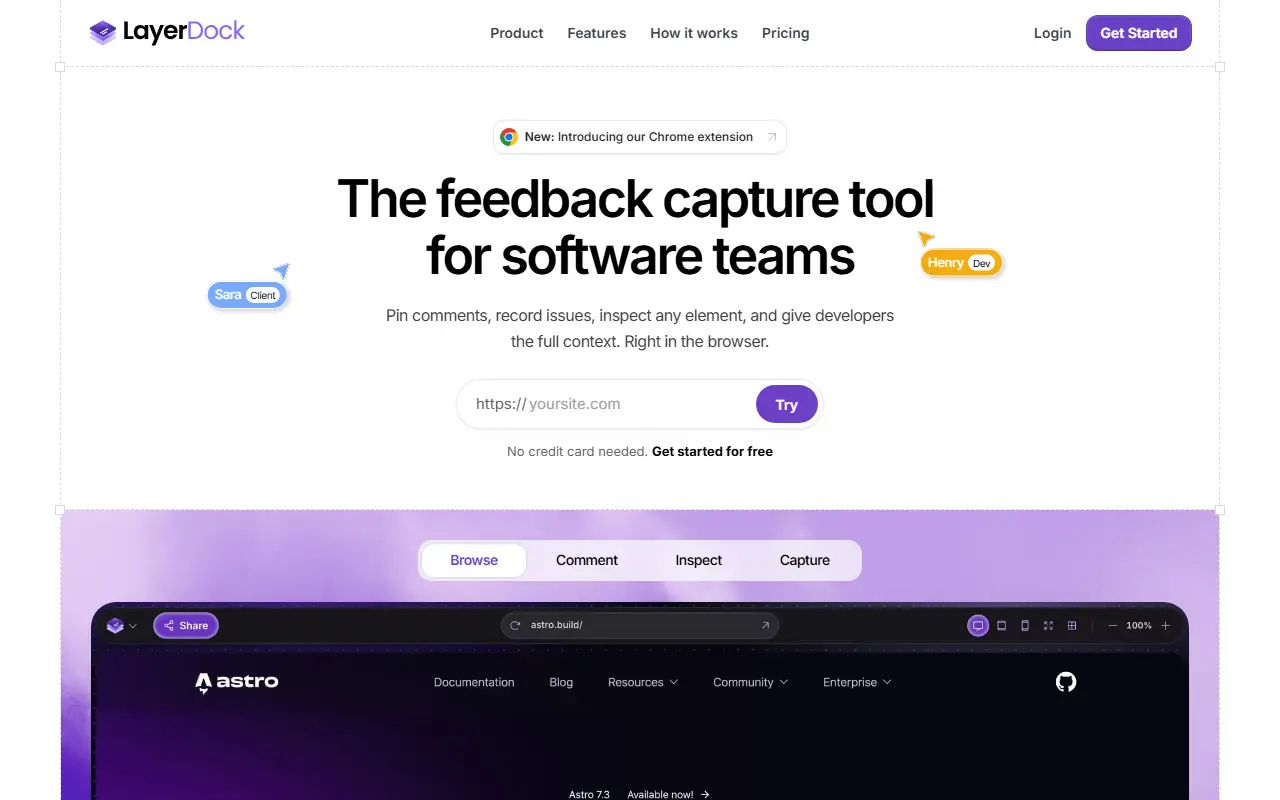
LayerDock is a website feedback tool. Reviewers open a link to the live site and pin comments right where the problem appears, capture a video or voice clip when a typed comment falls short, annotate screenshots with arrows and highlights, and inspect any element. Clients do not need an account or extension, and one free try works without signing up. A Chrome extension is also available.
Each piece of feedback carries technical context such as console logs and network logs, and inspect mode lets you preview other viewports without leaving the page, highlight components and examine the markup behind any element. Feedback can be sent to Slack, Jira, Linear, GitHub, Trello and ClickUp, or into coding agents through MCP so developers start with the evidence.
LayerDock is a hosted web app for agencies, freelancers and product teams. The free plan includes 2 docks and 35 feedback submissions per month, with paid tiers billed monthly or yearly. The site describes it as early, with annotation inside web apps planned next.
Key features
- Pinned comments on live pages
- Video and audio recording of issues
- Console and network logs captured with feedback
- Element inspection and viewport previews
- Screenshot annotation with arrows and notes
- Client review from a link without an account
- Sync to Jira, Linear, GitHub, Slack and MCP agents
Good fit for
- Agencies collecting client feedback on websites
- Developers receiving bug reports with full context
LayerDock: questions and answers
- What is LayerDock used for?
- LayerDock is a browser workspace for pinning feedback on live websites, capturing console and network context and passing it to developers and coding agents. It is a good fit for agencies collecting client feedback on websites and developers receiving bug reports with full context.
- Is LayerDock free?
- Yes. LayerDock has a free plan, and paid plans start at $19 per month. A free trial is also available.
- Is LayerDock open source?
- No. LayerDock is proprietary (closed-source) software and can't be self-hosted. In the Testing & QA category, open-source options include Playwright, Lamda and agent-device.
- What are some alternatives to LayerDock?
- LayerDock competes with Marker.io, BugHerd and Userback.
Open-source alternatives to LayerDock
See all
Playwright
Testing & QA
Playwright is a framework for Web Testing and Automation. It allows testing Chromium, Fire
Apache-2.0vs BrowserStack★ 97k
Lamda
Testing & QA
Android Full-Stack Device Control Platform: WebRTC/H.264 remote desktop, UI/OCR/image-matc
MIT★ 8.5k
agent-device
Testing & QA
Mobile app automation and verification for AI coding agents. CLI, MCP server, and typed No
MIT★ 4.9k
pytest-testmon
Testing & QA
Selects tests affected by changed files. Executes the right tests first. Continuous test r
MIT★ 1k
k6
Testing & QA
A modern load testing tool, using Go and JavaScript
AGPL-3.0vs OpenText LoadRunner★ 32k
Locust
Testing & QA
Write scalable load tests in plain Python 🚗💨
MITvs OpenText LoadRunner★ 28k
SaaS alternatives to LayerDock
See all
Marker.io
Testing & QA
Website feedback tool capturing screenshots, console logs and session replay
SaaS
BugHerd
Testing & QA
Visual website feedback and bug tracking tool for web teams
SaaS
Userback
Testing & QA
Visual feedback widget with session replay and screenshot bug reports
SaaS
Usersnap
Testing & QA
Visual bug reporting and customer feedback tool for websites
SaaS
Jam
Testing & QA
Browser extension that captures bug reports with console logs and replays
SaaS
Nikkel
Testing & QA
Visual annotation and QA tool for pinning comments on live or staging websites with screenshots and CSS details
SaaS