 TrackMedia
 TrackRev
About Kubebox
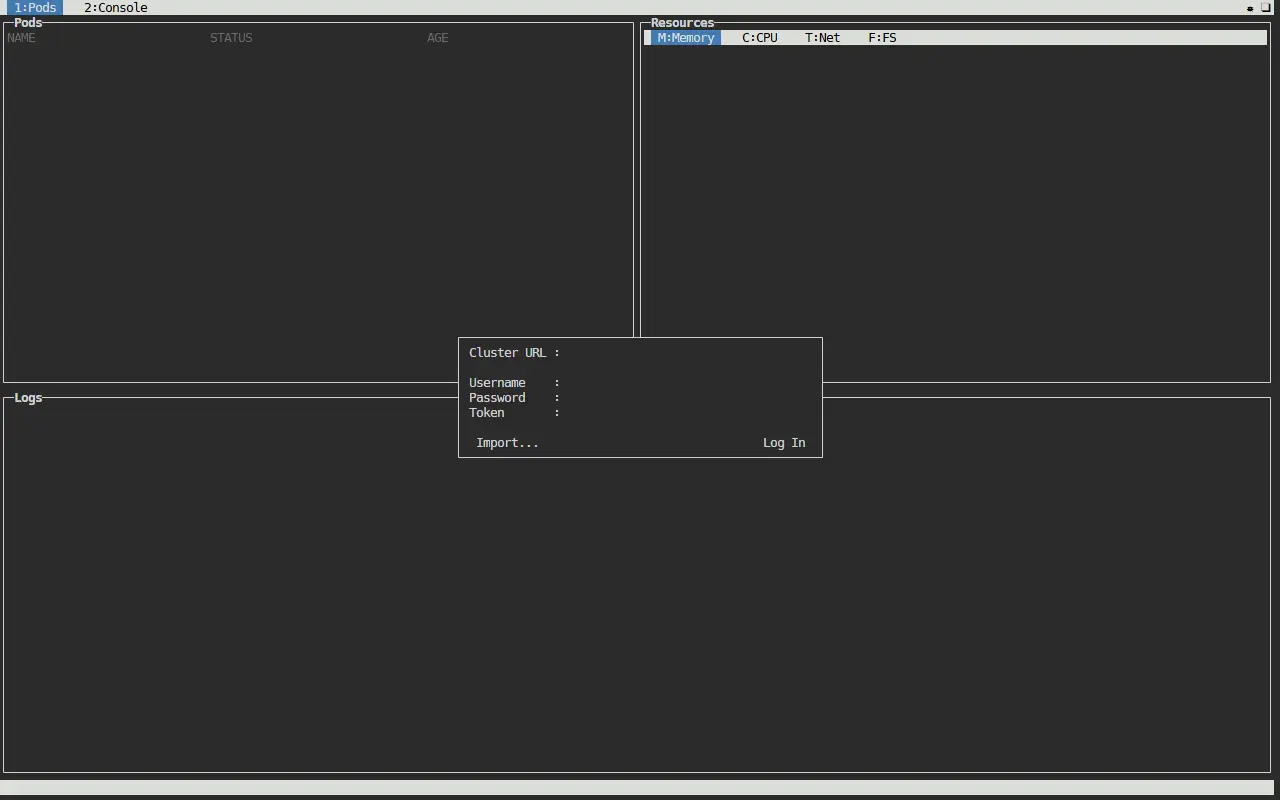
Kubebox is a console for Kubernetes that runs in a terminal or in a browser. It reads cluster access from kubeconfig files, using the KUBECONFIG environment variable or the .kube folder in your home directory, and lets you switch contexts interactively.
Once connected you can choose a namespace, watch the pod list, scroll or follow container logs, open a remote exec terminal in a container, and read cluster, namespace and pod events. Memory, CPU, network and file system charts for containers need cAdvisor deployed as a DaemonSet.
Authentication methods listed include bearer token, basic auth, private key and certificate, OAuth, OpenID Connect, Amazon EKS, Google Kubernetes Engine and Digital Ocean.
You can run it as a standalone executable for Linux, ARMv7, macOS or Windows, as a server hosted in your cluster (terminal emulation by Xterm.js), as an in-cluster client with kubectl run, or through Docker. An object configuration editor with CRUD operations and cluster and node monitoring views are still unchecked on the feature list.
Key features
- Reads kubeconfig files and switches contexts
- Namespace selection and pod list watching
- Container log scrolling and watching
- Remote exec terminal into containers
- Cluster, namespace and pod events
- Memory, CPU, network and file system charts
- Web console served from inside the cluster
- Standalone executables for Linux, macOS and Windows
Good fit for
- Watching pods and logs from a terminal
- Opening a shell in a container
- Browser-based cluster console
Kubebox: questions and answers
- What is Kubebox used for?
- Kubebox is a terminal and web console for Kubernetes that shows pods, logs, events and resource charts, and offers a remote exec terminal. It is a good fit for watching pods and logs from a terminal, opening a shell in a container, and browser-based cluster console.
- Is Kubebox open source?
- Yes. Kubebox is open source under the MIT licence. Its source code is on GitHub at astefanutti/kubebox and is written mainly in JavaScript.
- Is Kubebox free?
- Yes. Kubebox is open source, so the software itself is free to use.
- What is Kubebox an alternative to?
- Kubebox is an open-source alternative to Lens. Other open-source alternatives to Lens include KDash, Kite and Kubevious.
- Is Kubebox actively maintained?
- The most recent commit to Kubebox was on 17 June 2024, and the latest release is v0.10.0, published on 9 April 2022. The project has 2.2k stars on GitHub.
Open-source alternatives to Kubebox
See all
KDash
Infrastructure & Containers
A simple and fast dashboard for Kubernetes
MITvs Lens★ 2.6k
Kite
Infrastructure & Containers
🪁 A lightweight, modern Kubernetes dashboard. All your clusters. One workspace.
Apache-2.0vs Lens★ 3.2k
Kubevious
Infrastructure & Containers
Kubevious - Kubernetes without disasters
Apache-2.0vs Rafay★ 1.8k
Kubernetes
Infrastructure & Containers
Production-Grade Container Scheduling and Management
Apache-2.0vs Amazon EKS★ 129k
Portainer
Infrastructure & Containers
Making Docker and Kubernetes management easy.
Zlibvs Lens★ 39k
Rancher
Infrastructure & Containers
Complete container management platform
Apache-2.0vs Amazon EKS★ 26k
SaaS alternatives to Kubebox
See all
Lens
Infrastructure & Containers
Desktop Kubernetes IDE for managing clusters and workloads
SaaS
Komodor
Infrastructure & Containers
Kubernetes troubleshooting and cluster management platform
SaaS
Rafay
Infrastructure & Containers
Kubernetes operations and platform-as-a-service for managing clusters at scale
SaaS
Amazon EKS
Infrastructure & Containers
Managed Kubernetes control plane and worker nodes on AWS
SaaS
Azure Kubernetes Service
Infrastructure & Containers
Managed Kubernetes service on Microsoft Azure
SaaS
Docker Desktop
Infrastructure & Containers
Desktop app for building and running containers locally, with Kubernetes support
SaaS