 TrackMedia
 TrackRev

About FlashBack Screen Recorder
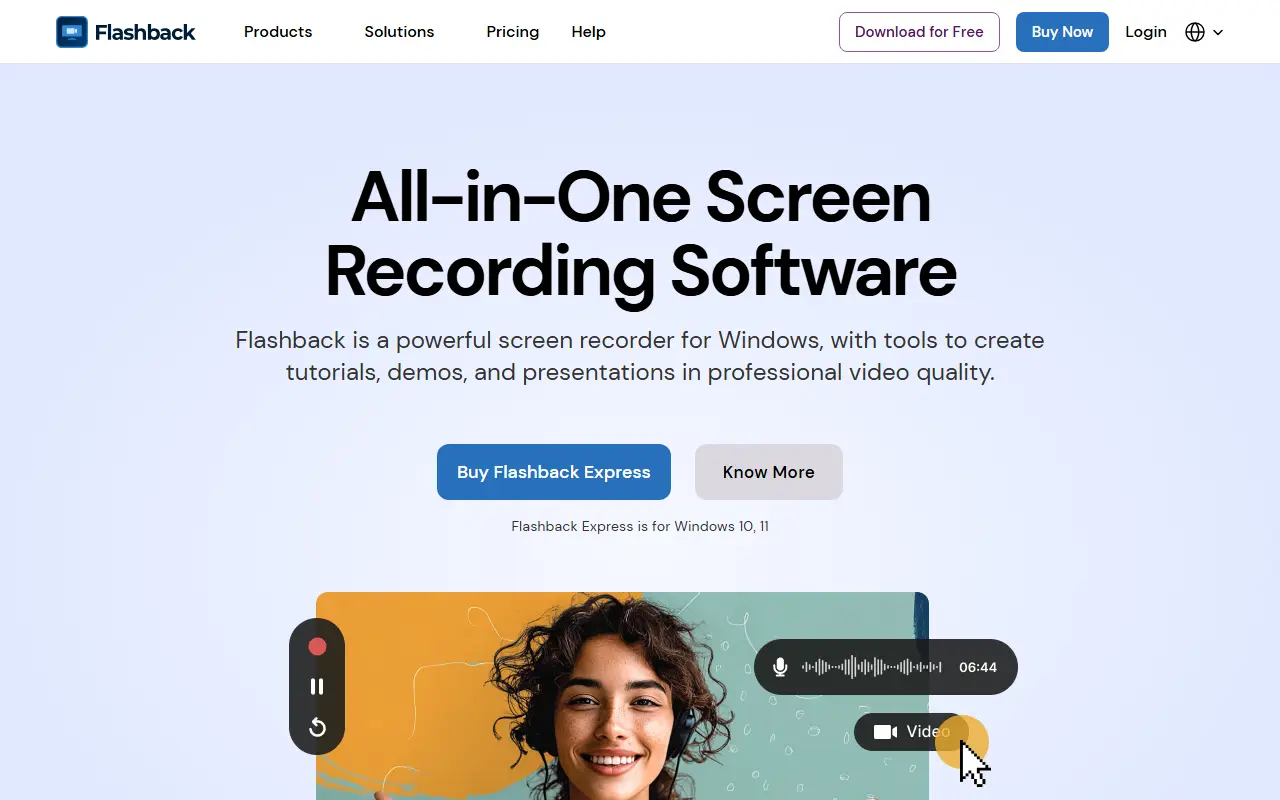
FlashBack Express is a screen recorder and editor for Windows 10 and 11. It captures any part of the screen along with webcam and system audio, and is aimed at people who make step-by-step tutorials, product demos, onboarding clips and teaching material.
After recording, the built-in editor lets you trim out mistakes and dead time, then add captions, titles, shapes, stickers, zoom effects, transitions and music. Screen, webcam and audio are kept on separate tracks, so each can be adjusted on its own before export. Finished videos are exported to popular formats for sharing.
The Starter tier is free to download and has no time limit or watermark. Paid options are a one-year licence and a lifetime licence for Express V7. A Creator bundle adds Camigo, a virtual webcam for calls and webinars, and a Video Converter for changing format and resolution.
Key features
- Records screen, webcam and system audio
- Trims mistakes, pauses and dead time
- Keeps screen, webcam and audio on separate tracks
- Adds captions, titles, shapes and stickers
- Exports to popular video formats
- Captures full screen, window or region, multi-monitor
Good fit for
- Software tutorials
- Product demos
- Employee onboarding
- Teaching videos
FlashBack Screen Recorder: questions and answers
- What is FlashBack Screen Recorder used for?
- FlashBack Screen Recorder is a Windows screen recorder and video editor for making tutorials, demos and training videos, with a free Starter tier and paid yearly or lifetime licences. It is a good fit for software tutorials, product demos and employee onboarding.
- Is FlashBack Screen Recorder open source?
- No. FlashBack Screen Recorder is proprietary (closed-source) software. In the Video Editing category, open-source options include Screenity, ScreenToGif and Cap.
- What are some alternatives to FlashBack Screen Recorder?
- FlashBack Screen Recorder competes with Screencastify.
Open-source alternatives to FlashBack Screen Recorder
See all
Screenity
Video Editing
The free and privacy-friendly screen recorder with no limits 🎥
GPL-3.0vs Screencastify★ 19k
ScreenToGif
Video Editing
🎬 ScreenToGif allows you to record a selected area of your screen, edit and save it as a
MS-PLvs Snagit★ 28k
Cap
Video Editing
Open source Loom alternative. Beautiful, shareable screen recordings.
OSSvs Loom★ 25k
OpenCut
Video Editing
The open-source CapCut alternative
MITvs CapCut★ 98k
OBS Studio
Video Editing
OBS Studio - Free and open source software for live streaming and screen recording
GPL-2.0vs vMix★ 79k
HandBrake
Video Editing
HandBrake's development repository
OSS★ 25k
SaaS alternatives to FlashBack Screen Recorder
See all
Screencastify
Video Editing
Chrome-based screen recorder aimed at education and teams
SaaS
Camtasia
Video Editing
Screen recorder and video editor for tutorials and training videos
SaaS
Super Recorder
Video Editing
Screen recording tool for app demos, teaching videos and meetings
SaaS
WindowShot
Video Editing
Windows screen recorder and screenshot editor with automatic zoom, smooth cursor movement and webcam recording
SaaS
Screencast-O-Matic
Video Editing
Screen recorder and video editor for capturing, creating, and sharing videos and images
SaaS
autozoom
Video Editing
Screen recorder with automatic zoom, motion blur and 4K export
SaaS