
About FixMyFiles
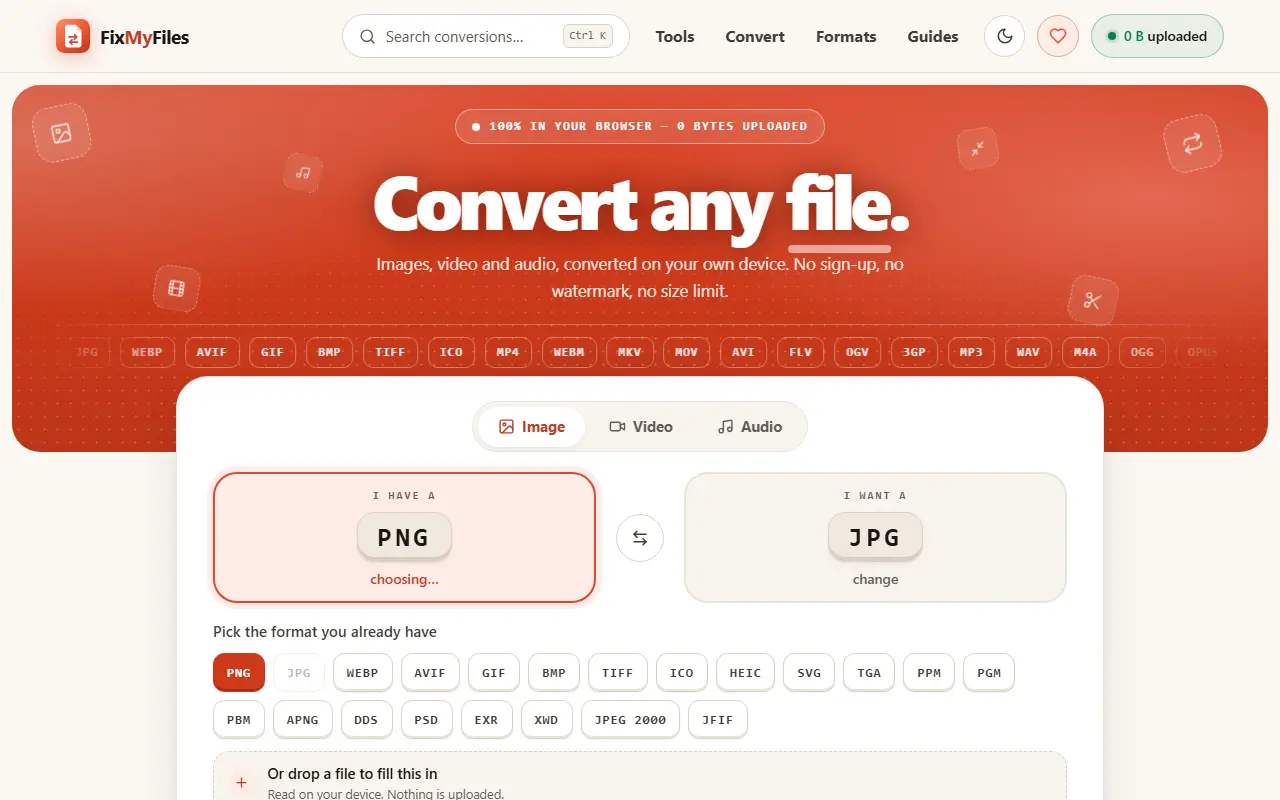
FixMyFiles converts and edits media entirely in the browser. The site says nothing is uploaded, with a live counter showing 0 bytes sent, and that there is no sign-up, no watermark and no size limit. It supports a long list of image formats including PNG, JPG, WebP, AVIF, GIF, TIFF, HEIC and SVG, video formats such as MP4, WebM, MKV, MOV and AVI, and audio formats including MP3, WAV, M4A, OGG, FLAC and AIFF.
Beyond conversion there are 67 tools. Image tools compress to a size limit, resize to exact pixels, crop to shapes, remove backgrounds, copy text out of images, convert HEIC to JPG and strip metadata such as GPS location. Video tools convert, compress a clip to a messaging or email size limit, turn video into a GIF and trim, and the site also has format guides and search with a keyboard shortcut. It is presented as a free utility with 420 specific conversions, built for people who do not want to send personal files to a third-party server.
Key features
- Image, video and audio format conversion
- Runs in the browser with no upload
- Image compression to a target size
- HEIC to JPG and background removal
- Metadata removal including GPS
- Video compression, trimming and GIF export
- Text extraction from images
Good fit for
- Converting iPhone HEIC photos for Windows
- Shrinking a video to fit a messaging limit
FixMyFiles: questions and answers
- What is FixMyFiles used for?
- FixMyFiles is a free browser-based converter for images, video and audio with 420 conversions and 67 tools that run on your device without uploading files or signing up. It is a good fit for converting iPhone HEIC photos for Windows and shrinking a video to fit a messaging limit.
- Is FixMyFiles free?
- Yes. FixMyFiles is free to use.
- Is FixMyFiles open source?
- No. FixMyFiles is proprietary (closed-source) software. In the Productivity category, open-source options include Zen Browser, Ungoogled Chromium and Brave Browser.
- What are some alternatives to FixMyFiles?
- Other SaaS products in the Productivity category include FixMyPDFs, Arazio For Mac and ClearCut.
Open-source alternatives to FixMyFiles
See all
Zen Browser
Productivity
Welcome to a calmer internet
MPL-2.0vs Google Chrome★ 45kUngoogled Chromium
Productivity
Google Chromium, sans integration with Google
BSD-3-Clausevs Google Chrome★ 28k
Brave Browser
Productivity
Brave browser for Android, iOS, Linux, macOS, Windows.
MPL-2.0vs Google Chrome★ 24k
Neko
Productivity
A self hosted virtual browser that runs in docker and uses WebRTC.
Apache-2.0★ 22k
Obtainium
Productivity
Get Android app updates straight from the source.
GPL-3.0★ 20k
ActivityWatch
Productivity
The best free and open-source automated time tracker. Cross-platform, extensible, privacy-
MPL-2.0vs RescueTime★ 19k
SaaS alternatives to FixMyFiles
See all
FixMyPDFs
Productivity
Free online PDF editor with 60+ tools to fix, convert and protect files, with no sign-up
SaaS
Arazio For Mac
Productivity
Local-first Mac file converter that works from Finder with a radial menu of target formats
SaaS
ClearCut
Productivity
Native macOS utility with 45 local tools for converting and compressing video, audio, images and PDFs
SaaS
How to Convert
Productivity
App that converts almost any file type to another format locally on your computer
SaaS
OxygenPDF
Productivity
Private PDF toolkit that runs without uploading your files
SaaS
PDFWix
Productivity
Free browser-based PDF toolkit to merge, split, compress, convert, edit, sign and secure PDFs
SaaS