About CursorClip
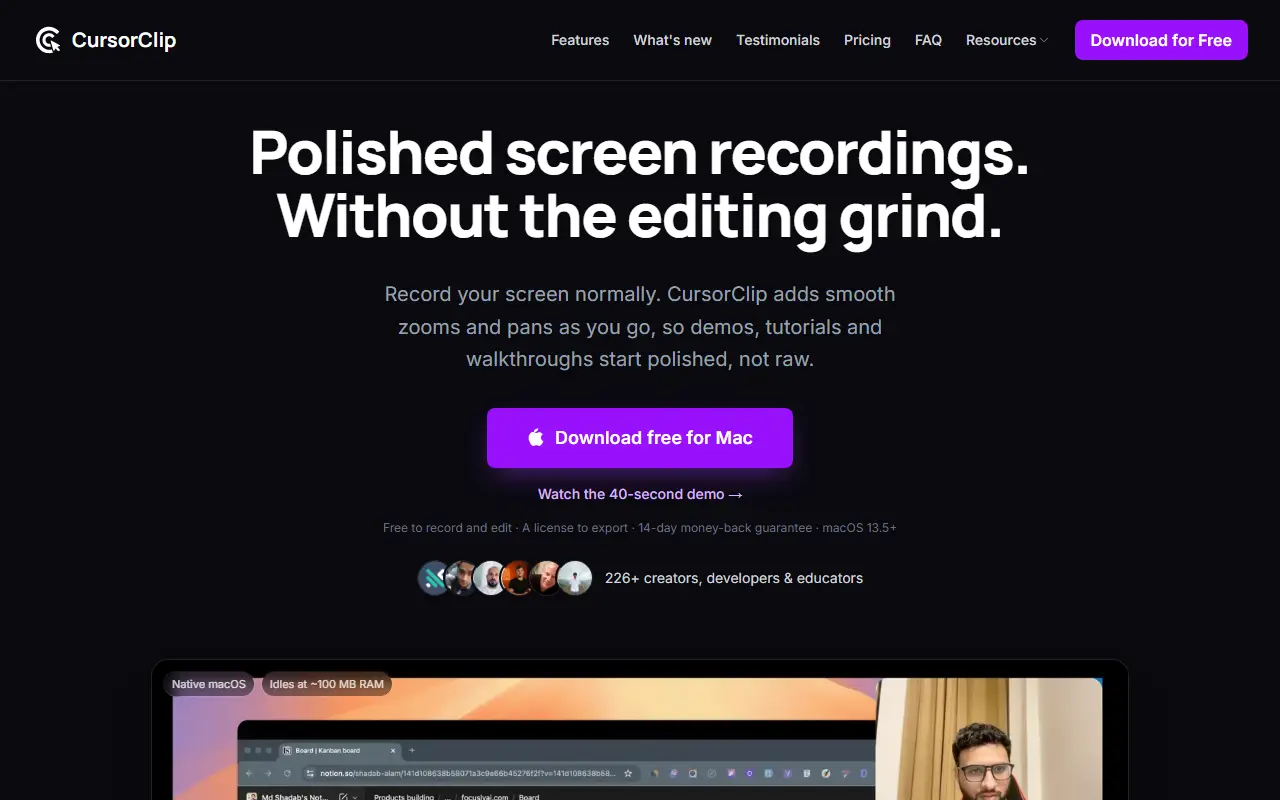
CursorClip is a native Mac screen recorder for demos, tutorials, and walkthroughs. You record as usual, and the app adds smooth zooms and pans that follow the cursor, so recordings are easier to follow without a manual editing pass. It can capture the screen, camera, system audio, and microphone, and runs on macOS 13.5 or later.
After recording you can shift or delete a zoom, cut a segment, crop, and adjust backgrounds and framing, with cursor styles and click feedback available. Exports are MP4, MOV, or GIF at up to 4K and 60 frames per second. The app is free to download, record, and edit, and a paid license unlocks unlimited exports without a watermark. The vendor lists a lifetime license and a 14-day money-back guarantee.
Key features
- Automatic zoom and pan following the cursor
- Custom zoom frames and cursor styles
- Click feedback effects
- Screen, camera, system audio, and mic capture
- Trim and crop editing
- Export to MP4, MOV, or GIF up to 4K
Good fit for
- →Product demos and software tutorials
- →Developers recording walkthroughs for teammates
- Tags
- screen-recorder
- macos
- video-editing
- tutorials
- demo-videos
- zoom-effects
CursorClip: questions and answers
- What is CursorClip used for?
- CursorClip is a native macOS screen recorder that adds smooth zooms and pans automatically while you record, with 4K export and system audio and microphone capture. It is a good fit for product demos and software tutorials, and developers recording walkthroughs for teammates.
- How much does CursorClip cost?
- CursorClip is a paid product with no free plan. Free to record and edit; a $70 lifetime license unlocks watermark-free exports, with a 14-day money-back guarantee.
- Is CursorClip open source?
- No. CursorClip is proprietary (closed-source) software. In the Video Editing category, open-source options include Screenity, Cap and Shotcut.
- What are some alternatives to CursorClip?
- CursorClip competes with Screen Studio, ScreenFlow and Camtasia.
Open-source alternatives to CursorClip
See all
Screenity
Video Editing
The free and privacy-friendly screen recorder with no limits 🎥
GPL-3.0vs Screencastify★ 19k
Cap
Video Editing
Open source Loom alternative. Beautiful, shareable screen recordings.
OSSvs Loom★ 23k
Shotcut
Video Editing
cross-platform (Qt), open-source (GPLv3) video editor
GPL-3.0vs Adobe Premiere Pro★ 15k
ScreenToGif
Video Editing
🎬 ScreenToGif allows you to record a selected area of your screen, edit and save it as a
MS-PLvs Snagit★ 28k
OpenShot
Video Editing
OpenShot Video Editor is an award-winning free and open-source video editor for Linux, Mac
OSSvs Adobe Premiere Pro★ 6.6k
Kdenlive
Video Editing
Free and open source video editor, based on MLT Framework and KDE Frameworks
GPL-3.0vs Adobe Premiere Pro★ 5.8k
SaaS alternatives to CursorClip
See all
Screen Studio
Video Editing
Mac screen recorder that adds automatic zooms and polished cursor animations
SaaS
ScreenFlow
Video Editing
Mac screen recording and video editing software from Telestream
SaaS
Camtasia
Video Editing
Screen recorder and video editor for tutorials and training videos
SaaS
Tella
Video Editing
Screen and camera recorder with editing for demos and tutorials
SaaS
autozoom
Video Editing
Screen recorder with automatic zoom, motion blur and 4K export
SaaS
DemoPolish
Video Editing
Turns rough screen recordings of software into polished demo videos
SaaS