 TrackMedia
 TrackRev
About Captions Generator
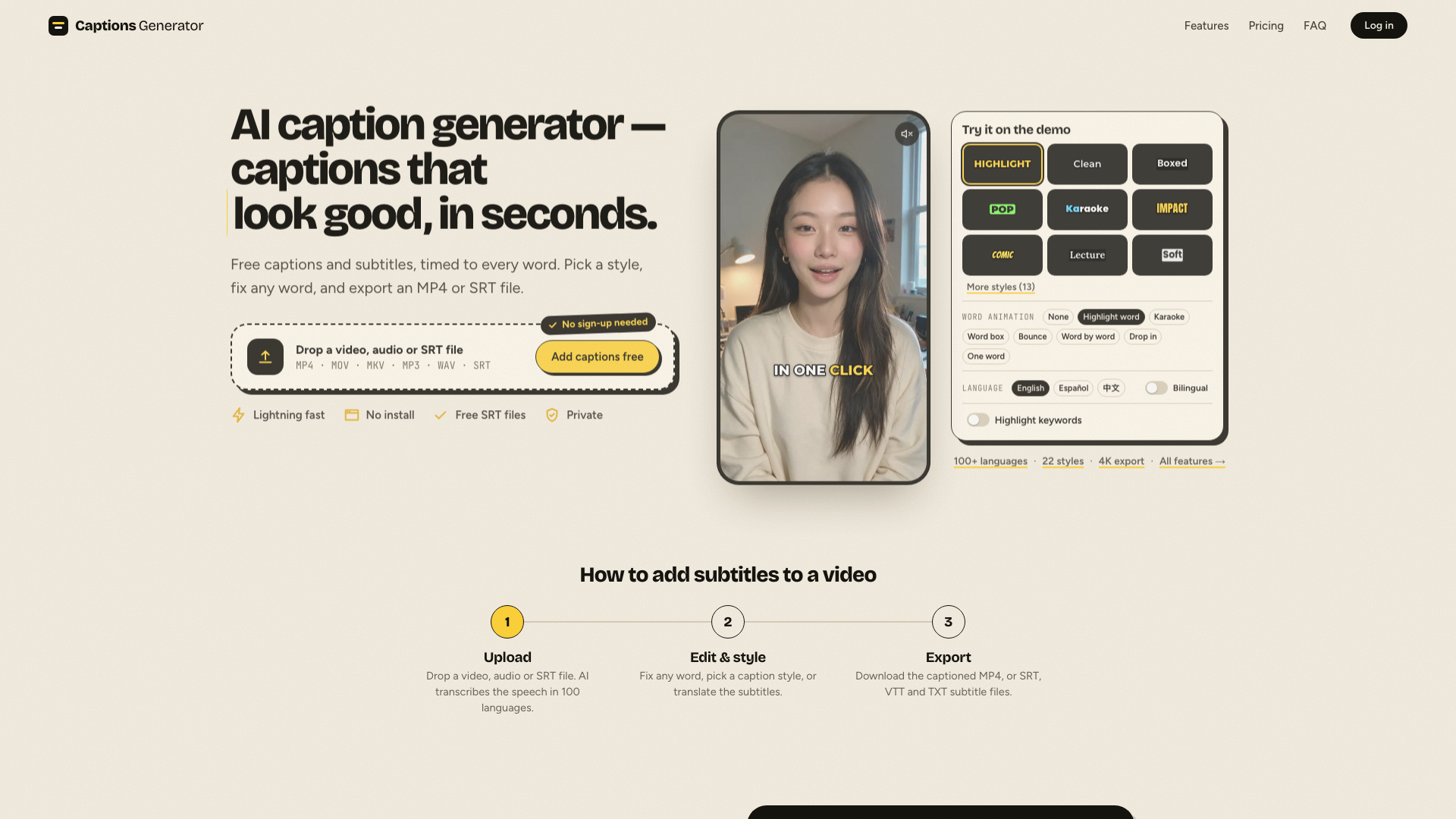
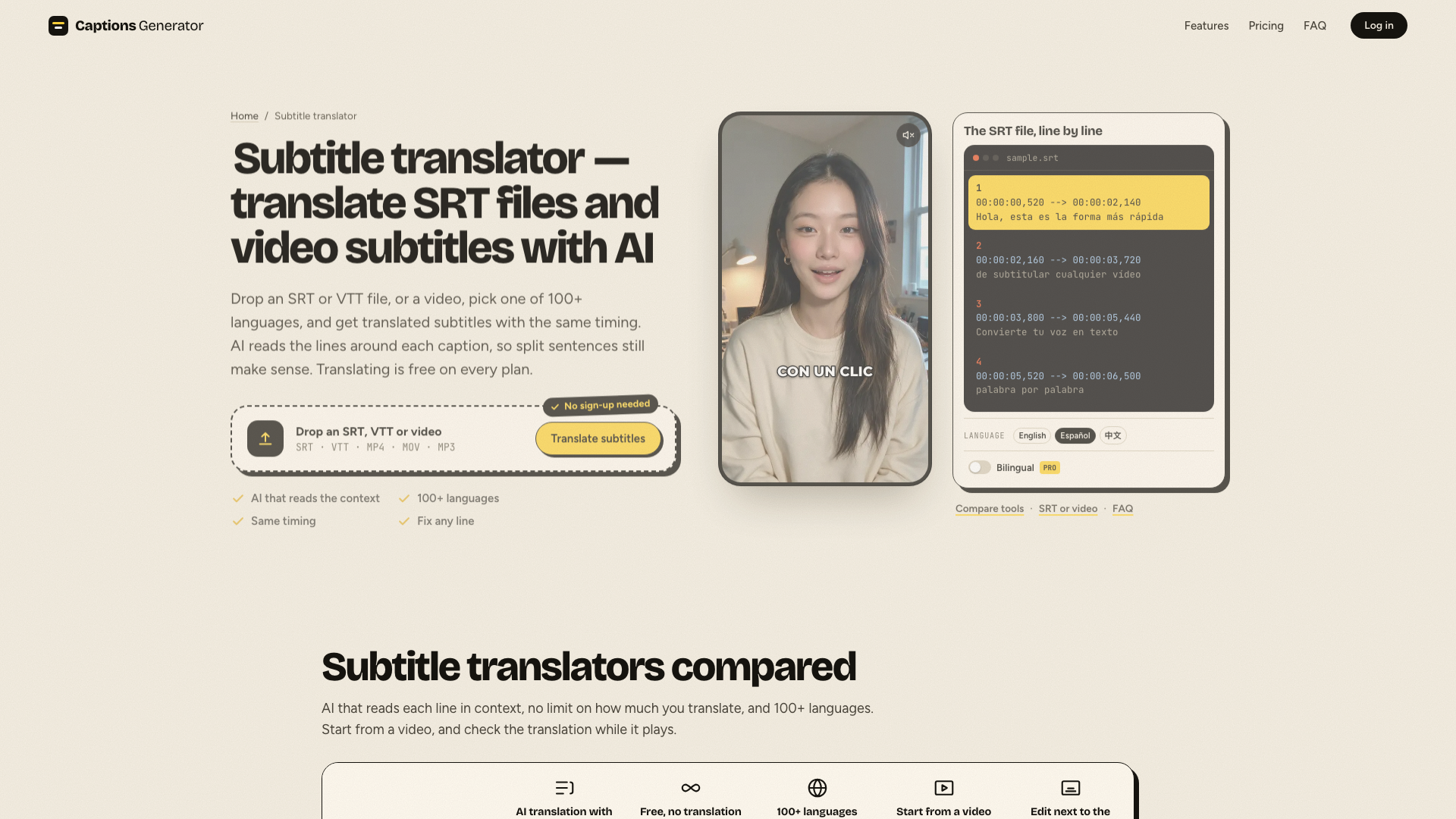
Captions Generator turns speech in a video, audio file or existing SRT file into word-timed captions in 100+ languages, in a few seconds, without installing anything or signing up. In the browser editor you fix any word, pick one of 22 caption styles, place the captions, add titles on the video and check the Reels / TikTok / Shorts safe zones. Captions and your own SRT files can be translated into 100+ languages. You export a captioned MP4 or SRT, VTT and TXT files. The video stays on your device; only the audio is sent for transcription. The free plan covers videos and subtitle files up to 30 minutes each at 1080p (small watermark on free videos). Pro ($59/year) removes the watermark and adds 90-minute videos, 4K, word animations, bilingual captions and custom fonts.
Compared with VEED, AutoSubtitles, Captions: Cheaper ($59/year for Pro) and no sign-up to start. Subtitle translation and SRT import are free with no monthly quota, free files can be up to 30 minutes, and the video never leaves your device - only the audio is sent for transcription.
Key features
- AI captions from video, audio or SRT in 100+ languages
- Subtitle translation into 100+ languages
- 22 caption styles and word-by-word animations
- Reels, TikTok and Shorts safe-zone check
- Export captioned MP4, SRT, VTT and TXT
Good fit for
- TikTok, Reels and YouTube Shorts creators, social media marketers, podcasters and teachers who need subtitles or translated captions
Captions Generator: questions and answers
- What is Captions Generator used for?
- Captions Generator is a browser tool that adds AI captions to videos and translates subtitles, for short-video creators. Built for TikTok, Reels and YouTube Shorts creators, social media marketers, podcasters and teachers w… It is a good fit for TikTok, Reels and YouTube Shorts creators, social media marketers, podcasters and teachers who need subtitles or translated captions.
- Is Captions Generator free?
- Yes. Captions Generator has a free plan, and paid plans start at $59 per year.
- Is Captions Generator open source?
- No. Captions Generator is proprietary (closed-source) software. In the Video Editing category, open-source options include FilmCraft, EffectCraft and Cap.
- What are some alternatives to Captions Generator?
- Captions Generator competes with AutoSubtitles, Captions and VEED.
Open-source alternatives to Captions Generator
See all
FilmCraft
Video Editing
An open-source, clean-room reimplementation of Adobe Premiere Pro built in pure Rust.
Apache-2.0vs Adobe Premiere Pro★ 18k
EffectCraft
Video Editing
Motion graphics and visual effects compositor written in pure Rust
Apache-2.0vs Adobe After Effects★ 8.7k
Cap
Video Editing
Open source Loom alternative. Beautiful, shareable screen recordings.
OSSvs Loom★ 25k
OpenCut
Video Editing
The open-source CapCut alternative
MITvs CapCut★ 98k
FFmpeg
Video Editing
Mirror of https://git.ffmpeg.org/ffmpeg.git
OSSvs Klap★ 67k
OBS Studio
Video Editing
OBS Studio - Free and open source software for live streaming and screen recording
GPL-2.0vs vMix★ 79k
SaaS alternatives to Captions Generator
See all
AutoSubtitles
Video Editing
AI transcription and subtitling for videos with SRT/VTT export and styled burned-in captions
SaaS
Captions
Video Editing
AI video editing app for captions, dubbing and talking-head content
SaaS
VEED
AI Tools
Browser-based video editor with auto subtitles, AI avatars and screen recording
SaaS
AddSubtitles
Video Editing
Browser-based AI subtitle and video editor with word-level captions, silence removal and translation
SaaS
AI Captions
Video Editing
Adds captions and subtitles to any video
SaaS
AutoCaptioner
Video Editing
Online tool that generates, edits, translates and styles AI subtitles for videos and exports captioned video
SaaS