
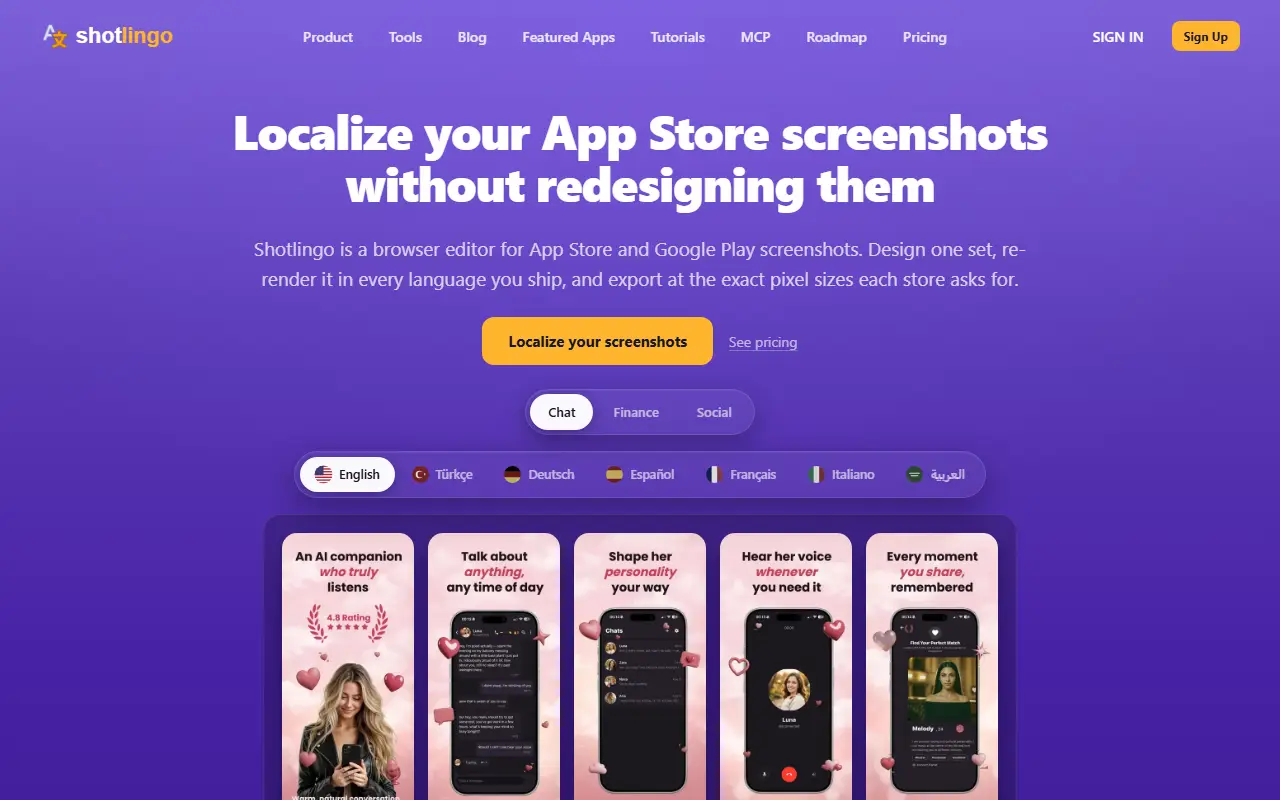
About Shotlingo
Shotlingo is a screenshot editor for mobile app listings that runs in the browser with no account. You drop in raw screenshots from the simulator, choose a device frame such as a plain iPhone, a tilted 3D render or a photo of someone holding the phone, and the screenshot is fitted to the frame automatically. The library has hundreds of device mockup variants across dozens of device families, all available on the free plan.
You write headlines and captions once, then add the languages you ship. Each text object gets its own row where a translation can be filled in and edited by hand, and the layout is re-typeset per language instead of just swapped, which matters because text length changes a lot between languages. The site includes a text expansion calculator to check this, and files are exported at the precise pixel dimensions that App Store Connect and Google Play ask for.
The free plan allows designing, translating and exporting one full set per day with no account or card, which is enough to try it on a real release. Unlimited exports start at $9 per month, backed by a 30-day refund, and plan details are on the pricing page.
Key features
- Device frames including angled 3D and hand-held
- Headlines written once, translated per language
- Layouts re-typeset for each locale
- Manual editing of every translation
- Export at App Store Connect and Google Play sizes
- Text expansion calculator
- MCP access for AI tools
Good fit for
- Localizing an app listing into a dozen languages
- Preparing screenshot sets for new store releases
- Avoiding hundreds of manual image exports
Shotlingo: questions and answers
- What is Shotlingo used for?
- Shotlingo lets you design one set of App Store and Google Play screenshots in the browser, localize it into many languages and export store-ready sizes. It is a good fit for localizing an app listing into a dozen languages, preparing screenshot sets for new store releases and avoiding hundreds of manual image exports.
- Is Shotlingo free?
- Yes. Shotlingo has a free plan, and paid plans start at $9 per month.
- Is Shotlingo open source?
- No. Shotlingo is proprietary (closed-source) software and can't be self-hosted. In the Design category, open-source options include OpenPencil, Poster Design and Doop.
- What are some alternatives to Shotlingo?
- Shotlingo competes with Appshots, AppMockupGenerator and AppSnaps.
Open-source alternatives to Shotlingo
See all
OpenPencil
Design
Generate complete, multi-screen product interfaces on a live canvas. Refine every layer wi
MITvs Figma★ 6.1k
Poster Design
Design
迅排设计 - 图片编辑器、AI 在线海报设计,仿稿定设计,适用于多种场景:海报生成、电商产品图、文章长图、视频/公众号封面等。A beautiful online image de
AGPL-3.0vs Adobe Express★ 4.9k
Doop
Design
The open-source alternative to Paper.design. A multiplayer design canvas where humans and
AGPL-3.0vs Figma★ 810
Visual Center
Design
Tool to better align logos in the center of a container.
BSD-3-Clause★ 1.4kAnimockup
Design
Create animated mockups in the browser 🔥
MIT★ 1.9k
CSS Wand
Design
🎨✨ Hover your wand and use your magic spell to copy beautiful css
MIT★ 1.2k
SaaS alternatives to Shotlingo
See all
Appshots
Design
Turns raw app screens into App Store screenshots without hiring a designer
SaaS
AppMockupGenerator
Design
AI generator of App Store and Play Store screenshots with device mockups, copy and backgrounds
SaaS
AppSnaps
Design
Turns your real app screenshots into a set of store-ready marketing slides
SaaS
EasyMockups
Design
Web tool for creating and downloading product mockups such as clothing
SaaS
FrondFrame
Design
Generates App Store and Google Play screenshots by chatting with AI, no Figma needed
SaaS
Frammme
Design
Generates an App Store screenshot set with copy from a short brief and your app screenshots
SaaS