
About Scan Receipt
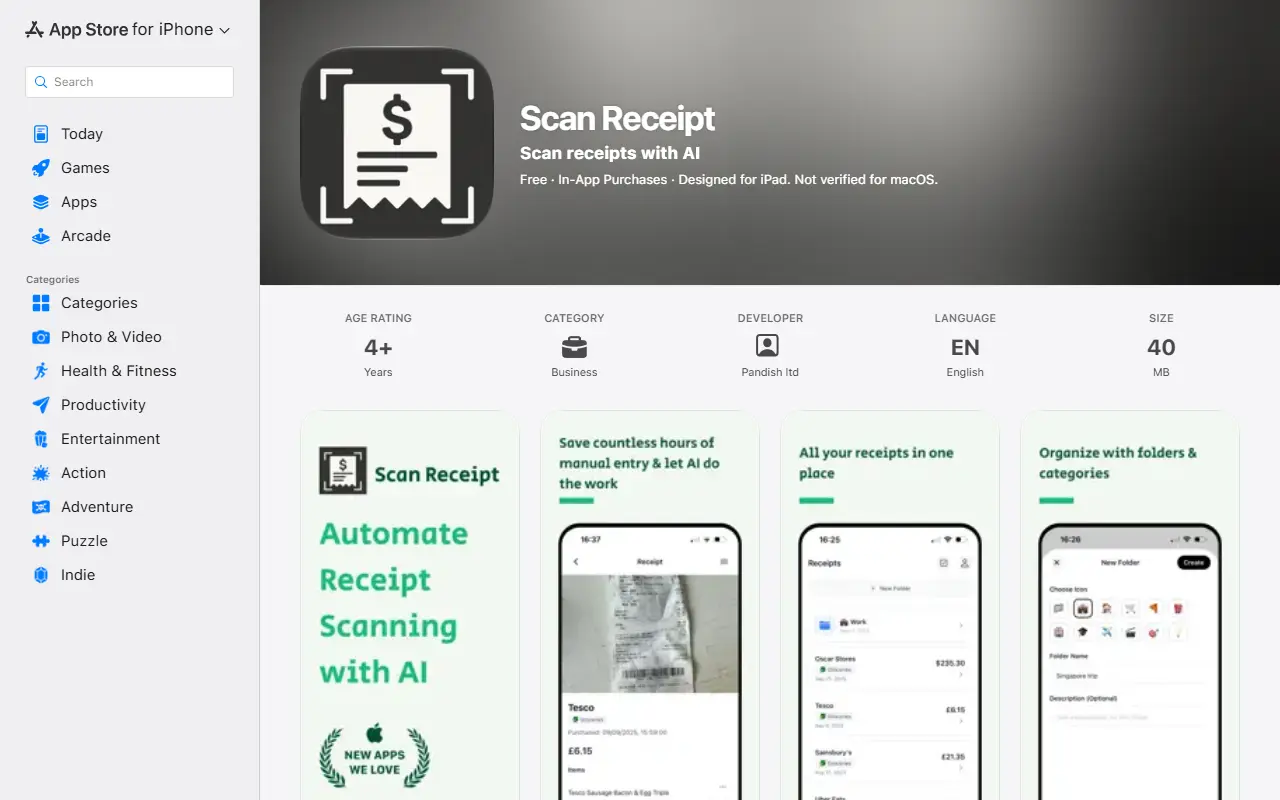
Scan Receipt is an iPhone and iPad app that reads receipts with visual language models and turns them into structured data. It extracts the items on a receipt and can automatically categorize them and pick out currencies, quantities, product names, the merchant and the time of purchase, saving manual data entry.
Receipts can be organized into folders and folders exported as Excel, PDF or CSV files. Users get three free scans, then unlimited use under a monthly or yearly Pro plan, with the monthly subscription listed at $9.99.
Key features
- AI extraction of receipt line items
- Automatic categorization of items
- Currency and quantity recognition
- Folders for organizing receipts
- Export to Excel, PDF and CSV
Good fit for
- Expense tracking from paper receipts
- Preparing receipt data for accounting
Scan Receipt: questions and answers
- What is Scan Receipt used for?
- Scan Receipt is an iOS receipt scanner that uses AI to extract items, merchants and totals and exports them to Excel, PDF and CSV. It is a good fit for expense tracking from paper receipts and preparing receipt data for accounting.
- How much does Scan Receipt cost?
- Paid plans for Scan Receipt start at $9.99 per month, and there is no free plan.
- Is Scan Receipt open source?
- No. Scan Receipt is proprietary (closed-source) software and can't be self-hosted. In the Finance & Accounting category, open-source options include TaxHacker, Firefly III and Akaunting.
- What are some alternatives to Scan Receipt?
- Scan Receipt competes with Expensify, Zoho Expense and SAP Concur.
Open-source alternatives to Scan Receipt
See all
TaxHacker
Finance & Accounting
Your personal AI accountant
MITvs Expensify★ 6.7k
Firefly III
Finance & Accounting
Firefly III: a personal finances manager
AGPL-3.0vs YNAB★ 25k
Akaunting
Finance & Accounting
Online Accounting Software
OSSvs QuickBooks★ 10k
GnuCash
Finance & Accounting
GnuCash Double-Entry Accounting Program.
OSSvs Quicken★ 4.4k
Rotki
Finance & Accounting
A portfolio tracking, analytics, accounting and management application that protects your
AGPL-3.0★ 4k
Bigcapital
Finance & Accounting
💵 Independent financial accounting with intelligent reporting, alternative to Quickbooks,
AGPL-3.0vs QuickBooks★ 3.9k
SaaS alternatives to Scan Receipt
See all
Expensify
Finance & Accounting
Expense reports, receipt scanning and corporate cards
SaaS
Zoho Expense
Finance & Accounting
Expense reporting and travel policy tool from Zoho
SaaS
SAP Concur
Finance & Accounting
Travel and expense management for enterprises
SaaS
Emburse
Finance & Accounting
Expense management, travel and spend software including Certify and Abacus
SaaS
Hivespent
Finance & Accounting
Expense reporting tool with smart receipt scanning, one-click approval and instant export
SaaS
Receipt Genie
Finance & Accounting
iOS receipt scanner and organizer for expense tracking with OCR and AI tagging
SaaS