
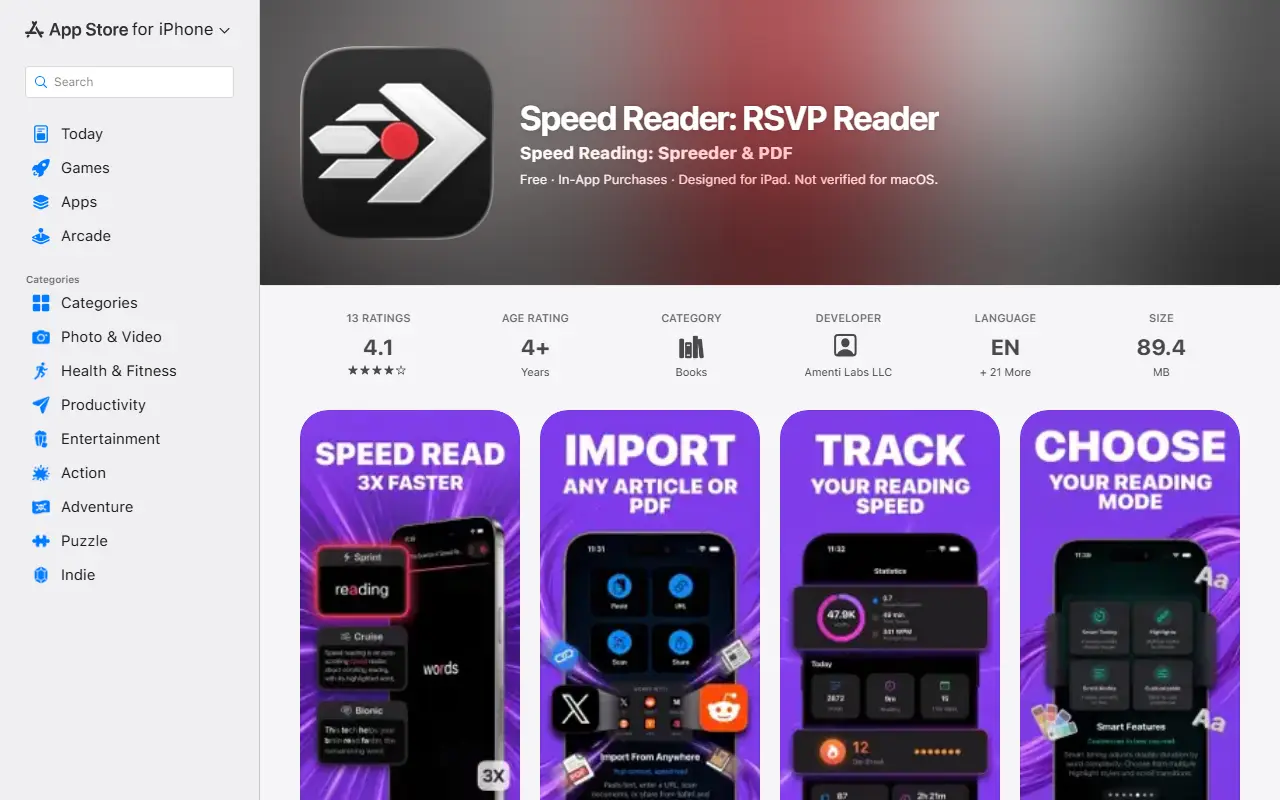
About RSVP Reader
RSVP Reader is an iPhone and iPad app built on rapid serial visual presentation: words appear one at a time at a speed you choose, which removes eye movement and reduces subvocalization. Each word is shown with its Optimal Recognition Point highlighted so the eye can stay fixed on one spot. It is meant for students, professionals and book lovers who want to get through reading lists faster.
Content can be imported by pasting text, entering a URL, scanning with the camera, using the Share extension from any app, or through a Safari extension that extracts articles. Speed is adjustable from 100 to 1000+ words per minute, with smart pauses at punctuation, reading history with progress tracking and bookmarks. The Pro tier adds unlimited sessions, a scrolling highlighted-text mode called Cruise Mode, import from sites such as X, Reddit, Medium, Substack and Hacker News, PDF and document import, OpenDyslexic and other fonts, custom themes, and detailed stats. Imported reading content is stored on the device. The app is free to download, with in-app purchases and an auto-renewing subscription billed through the Apple ID account.
Key features
- One word at a time RSVP display
- Optimal Recognition Point highlighting
- Adjustable speed from 100 to 1000+ WPM
- Import from URLs, camera, clipboard and Share sheet
- Safari extension for article extraction
- Reading history and bookmarks
- Custom fonts including OpenDyslexic in Pro
- Cruise Mode scrolling text in Pro
Good fit for
- Getting through articles and documents faster
- Students working through long texts
- Reading web articles via the Safari extension
RSVP Reader: questions and answers
- What is RSVP Reader used for?
- RSVP Reader is an iOS speed-reading app that shows text one word at a time with RSVP and focal-point highlighting to help you read faster. It is a good fit for getting through articles and documents faster, students working through long texts, and reading web articles via the Safari extension.
- Is RSVP Reader free?
- Yes. RSVP Reader has a free plan.
- Is RSVP Reader open source?
- No. RSVP Reader is proprietary (closed-source) software. In the Productivity category, open-source options include LetoReader, PowerToys and Files.
- What are some alternatives to RSVP Reader?
- Other SaaS products in the Productivity category include The Read Time, AutoScroll Pro and Instapaper.
Open-source alternatives to RSVP Reader
See all
LetoReader
Productivity
A free self-hostable speed reader. Highly customizable. Implements chunking (RSVP), pacing
GPL-3.0★ 314
PowerToys
Productivity
Microsoft PowerToys is a collection of utilities that supercharge productivity and customi
MITvs Alfred★ 139k
Files
Productivity
A modern file manager that helps users organize their files and folders.
MIT★ 46k
Zen Browser
Productivity
Welcome to a calmer internet
MPL-2.0vs Google Chrome★ 45k
ShareX
Productivity
ShareX is a free and open-source application that enables users to capture or record any a
GPL-3.0vs Snagit★ 40k
Rectangle
Productivity
Move and resize windows on macOS with keyboard shortcuts and snap areas
OSSvs BetterTouchTool★ 30k
SaaS alternatives to RSVP Reader
See all
The Read Time
Productivity
Speed reading Chrome extension with text-to-speech for students and professionals
SaaSAutoScroll Pro
Productivity
Chrome extension for hands-free automatic page scrolling with adjustable speed
SaaS
Instapaper
Productivity
Read-it-later app for saving and reading articles without distractions
SaaS
Liso
Productivity
Browser extension that turns highlighted text into natural-sounding audio saved to a listening library
SaaS
Sign PDF Electronic Signature
Productivity
Mobile app for electronically signing contracts, forms and other documents
SaaS
X Speed Reader
Productivity
Mobile app for reading your saved X bookmarks and articles quickly
SaaS