
About PlanSync
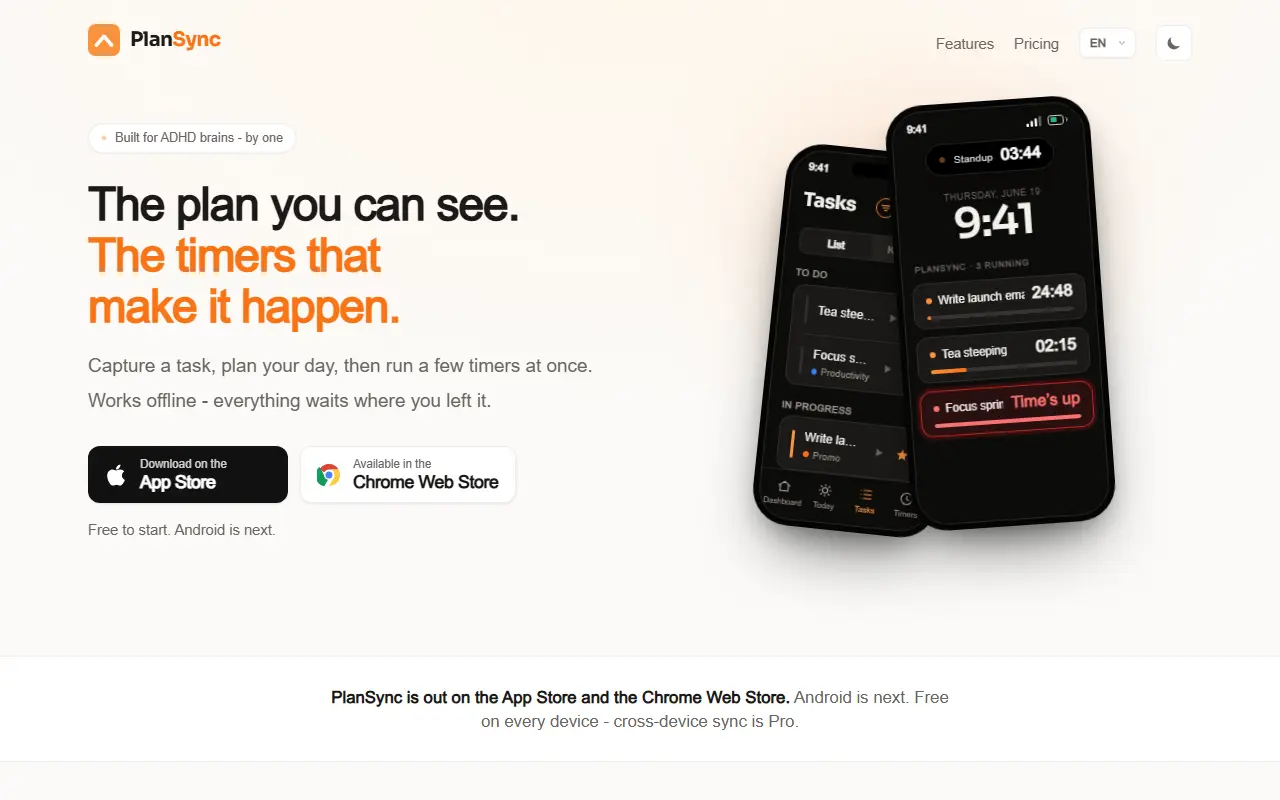
PlanSync is a task and timer app designed around the idea that time you cannot see does not feel real. You capture a task in one keystroke or from a widget, give it a day and an optional deadline, and run several countdown timers at once. Timers appear on the lock screen, in the Dynamic Island and in a floating widget on browser pages, and a full-screen loud alarm rings over the lock screen when time is up.
Other features include a focus mode with seven clock faces, five home and lock screen widgets, a list view and a kanban board that can cap work in progress, stats on focus time and finished tasks, and a Chrome extension with hotkey capture and timer presets. Everything works offline.
The app is free on every device, with Pro at $3.99 per month adding cross-device sync and unlimited simultaneous timers and lock screen countdowns, where free allows five timers and three countdowns. Apps are available from the App Store and the Chrome Web Store, with Android planned next.
Key features
- Several countdown timers at once
- Lock screen and Dynamic Island timers
- Loud full-screen alarm
- Quick capture with a hotkey
- List view and kanban board
- Focus mode with clock faces
- Chrome extension with floating timers
- Offline-first with Pro sync
Good fit for
- Running tea, focus and meeting timers together
- Capturing tasks before you forget them
- Keeping time visible for ADHD-friendly routines
PlanSync: questions and answers
- What is PlanSync used for?
- PlanSync pairs a task list and kanban board with visual countdown timers on the iPhone lock screen, Dynamic Island and a Chrome extension, built for ADHD users. It is a good fit for running tea, focus and meeting timers together; capturing tasks before you forget them; and keeping time visible for ADHD-friendly routines.
- Is PlanSync free?
- Yes. PlanSync has a free plan, and paid plans start at $3.99 per month. A free trial is also available.
- Is PlanSync open source?
- No. PlanSync is proprietary (closed-source) software and can't be self-hosted. In the Productivity category, open-source options include Super Productivity, Foqos and Vimium.
- What are some alternatives to PlanSync?
- PlanSync competes with Todoist, TickTick and Things.
Open-source alternatives to PlanSync
See all
Super Productivity
Productivity
Super Productivity is an advanced todo list app with integrated Timeboxing and time tracki
MITvs Todoist★ 23k
Foqos
Productivity
Foqos allows you to lock apps behind the tap of a NFC tag or scan of a QR code. Free and o
MITvs Freedom★ 860Vimium
Productivity
The hacker's browser.
MIT★ 27k
Planify
Productivity
Task manager with Todoist, Nextcloud & CalDAV support designed for GNOME
GPL-3.0vs Todoist★ 5.7k
Moodist
Productivity
Ambient sounds for focus and calm.
MIT★ 3.9k
TaskTrove
Productivity
TaskTrove is a modern Todo Manager that is fully self-hostable.
OSSvs TickTick★ 1.1k
SaaS alternatives to PlanSync
See all
Todoist
Productivity
Task manager with projects, natural-language due dates and shared lists
SaaS
TickTick
Productivity
To-do list with calendar views, habit tracker and Pomodoro timer
SaaS
Things
Productivity
Task manager for Apple devices with areas, projects and a clean Today view
SaaSAmazing Marvin
Productivity
Customizable task manager with built-in productivity strategies and time tracking
SaaS
Project Adulting
Productivity
Brain dump app that turns scattered thoughts into one clear next move
SaaS
Randomtask
Productivity
Task tool that rolls a virtual dice to pick your next task, aimed at people with ADHD and procrastination
SaaS