
About PiKVM
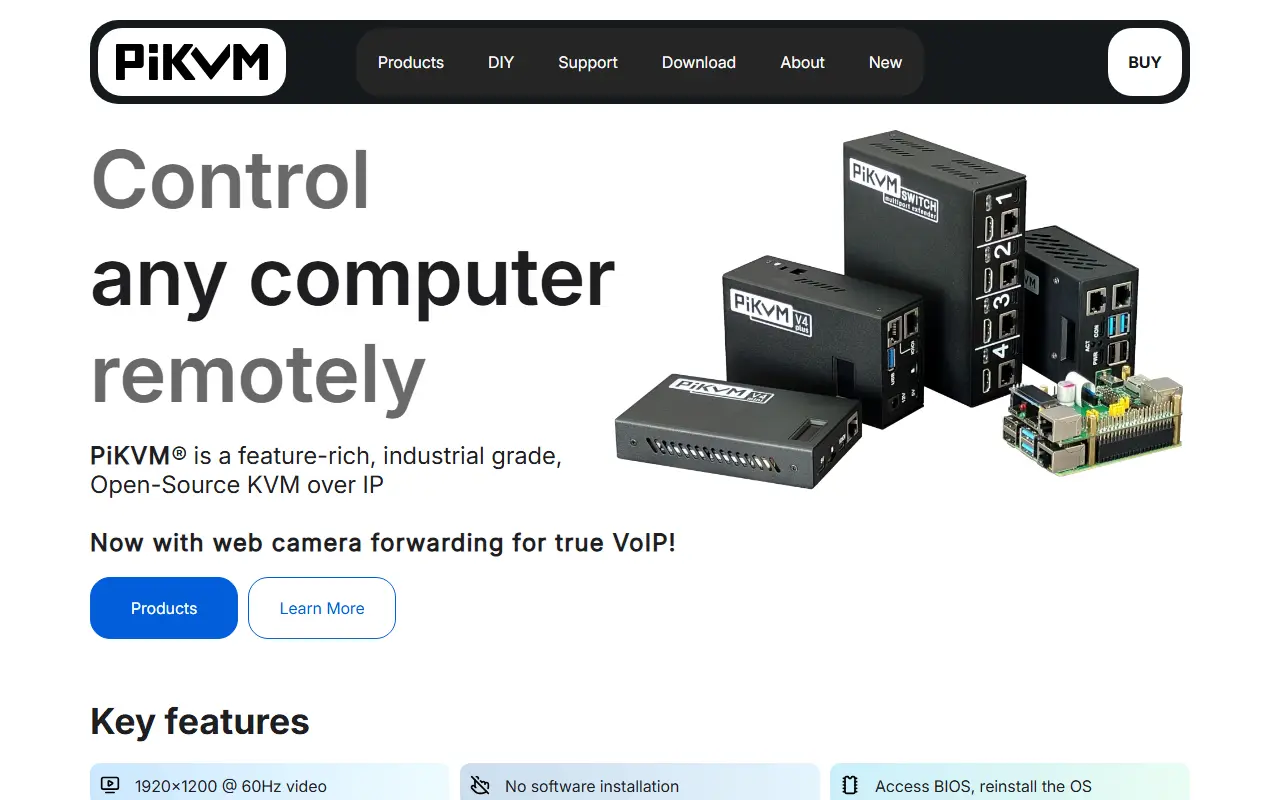
PiKVM is an open and inexpensive do-it-yourself IP-KVM built around a Raspberry Pi. It provides keyboard, video and mouse access to a server or workstation over the network, regardless of the health of its operating system or whether one is installed. You can configure the BIOS or reinstall an OS using a virtual CD/DVD or flash drive.
It can be built on Raspberry Pi 2, 3, 4, 5 and Zero2W boards, with full HD video via an HDMI-to-CSI bridge or a USB dongle. Video is delivered over WebRTC, H.264 over HTTP or MJPEG. The device emulates a USB keyboard and mouse, controls server power through ATX functions, and can be reached through a web UI or VNC. IPMI, Redfish and Wake-on-LAN are supported.
PiKVM runs a ready-made OS with a read-only filesystem, HTTPS and extensible authorization, and it monitors the health of the Pi and controls GPIO ports and USB relays. The software is licensed under GPL-3.0. Beyond DIY builds, the project also offers its own fully assembled V3 and V4 devices, with community help on Discord and a support forum.
Key features
- Remote keyboard, video and mouse over IP
- Virtual CD/DVD and flash drive images
- ATX power control for connected servers
- Web UI and VNC access
- IPMI, Redfish and Wake-on-LAN support
- Read-only OS built for Raspberry Pi
Good fit for
- →Managing headless servers in a homelab
- →Reinstalling an OS remotely
- Tags
- ip-kvm
- raspberry-pi
- remote-management
- homelab
- hardware
- vnc
- ipmi
- self-hosted
PiKVM: questions and answers
- What is PiKVM used for?
- PiKVM is a DIY IP-KVM based on Raspberry Pi that lets you control servers remotely, including BIOS access, virtual media and power control. It is a good fit for managing headless servers in a homelab and reinstalling an OS remotely.
- Is PiKVM open source?
- Yes. PiKVM is open source under the GPL-3.0 licence. Its source code is on GitHub at pikvm/pikvm.
- Is PiKVM free?
- Yes. PiKVM is open source, so the software itself is free to use.
- Can I self-host PiKVM?
- Yes. PiKVM can be self-hosted on your own server or infrastructure; there is no official hosted version.
- What are some alternatives to PiKVM?
- Similar open-source tools in the Infrastructure & Containers category include Umbrel, HomeDock OS and CasaOS. SaaS products in the same category include Amazon ECR, Amazon ECS and Amazon EKS.
- Is PiKVM actively maintained?
- Yes. The most recent commit to PiKVM was on 21 September 2026. The project has 10k stars on GitHub.
Open-source alternatives to PiKVM
See all
Umbrel
Infrastructure & Containers
Bring the cloud to your home with umbrelOS - a beautiful home server OS for self-hosting,
OSS★ 12k
HomeDock OS
Infrastructure & Containers
An intuitive, versatile, and powerful home server operating system for self-hosting. Featu
OSS★ 913
CasaOS
Infrastructure & Containers
CasaOS is a simple, easy-to-use, elegant open-source personal cloud system
Apache-2.0★ 37k
Runtipi
Infrastructure & Containers
Easy to use homeserver helper to manage all your favorite self-hosted services.
GPL-3.0★ 9.7k
Olares
Infrastructure & Containers
Open-Source Personal Cloud OS for Always-On Agents
AGPL-3.0★ 5.3k
Sablier
Infrastructure & Containers
Start your containers on demand, shut them down automatically when there's no activity. Do
AGPL-3.0★ 3k
SaaS alternatives to PiKVM
See all
Amazon ECR
Infrastructure & Containers
Managed container image registry on AWS
SaaS
Amazon ECS
Infrastructure & Containers
Managed container orchestration service on AWS
SaaS
Amazon EKS
Infrastructure & Containers
Managed Kubernetes control plane and worker nodes on AWS
SaaS
Red Hat Ansible Automation Platform
Infrastructure & Containers
Enterprise automation platform for infrastructure, network and cloud provisioning
SaaS
AWS Fargate
Infrastructure & Containers
Serverless compute engine for running containers on AWS without managing servers
SaaS
Azure Arc
Infrastructure & Containers
Azure management layer that extends services to on-premises, edge and multicloud environments
SaaS