 TrackMedia
 TrackRev

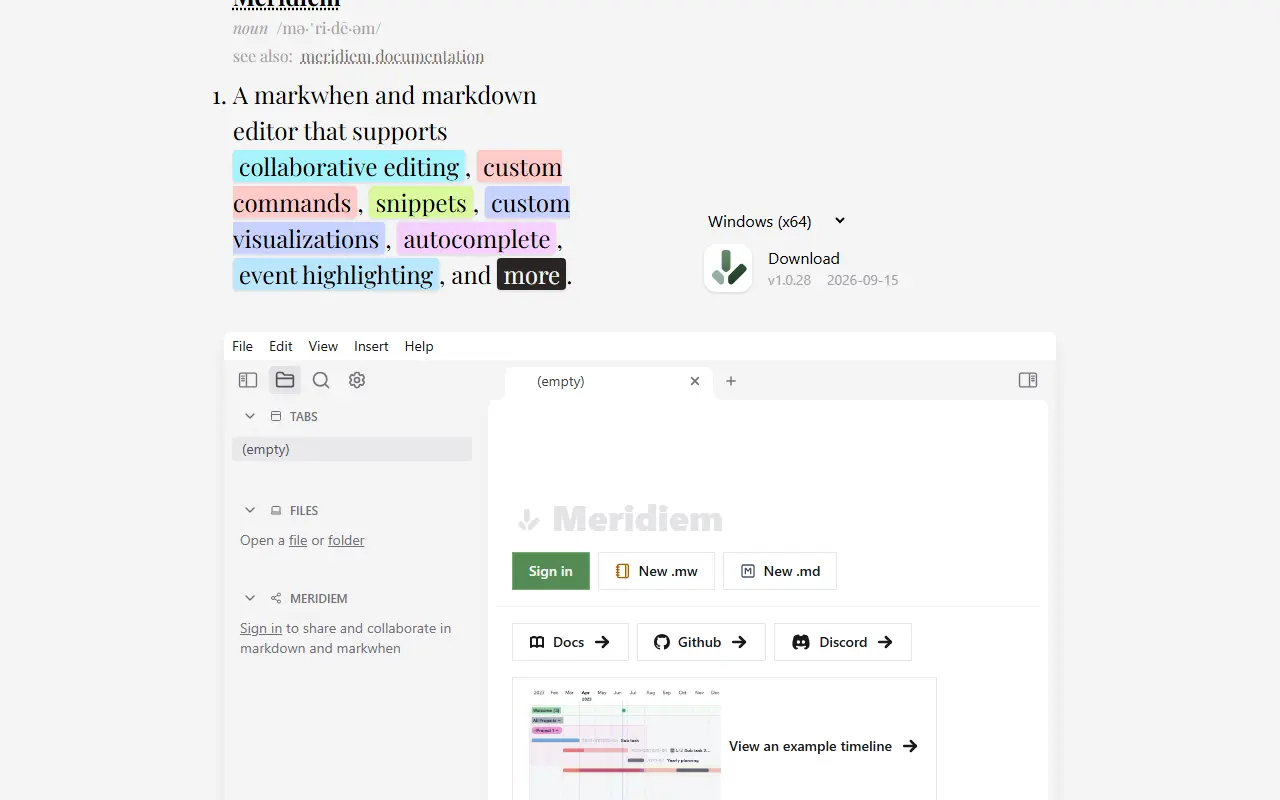
About Markwhen
Markwhen is a text-to-timeline tool that converts markdown-style text into a visual, cascading timeline. It is aimed at people who want to plan or document a sequence of events, such as a project schedule or a historical timeline, by writing plain text rather than manipulating a timeline editor's UI directly.
The syntax supports American and European date styles as well as ISO 8601, and entries can include images, links and locations, with the output rendered on a timeline or an alternative calendar view. The project is split across several repositories under the mark-when organization: this repository is the view container that renders the different views, while the parser, timeline view, calendar view and a resume view each live separately, and a client library lets developers build their own custom views.
The hosted editor at markwhen.com is the only piece that is not open source, while the parser, views and the VS Code extension are. The VS Code extension lets developers switch between editing text and viewing the rendered timeline directly in their editor. The project is written in HTML-centric web code and released under the MIT license.
Key features
- Markdown-like syntax for timelines
- Cascading timeline and calendar views
- Support for images, links and locations
- Flexible date format parsing including ISO 8601
- VS Code extension for in-editor timelines
- Client library for building custom views
Good fit for
- Project and event timeline planning
- Visualizing a schedule from plain text
Markwhen: questions and answers
- What is Markwhen used for?
- Markwhen is a free, MIT-licensed tool that turns markdown-like text into an interactive cascading timeline, with a VS Code extension and support for dates, images and locations. It is a good fit for project and event timeline planning, and visualizing a schedule from plain text.
- Is Markwhen open source?
- Yes. Markwhen is open source under the MIT licence. Its source code is on GitHub at mark-when/markwhen.
- Is Markwhen free?
- Yes. Markwhen is open source, so the software itself is free to use. A managed cloud version is also available.
- Can I self-host Markwhen?
- Yes. Markwhen can be self-hosted on your own server or infrastructure.
- What are some alternatives to Markwhen?
- Similar open-source tools in the Productivity category include Tududi, Wandao and Organice. SaaS products in the same category include Motion, OYLIW and ChatGPT Exporter.
- Is Markwhen actively maintained?
- The most recent commit to Markwhen was on 11 December 2023. The project has 4.9k stars on GitHub, with 2 added in the last 30 days.
Open-source alternatives to Markwhen
See all
Tududi
Productivity
A calm, open system for organizing life and work. Tasks, projects, notes, areas, and smart
MITvs TickTick★ 3.5k
Wandao
Productivity
万能导:多平台知识库 Markdown 全项目一键导入导出工具(导入导出效果最好),用自动化代替手动复制粘贴(有道云,飞书,语雀,阿里云知识库,知识星球,印象笔记,ima,onen
AGPL-3.0★ 1.2k
Organice
Productivity
An implementation of Org mode without the dependency of Emacs - built for mobile and deskt
AGPL-3.0vs WorkFlowy★ 2.7k
ONLYOFFICE Groups
Productivity
Free open source office suite with business productivity tools: document and project manag
Apache-2.0vs Zoho Workplace★ 3.2k
Persepolis
Productivity
Persepolis is a download manager written in Python.
GPL-3.0★ 7.5k
Watson
Productivity
:watch: A wonderful CLI to track your time!
MITvs Clockify★ 2.5k
SaaS alternatives to Markwhen
See all
Motion
Productivity
AI planner that auto-schedules tasks and meetings on the calendar
SaaS
OYLIW
Productivity
Draws a human life as a grid of weeks so you can see where you are and mark the weeks that mattered
SaaS
ChatGPT Exporter
Productivity
Exports and organizes ChatGPT conversations as HTML, JSON or Markdown
SaaS
Doc to Markdown
Productivity
Online converter that turns PDF, Word, Excel and 20+ other formats into Markdown
SaaS
Everhour
Productivity
Time tracking and budgeting tool that integrates with project management apps
SaaS
Medium Exporter
Productivity
Export Medium articles or your Reading List to Markdown files
SaaS