About Doc to Markdown
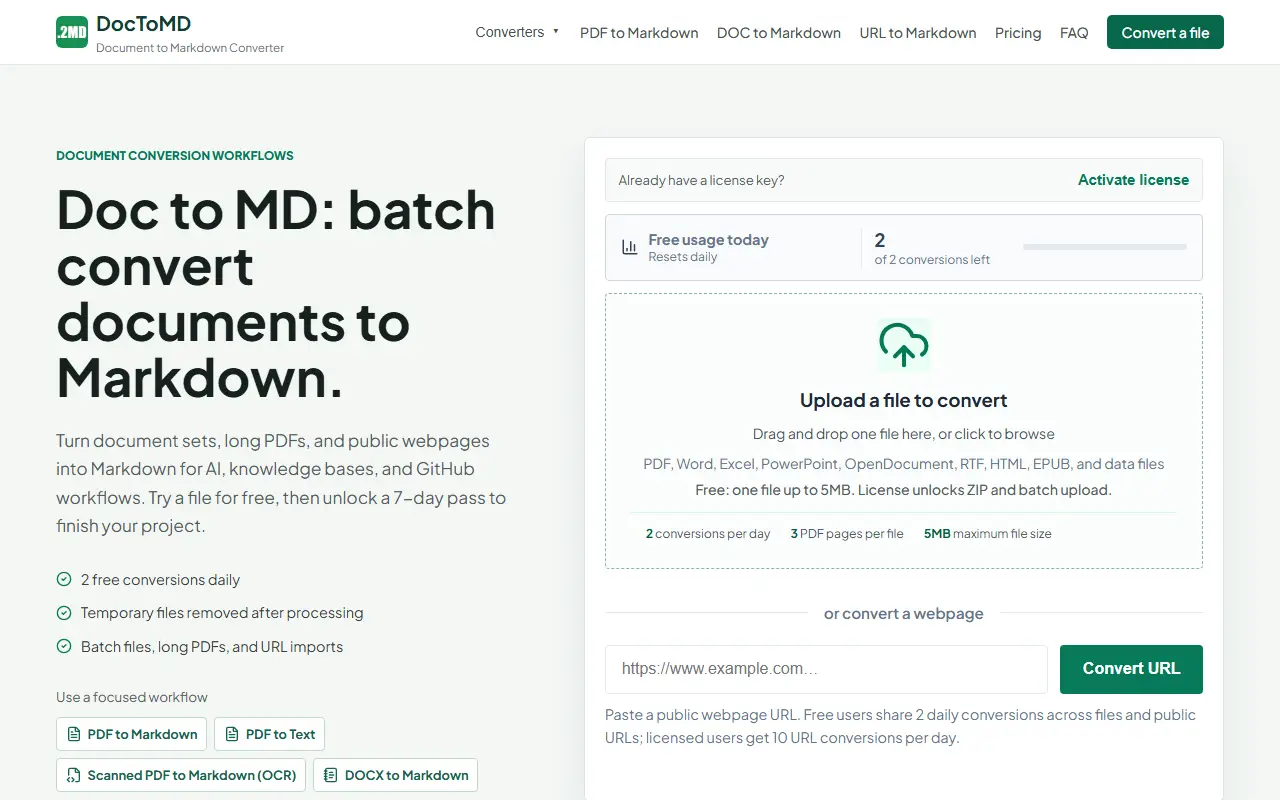
Doc to Markdown, branded DocToMD, is a web converter for turning documents into editable Markdown. It accepts PDF, Word, Excel, PowerPoint, OpenDocument, RTF, HTML, EPUB, CSV and JSON files, as well as public webpage URLs, and offers focused pages for specific conversions such as scanned PDF to Markdown with OCR.
The output is meant for use in AI pipelines, knowledge bases and GitHub repositories. You can preview, copy or download the result. A license unlocks ZIP and batch upload, long PDFs and URL imports, while the free tier is limited to a single file of up to 5 MB, a few PDF pages per file and two conversions per day.
It is a hosted service, and the homepage says temporary files are removed after processing. Paid access is offered as a time-limited pass or license key. It suits developers and writers who regularly move documents into Markdown.
Key features
- Converts PDF, Word, Excel and PowerPoint to Markdown
- Scanned PDF conversion with OCR
- Webpage URL to Markdown
- Batch and ZIP upload with a license
- Preview, copy or download .md output
Good fit for
- →Preparing documents for AI knowledge bases
- →Moving Word documents into GitHub repositories
- Tags
- markdown
- document-conversion
- ocr
- docx
- web-to-markdown
- saas
Doc to Markdown: questions and answers
- What is Doc to Markdown used for?
- Doc to Markdown is an online converter that turns PDFs, Word, Excel, PowerPoint, web pages and other files into clean Markdown for AI and documentation workflows. It is a good fit for preparing documents for AI knowledge bases and moving Word documents into GitHub repositories.
- Is Doc to Markdown free?
- Yes. Doc to Markdown has a free plan. Two free conversions a day; a 7-day pass or license key unlocks batch and larger files.
- Is Doc to Markdown open source?
- No. Doc to Markdown is proprietary (closed-source) software and can't be self-hosted. In the Productivity category, open-source options include Stirling PDF, OCRmyPDF and ONLYOFFICE Docs.
- What are some alternatives to Doc to Markdown?
- Other SaaS products in the Productivity category include iLovePDF, Adobe Acrobat and DocToTable.
Open-source alternatives to Doc to Markdown
See all
Stirling PDF
Productivity
A free, private PDF editor you can run on any infrastructure.
OSSvs Adobe Acrobat★ 93k
OCRmyPDF
Productivity
OCRmyPDF adds an OCR text layer to scanned PDF files, allowing them to be searched
MPL-2.0vs Adobe Acrobat★ 35k
ONLYOFFICE Docs
Productivity
ONLYOFFICE Docs is a free collaborative online office suite comprising viewers and editors
AGPL-3.0vs Microsoft 365★ 7k
ShareX
Productivity
ShareX is a free and open-source application that enables users to capture or record any a
GPL-3.0vs Snagit★ 40k
DocuSeal
Productivity
Free and Open source tool to streamline document filling and signing. Create custom PDF fo
AGPL-3.0vs DocuSign★ 19k
BentoPDF
Productivity
The Privacy First PDF Toolkit
AGPL-3.0vs iLovePDF★ 16k
SaaS alternatives to Doc to Markdown
See all
iLovePDF
Productivity
Online PDF tools for splitting, merging, compressing and converting
SaaS
Adobe Acrobat
Productivity
PDF reader and editor with e-signature and document conversion
SaaS
DocToTable
Productivity
Online tool that converts PDFs to Excel or CSV files with AI detection of data elements
SaaS
Nitro PDF
Productivity
PDF editing and e-signature software for businesses
SaaS
PDF Expert
Productivity
PDF reader, annotator and editor for Mac, iPhone and iPad
SaaS
PDFelement
Productivity
PDF editing and conversion software from Wondershare
SaaS