
About OCR.so
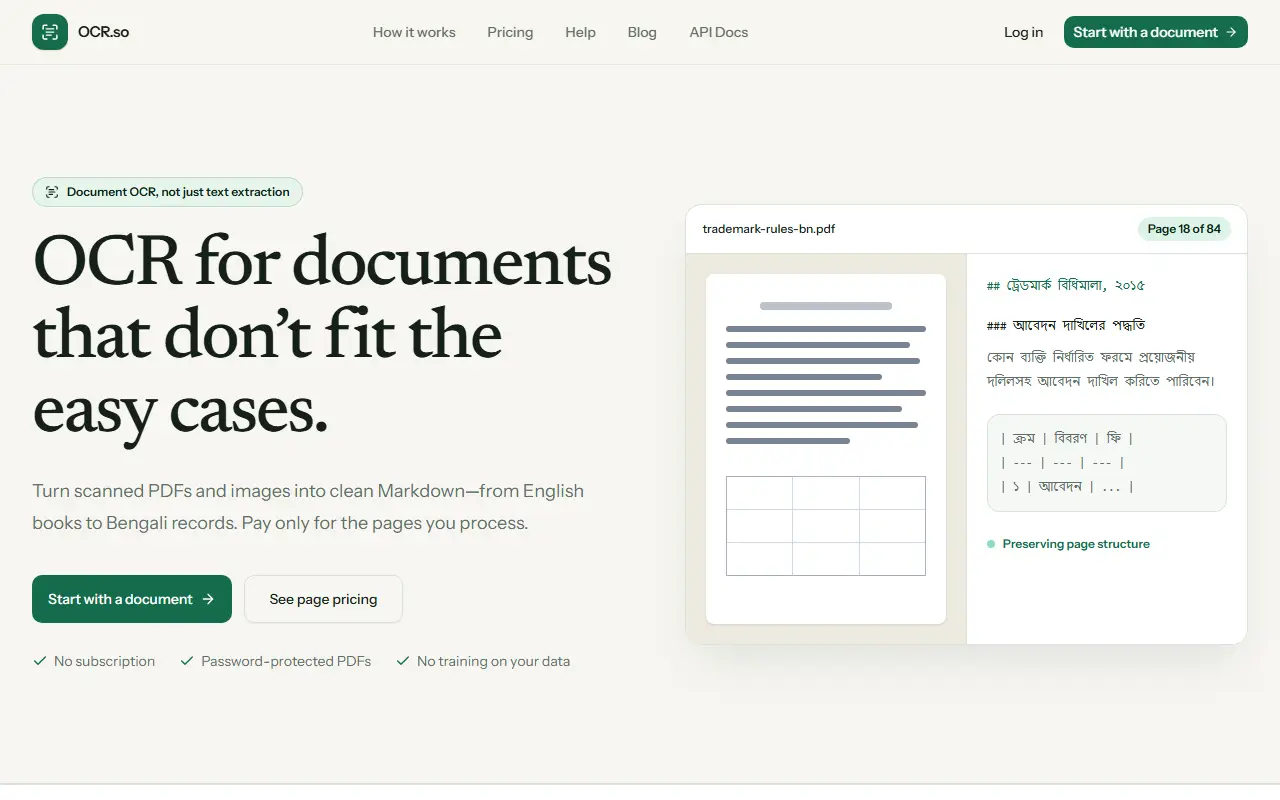
OCR.so turns scanned documents into structured text. You upload PDFs or images and get a single clean Markdown file in which headings, lists, paragraphs and tables stay useful and page order is preserved. It is built for harder cases than plain text extraction, including multilingual pages, with Bengali, English and mixed-language documents given as examples.
Billing is per page, with no subscription, and the service supports password-protected PDFs. The site states that your data is not used for training and that files are deleted within seven days or sooner on request. Guides explain the difference between OCR, text extraction and document AI, and an API with documentation is available. The site invites you to start with a document and see page pricing.
Key features
- Scanned PDF and image to Markdown
- Preserves headings, lists and tables
- Multilingual and mixed-language pages
- Password-protected PDF support
- API and documentation
- Files deleted within seven days
Good fit for
- Digitizing scanned books and official records
- Feeding scanned documents into other tools as Markdown
OCR.so: questions and answers
- What is OCR.so used for?
- OCR.so is a document OCR service that converts scanned PDFs and images into clean Markdown, handles multilingual pages and is billed per page processed. It is a good fit for digitizing scanned books and official records, and feeding scanned documents into other tools as Markdown.
- How much does OCR.so cost?
- OCR.so is a paid product with no free plan. Pay per page with credit packs instead of a subscription: $5 for 500 pages, $10 for 1,000 and $50 for 5,000. New accounts get 20 credits.
- Is OCR.so open source?
- No. OCR.so is proprietary (closed-source) software and can't be self-hosted. In the Productivity category, open-source options include Stirling PDF, OCRmyPDF and ShareX.
- What are some alternatives to OCR.so?
- OCR.so competes with BlazeDocs, Doc to Markdown and Unstructured.
Open-source alternatives to OCR.so
See all
Stirling PDF
Productivity
A free, private PDF editor you can run on any infrastructure.
OSSvs Adobe Acrobat★ 94k
OCRmyPDF
Productivity
OCRmyPDF adds an OCR text layer to scanned PDF files, allowing them to be searched
MPL-2.0vs Adobe Acrobat★ 35k
ShareX
Productivity
ShareX is a free and open-source application that enables users to capture or record any a
GPL-3.0vs Snagit★ 40k
DocuSeal
Productivity
Free and Open source tool to streamline document filling and signing. Create custom PDF fo
AGPL-3.0vs DocuSign★ 19k
BentoPDF
Productivity
The Privacy First PDF Toolkit
AGPL-3.0vs iLovePDF★ 16k
Documenso
Productivity
Sign everywhere with Documenso. Build workflows, create templates, and integrate seamlessl
AGPL-3.0vs DocuSign★ 15k
SaaS alternatives to OCR.so
See all
BlazeDocs
AI Infrastructure
Converts PDFs and scans into structured Markdown and tables for analysis and automation
SaaS
Doc to Markdown
Productivity
Online converter that turns PDF, Word, Excel and 20+ other formats into Markdown
SaaS
Unstructured
AI Infrastructure
Platform that converts documents into structured data for LLM and RAG pipelines
SaaS
PDF Dino
Productivity
Extracts data from large PDFs of 10,000+ pages into JSON, Excel and CSV
SaaS
iLovePDF
Productivity
Online PDF tools for splitting, merging, compressing and converting
SaaS
Read PDF Aloud
Productivity
AI PDF reader with OCR that speaks any PDF, including scans, in 142+ languages
SaaS