
About PDF Dino
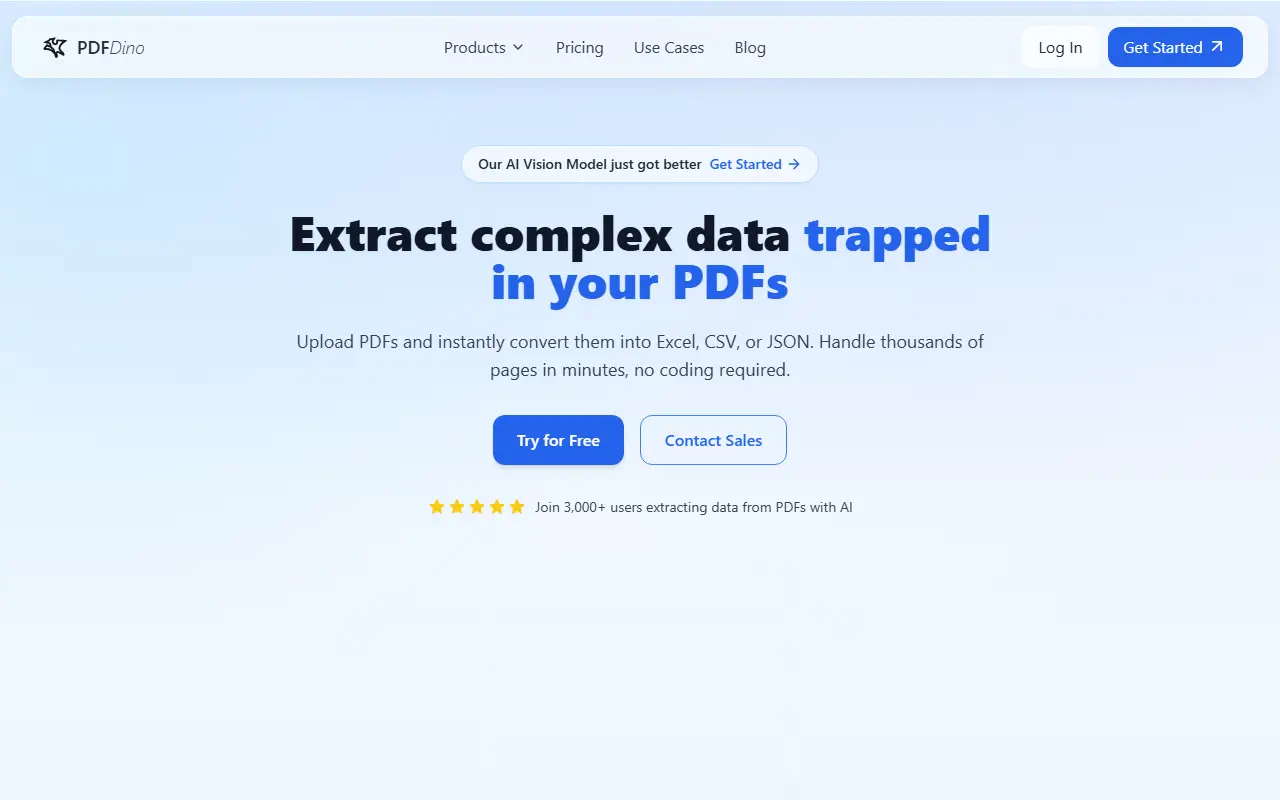
PDF Dino converts the content of PDFs into structured data. You upload files, add custom instructions describing exactly what to pull out, preview the extraction and export it as JSON, Excel, CSV or plain text, then reprocess with refined instructions if the result needs adjusting. It uses text and vision models to handle messy layouts such as tables, odd line breaks and multi-column pages while preserving table structure.
Use cases listed include extracting totals and transactions from finance and accounting documents, clauses and terms from legal contracts, structured JSON for AI and automation pipelines, tables from academic reports, and order details such as SKUs and addresses from invoices and shipping slips.
Files are protected with encryption and secure protocols. You can try 20 pages free without a credit card, and paid plans are listed on the pricing page. The site also has landing pages for common conversions such as PDF to Excel, invoice to JSON and bank statement to CSV.
Key features
- Instruction-guided PDF data extraction
- Export to Excel, CSV, JSON or text
- Preview and reprocess with refined instructions
- Text plus vision models for messy layouts
- Handling of very large PDFs
- Encrypted file handling
Good fit for
- Pulling tables from financial statements
- Extracting clauses from contracts
- Turning invoices into JSON for automations
PDF Dino: questions and answers
- What is PDF Dino used for?
- PDF Dino extracts structured data from messy or very large PDFs with AI, guided by your instructions, and exports it as Excel, CSV, JSON or text. It is a good fit for pulling tables from financial statements, extracting clauses from contracts and turning invoices into JSON for automations.
- How much does PDF Dino cost?
- Paid plans for PDF Dino start at $20 per month, and there is no free plan.
- Is PDF Dino open source?
- No. PDF Dino is proprietary (closed-source) software and can't be self-hosted. In the Productivity category, open-source options include Stirling PDF, OCRmyPDF and ShareX.
- What are some alternatives to PDF Dino?
- PDF Dino competes with Unstructured, BlazeDocs and Tungsten Automation.
Open-source alternatives to PDF Dino
See all
Stirling PDF
Productivity
A free, private PDF editor you can run on any infrastructure.
OSSvs Adobe Acrobat★ 94k
OCRmyPDF
Productivity
OCRmyPDF adds an OCR text layer to scanned PDF files, allowing them to be searched
MPL-2.0vs Adobe Acrobat★ 35k
ShareX
Productivity
ShareX is a free and open-source application that enables users to capture or record any a
GPL-3.0vs Snagit★ 40k
Karakeep
Productivity
Karakeep is the open-source bookmark manager for links, notes, and images. Automatically o
AGPL-3.0vs Raindrop.io★ 29k
DocuSeal
Productivity
Free and Open source tool to streamline document filling and signing. Create custom PDF fo
AGPL-3.0vs DocuSign★ 19k
BentoPDF
Productivity
The Privacy First PDF Toolkit
AGPL-3.0vs iLovePDF★ 16k
SaaS alternatives to PDF Dino
See all
Unstructured
AI Infrastructure
Platform that converts documents into structured data for LLM and RAG pipelines
SaaS
BlazeDocs
AI Infrastructure
Converts PDFs and scans into structured Markdown and tables for analysis and automation
SaaS
Tungsten Automation
Workflow Automation
Workflow automation and intelligent document processing software, formerly Kofax
SaaS
OCR.so
Productivity
Turns scanned PDFs and images into clean Markdown, billed per page processed
SaaS
Adobe Acrobat
Productivity
PDF reader and editor with e-signature and document conversion
SaaS
Construction Estimates
Productivity
Mobile app that builds itemized construction estimates from a first idea
SaaS