
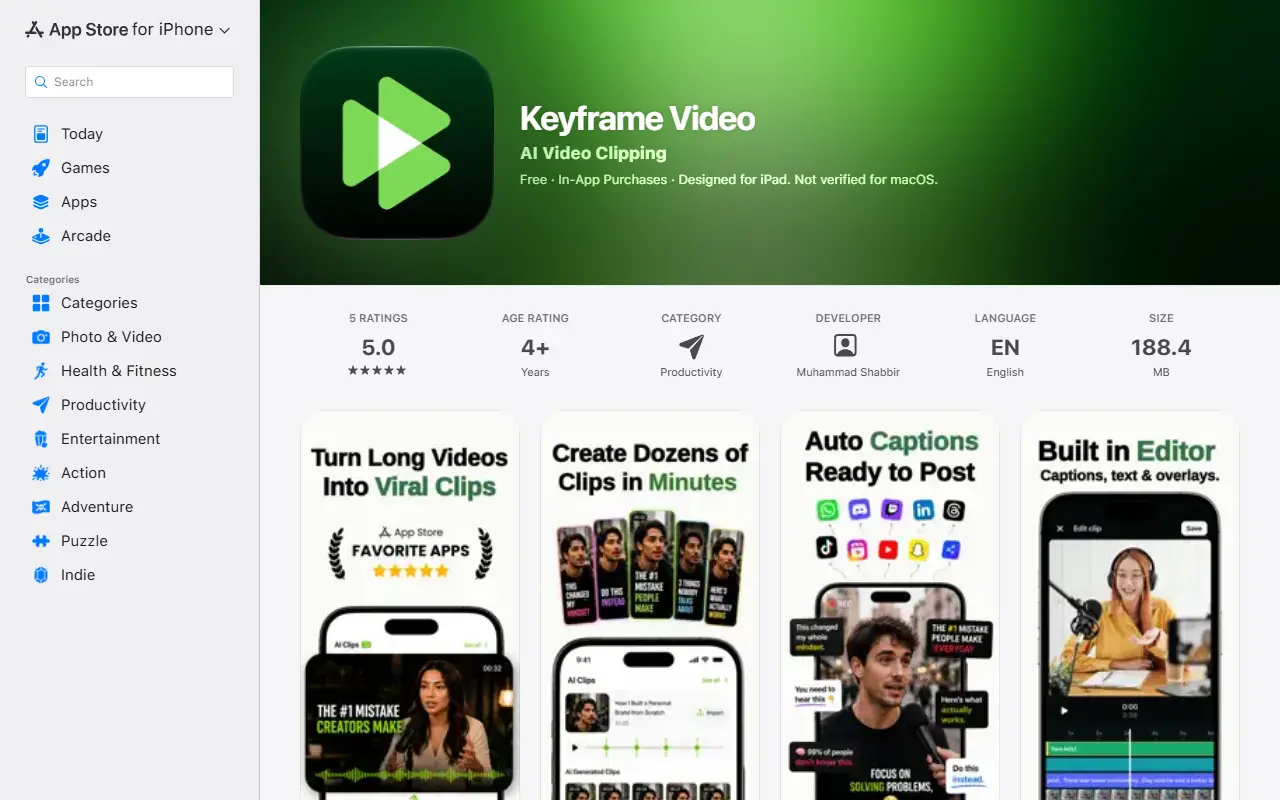
About Keyframe Video
Keyframe Video is an iOS app that turns long-form videos into short clips. You upload a video you own or have permission to use, and the app generates several clips, detects moments it expects to engage viewers, adds automatic captions with smart framing, and exports them in vertical format for TikTok, Instagram Reels and YouTube Shorts.
The listing targets content creators, podcasters, people building a personal brand and agencies managing content. Recent release notes mention AI clip previews, a built-in video editor, caption styling, image and text overlays and export progress indicators. The developer says the app offers no third-party video catalogs or downloading, so only your own uploads are processed.
The app is listed on the App Store for iPhone and iPad. It starts with a free trial and new users receive free credits; free exports carry a Keyframe watermark, while a Pro subscription removes the watermark and raises the monthly minutes. A subscription is needed to keep creating and exporting clips after the trial.
Key features
- AI detection of high-engagement moments
- Multiple short clips from one long video
- Automatic captions and smart framing
- Vertical export for TikTok, Reels and Shorts
- Built-in editor with text and image overlays
- Caption styling options
- Watermark-free export on Pro
Good fit for
- Creators turning long videos into short clips
- Podcasters promoting episodes on social platforms
Keyframe Video: questions and answers
- What is Keyframe Video used for?
- Keyframe Video is an iPhone and iPad app that uses AI to cut long videos into captioned vertical clips for TikTok, Reels and YouTube Shorts. It is a good fit for creators turning long videos into short clips and podcasters promoting episodes on social platforms.
- How much does Keyframe Video cost?
- Keyframe Video is a paid product with no free plan.
- Is Keyframe Video open source?
- No. Keyframe Video is proprietary (closed-source) software. In the Video Editing category, open-source options include Shotcut, OpenShot and Kdenlive.
- What are some alternatives to Keyframe Video?
- Keyframe Video competes with Opus Clip, Vizard and Klap.
Open-source alternatives to Keyframe Video
See all
Shotcut
Video Editing
cross-platform (Qt), open-source (GPLv3) video editor
GPL-3.0vs Adobe Premiere Pro★ 15k
OpenShot
Video Editing
OpenShot Video Editor is an award-winning free and open-source video editor for Linux, Mac
OSSvs Adobe Premiere Pro★ 6.6k
Kdenlive
Video Editing
Free and open source video editor, based on MLT Framework and KDE Frameworks
GPL-3.0vs Adobe Premiere Pro★ 5.8k
OpenCut
Video Editing
The open-source CapCut alternative
MITvs CapCut★ 93k
OBS Studio
Video Editing
OBS Studio - Free and open source software for live streaming and screen recording
GPL-2.0vs vMix★ 77k
HandBrake
Video Editing
HandBrake's development repository
OSS★ 25k
SaaS alternatives to Keyframe Video
See all
Opus Clip
AI Tools
Cuts long videos into short vertical clips with captions for social platforms
SaaS
Vizard
Video Editing
AI tool that turns long videos into short clips with captions
SaaS
Klap
Video Editing
AI tool that converts long videos into short clips for social media
SaaS
Submagic
Video Editing
AI tool that adds captions and edits to short-form videos
SaaS
CapCut
Video Editing
Video editor for short-form clips with templates, effects and auto captions
SaaS
Clipmaster
Video Editing
Short-form video tool that clips, captions, edits and schedules posts to social media
SaaS