
About KanjiLock
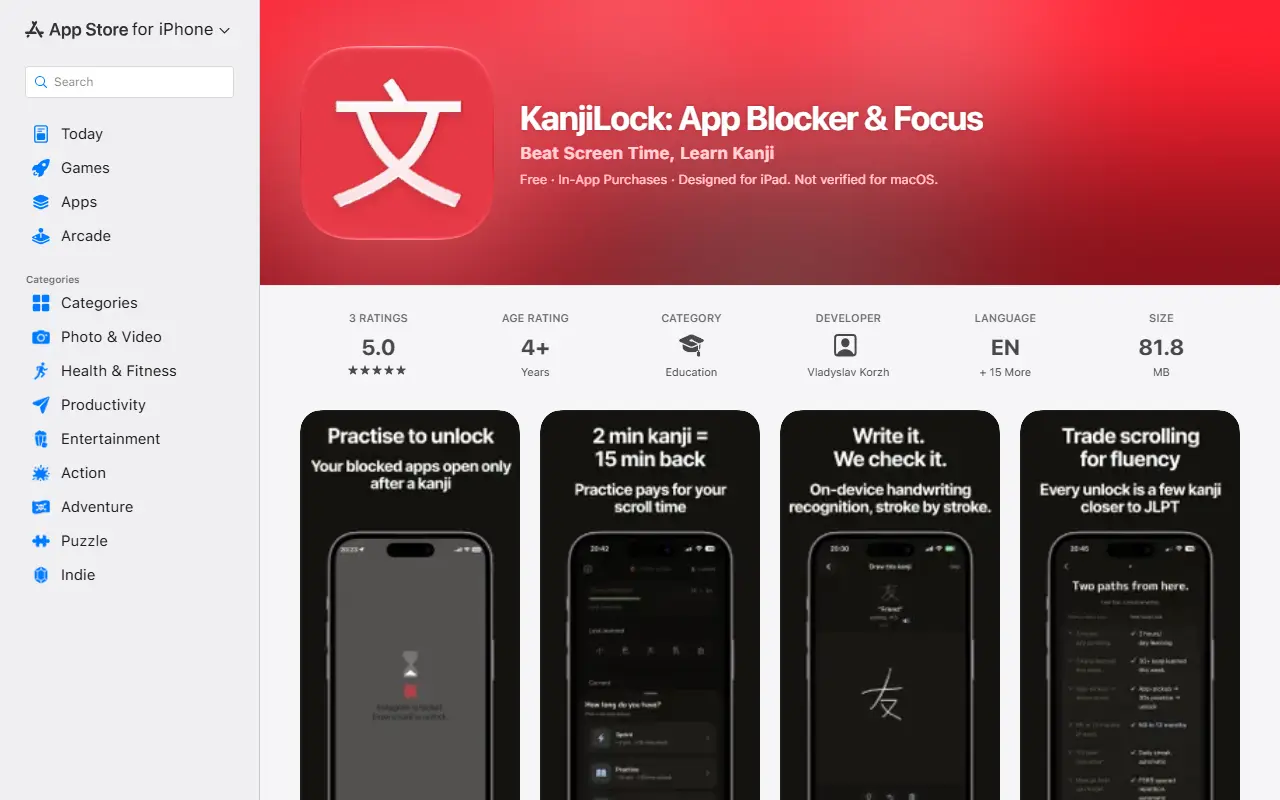
KanjiLock combines an app blocker with Japanese kanji study. You pick the apps that drain your day and Apple Screen Time shields them, and to unlock you open KanjiLock and complete a short practice session. The idea is that time you would have lost scrolling becomes learning.
Practice sessions trade for unlock time: a two-minute sprint earns 15 minutes, a 10-minute practice 30 minutes and a 20-minute deep dive 45 minutes. You can draw kanji by hand with on-device recognition that checks strokes and shows stroke order, match a kanji to its reading, or recall the kanji for an English meaning. A scheduling system based on FSRS spaced repetition decides what to review.
Content covers all 2,136 Joyo kanji sorted by JLPT level, with ten theme packs and custom packs, plus a kanji of the hour widget for the Home and Lock Screen, streaks, stats and a weekly recap. The app is free with in-app purchases and supports 16 languages.
Key features
- App blocking through Apple Screen Time
- Unlock time earned by kanji practice
- Handwriting practice with stroke order
- Reading and meaning recall exercises
- FSRS spaced repetition scheduling
- All 2,136 Joyo kanji by JLPT level
- Kanji widget for Home and Lock Screen
Good fit for
- Cutting doomscrolling while learning Japanese
- Studying kanji by JLPT level
- Short daily kanji sessions between apps
KanjiLock: questions and answers
- What is KanjiLock used for?
- KanjiLock is an iOS app that locks distracting apps with Screen Time until you practice kanji, using spaced repetition and handwriting recognition. It is a good fit for cutting doomscrolling while learning Japanese, studying kanji by JLPT level and short daily kanji sessions between apps.
- How much does KanjiLock cost?
- KanjiLock is a paid product with no free plan.
- Is KanjiLock open source?
- No. KanjiLock is proprietary (closed-source) software. In the Productivity category, open-source options include Foqos, NetNewsWire and Moodist.
- What are some alternatives to KanjiLock?
- KanjiLock competes with Freedom and Forest.
Open-source alternatives to KanjiLock
See all
Foqos
Productivity
Foqos allows you to lock apps behind the tap of a NFC tag or scan of a QR code. Free and o
MITvs Freedom★ 860
NetNewsWire
Productivity
RSS reader for macOS and iOS.
MITvs Feedly★ 10k
Moodist
Productivity
Ambient sounds for focus and calm.
MIT★ 3.9k
PowerToys
Productivity
Microsoft PowerToys is a collection of utilities that supercharge productivity and customi
MITvs Alfred★ 139k
Stirling PDF
Productivity
A free, private PDF editor you can run on any infrastructure.
OSSvs Adobe Acrobat★ 94k
Ladybird
Productivity
Truly independent web browser
BSD-2-Clausevs Google Chrome★ 66k
SaaS alternatives to KanjiLock
See all
Freedom
Productivity
Distraction blocker for websites and apps across devices
SaaS
Forest
Productivity
Focus timer app that grows a virtual tree while you avoid your phone
SaaS
Discipline Lock
Productivity
App blocker that keeps distracting apps locked until you complete real exercise
SaaS
Hatano
Productivity
iOS app that locks chosen apps until you hit your daily step or workout goal
SaaS
KeepFocus
Productivity
App and website blocker that cuts screen time and helps build healthier digital habits
SaaS
MuslimFocus
Productivity
Locks distracting apps during prayer times and encourages Quran reading to reduce screen time
SaaS