
About Flameshot
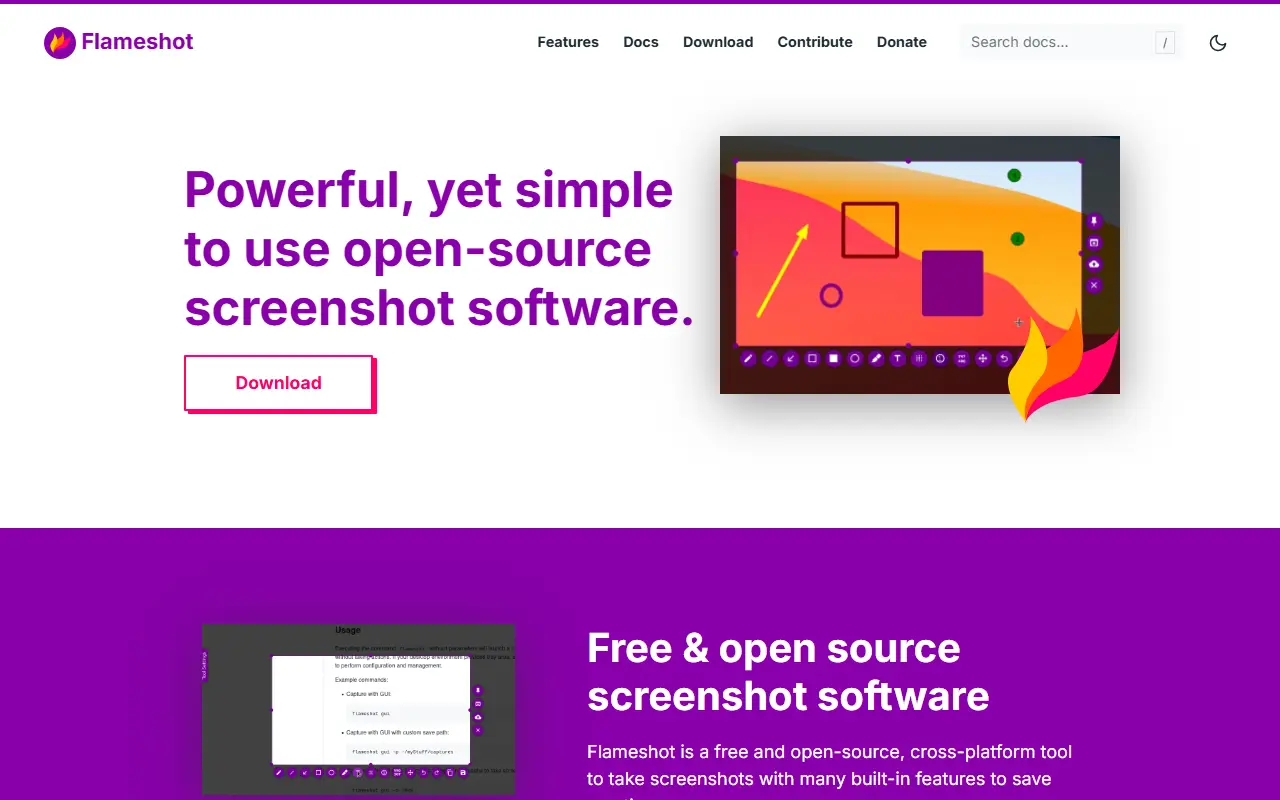
Flameshot is screenshot software with a customizable look and an in-app editor, so you can capture an area of the screen and mark it up before saving or sharing. It is built with Qt in C++, runs on Linux, Windows and macOS, and is released under the GPL-3.0 license. The project aims to be easy to use while still offering configuration options.
Running the flameshot command starts a background instance, with a tray icon on desktops that have a tray, and further commands trigger captures. Examples in the README cover GUI captures, delayed captures for hover tooltips, full-screen captures to a custom path, copying to the clipboard, and printing PNG data. A DBus interface and the ability to upload to Imgur are included. The documentation has setup notes for Windows, Hyprland, Sway, minimal X11 window managers and keyboard shortcuts on KDE, GNOME, XFCE and Fluxbox.
Key features
- Region capture with in-app annotation tools
- Command-line captures with delays and paths
- Copy to clipboard or save to a file
- Upload screenshots to Imgur
- DBus interface for scripting
- Tray icon and configurable shortcuts
Good fit for
- →Annotated screenshots for bug reports
- →Scripted screen captures on Linux desktops
- Built with
- C++
- Tags
- screenshot
- screen-capture
- image-editing
- qt
- linux
- cross-platform
- annotation
- desktop-app
Flameshot: questions and answers
- What is Flameshot used for?
- Flameshot is a cross-platform screenshot tool with in-app annotation, a command-line interface and optional Imgur uploads. It is a good fit for annotated screenshots for bug reports and scripted screen captures on Linux desktops.
- Is Flameshot open source?
- Yes. Flameshot is open source under the GPL-3.0 licence. Its source code is on GitHub at flameshot-org/flameshot and is written mainly in C++.
- Is Flameshot free?
- Yes. Flameshot is open source, so the software itself is free to use.
- Can I self-host Flameshot?
- Yes. Flameshot can be self-hosted on your own server or infrastructure; there is no official hosted version.
- What is Flameshot an alternative to?
- Flameshot is an open-source alternative to Snagit and CleanShot X. Other open-source alternatives to Snagit include BetterShot, ShareX and Screenity.
- Is Flameshot actively maintained?
- Yes. The most recent commit to Flameshot was on 17 September 2026, and the latest release is v14.0.0, published on 19 June 2026. The project has 31k stars on GitHub.
Open-source alternatives to Flameshot
See all
BetterShot
Productivity
Screenshot, screen recording, and video editor for macOS. Native SwiftUI app with capture
OSSvs CleanShot X★ 2.4k
ShareX
Productivity
ShareX is a free and open-source application that enables users to capture or record any a
GPL-3.0vs Snagit★ 40k
Screenity
Video Editing
The free and privacy-friendly screen recorder with no limits 🎥
GPL-3.0vs Screencastify★ 19k
ScreenToGif
Video Editing
🎬 ScreenToGif allows you to record a selected area of your screen, edit and save it as a
MS-PLvs Snagit★ 28k
Cap
Video Editing
Open source Loom alternative. Beautiful, shareable screen recordings.
OSSvs Loom★ 23k
Persepolis
Productivity
Persepolis is a download manager written in Python.
GPL-3.0★ 7.5k
SaaS alternatives to Flameshot
See all
Snagit
Productivity
Screen capture and annotation tool for screenshots and short recordings
SaaS
CleanShot X
Productivity
Mac screenshot and screen recording utility with annotation and cloud sharing
SaaS
Droplr
Productivity
Screenshot, screen recording and file sharing tool with instant links for teams
SaaSCaptriq
Productivity
Captures and organizes full-page website screenshots with OCR text search, PDF export and team workspaces
SaaS
Zight
Productivity
Screen recording and screenshot sharing tool, formerly CloudApp
SaaS
Screencastify
Video Editing
Chrome-based screen recorder aimed at education and teams
SaaS