 TrackMedia
 TrackRev

About CommitFlow
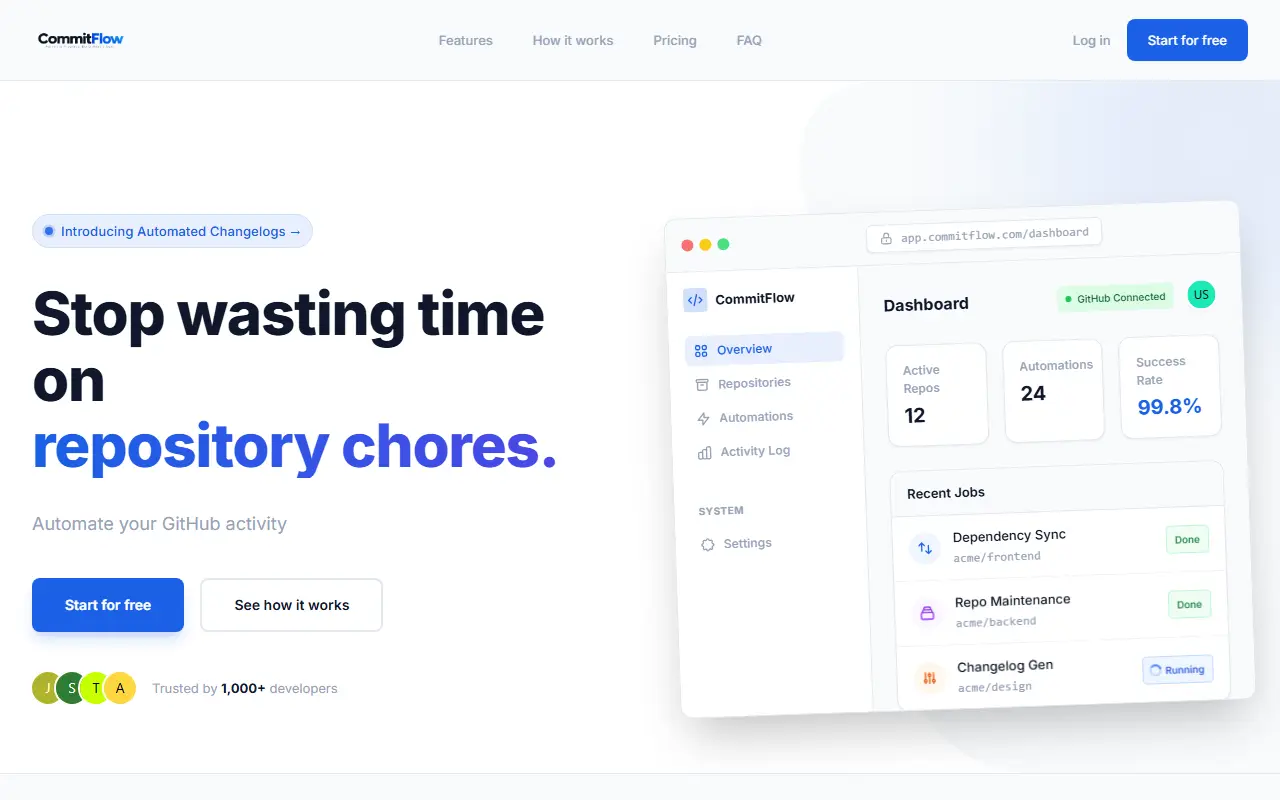
CommitFlow automates routine repository work on GitHub. After signing in with GitHub OAuth, you choose which repositories to enable and then set schedules for jobs such as dependency updates, changelogs or general repository maintenance. Execution logs, success rates and usage are tracked in a dashboard.
Scheduling is based on cron expressions with timezone-aware execution and automatic retries on failure. Changelog generation reads the commit history and pull requests and commits the result back to the repository. The vendor positions this as a replacement for hand-written YAML workflows, using a plain interface instead.
The site stresses limited access. It says it requests metadata permissions only, does not clone or store source code, and logs every API request made on your behalf. Plans are Free, Starter, Pro and Business, and they differ mainly in the number of automations, monthly executions and repositories.
Key features
- Cron-based schedules for any repository
- Timezone-aware runs with automatic retries
- Changelogs generated from commits and pull requests
- Audit log of every automated action
- Jobs for dependency updates and repository maintenance
- Enable or disable repositories and revoke OAuth access
Good fit for
- Weekly dependency update runs
- Changelog generation at the end of a sprint
- Auditing automated repository activity
CommitFlow: questions and answers
- What is CommitFlow used for?
- CommitFlow is a hosted service that runs scheduled GitHub chores such as dependency updates and changelog generation, set up through a dashboard. It is a good fit for weekly dependency update runs, changelog generation at the end of a sprint and auditing automated repository activity.
- Is CommitFlow free?
- Yes. CommitFlow has a free plan. Plans are Free, Starter, Pro and Business; annual billing saves 20%. Automations per plan: 2, 10, 1000 and 200; monthly executions: 100, 2,000, 10,000 and 50,000. Prices are not shown in the provided text.
- Is CommitFlow open source?
- No. CommitFlow is proprietary (closed-source) software. In the Developer Tools category, open-source options include Vagrant, GitHub Metrics and App Store Connect CLI.
- What are some alternatives to CommitFlow?
- CommitFlow competes with Changelogfast and Bumplog.
Open-source alternatives to CommitFlow
See all
Vagrant
Developer Tools
Vagrant is a tool for building and distributing development environments.
OSSvs OrbStack★ 27k
GitHub Metrics
Developer Tools
📊 An infographics generator with 30+ plugins and 300+ options to display stats about your
MIT★ 17k
App Store Connect CLI
Developer Tools
Fast, scriptable CLI for the App Store Connect API. Automate TestFlight, builds, submissio
MIT★ 8.3k
Google Workspace CLI
Developer Tools
Google Workspace CLI — one command-line tool for Drive, Gmail, Calendar, Sheets, Docs, Cha
Apache-2.0vs Tavily★ 32kwitr
Developer Tools
Why is this running? Trace any process, port, container, or file back to what started it -
Apache-2.0★ 23k
golangci-lint
Developer Tools
Fast linters runner for Go
GPL-3.0vs SonarQube Cloud★ 20k
SaaS alternatives to CommitFlow
See all
Changelogfast
Developer Tools
Generates AI-written release notes and publishes them across channels
SaaS
Bumplog
Docs & Wikis
Drafts release notes from GitHub commits with AI and publishes them in a small embeddable changelog widget
SaaS
LaunchLogs
Developer Tools
Turns your GitHub commits into daily share-ready product updates
SaaS
ShipTell
Developer Tools
Turns GitHub commits into customer-friendly changelogs in minutes
SaaS
ManyCP
Developer Tools
Submits your MCP server to multiple provider marketplaces automatically from its repository
SaaS
mydev.day
Developer Tools
Writes your developer work logs automatically so you do not write them by hand
SaaS