
About BugMark
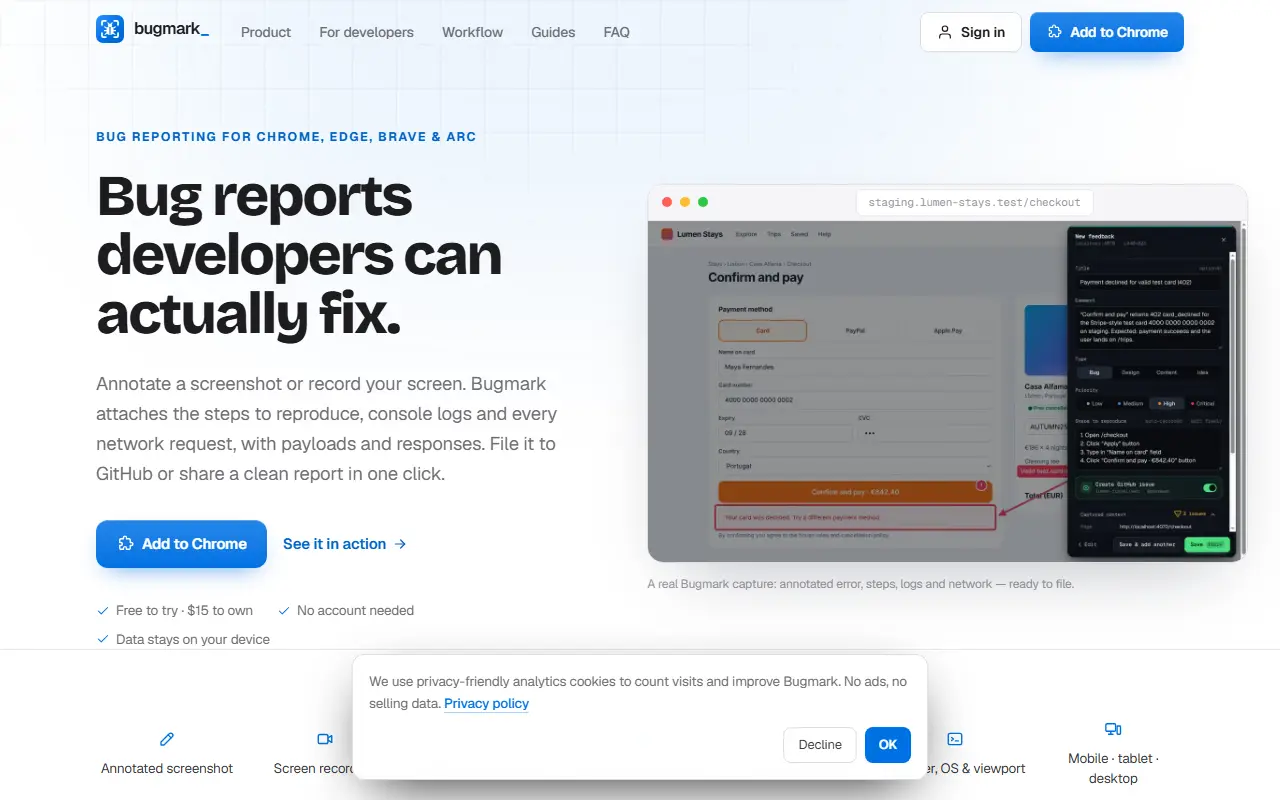
Bugmark is a bug reporting extension for Chrome, Edge, Brave and Arc. A tester marks up a screenshot or records the screen, and Bugmark attaches the context a developer needs: steps to reproduce, console logs, every network request with its payload and response, plus browser, OS and viewport details. It works on any page you can open, including localhost and staging sites.
Annotation tools include a pen, highlighter, arrows, shapes, text and numbered pins, with options for visible-area, full-page or delayed capture. Sensitive data such as emails and secrets can be pixelated before saving, and an element inspector attaches the CSS selector and styles. Finished reports can be filed as a GitHub issue, exported for another tracker or shared.
Bugmark states that no account is needed and that data stays on the device. It is a commercial product that is free to try and sold as a one-time purchase, and it suits QA testers, designers and developers who want complete bug reports without manual note-taking.
Key features
- Annotated screenshots with pens, arrows and pins
- Screen recording with bug reports
- Console logs and network requests attached
- Automatic steps to reproduce
- One-click GitHub issue creation
- Pixelate emails and secrets before saving
Good fit for
- →QA testers filing reproducible bug reports
- →Developers debugging staging and localhost issues
- Tags
- bug-reporting
- chrome-extension
- screen-recording
- qa
- debugging
- network-logs
- github
BugMark: questions and answers
- What is BugMark used for?
- BugMark is a browser extension for Chrome and other Chromium browsers that bundles annotated screenshots, recordings, console logs and network requests into bug reports. It is a good fit for QA testers filing reproducible bug reports, and developers debugging staging and localhost issues.
- How much does BugMark cost?
- BugMark is a paid product with no free plan. Free to try; the homepage lists a one-time $15 price to own it.
- Is BugMark open source?
- No. BugMark is proprietary (closed-source) software. In the Testing & QA category, open-source options include Appium, Robot Framework and Apache JMeter.
Open-source alternatives to BugMark
See all
Appium
Testing & QA
Cross-platform automation framework for all kinds of apps, built on top of the W3C WebDriv
Apache-2.0vs BrowserStack★ 22k
Robot Framework
Testing & QA
Generic automation framework for acceptance testing and RPA
Apache-2.0vs Katalon★ 12k
Apache JMeter
Testing & QA
Apache JMeter open-source load testing tool for analyzing and measuring the performance of
Apache-2.0vs OpenText LoadRunner★ 9.6k
Taiko
Testing & QA
A node.js library for testing modern web applications
MITvs Ghost Inspector★ 3.7k
QA Wolf CLI
Testing & QA
QA Wolf from anywhere — your terminal, your CI, your AI agent.
Apache-2.0★ 3.5k
Step CI
Testing & QA
Automated API Testing and Quality Assurance
MPL-2.0vs Postman★ 1.9k
SaaS alternatives to BugMark
See all
Jam
Testing & QA
Browser extension that captures bug reports with console logs and replays
SaaS
Marker.io
Testing & QA
Website feedback tool capturing screenshots, console logs and session replay
SaaS
BugHerd
Testing & QA
Visual website feedback and bug tracking tool for web teams
SaaS
Usersnap
Testing & QA
Visual bug reporting and customer feedback tool for websites
SaaS
Userback
Testing & QA
Visual feedback widget with session replay and screenshot bug reports
SaaS
Gleap
Testing & QA
Bug reporting, in-app feedback and support widget for software teams
SaaS