 TrackMedia
 TrackRev
About Auto-montage
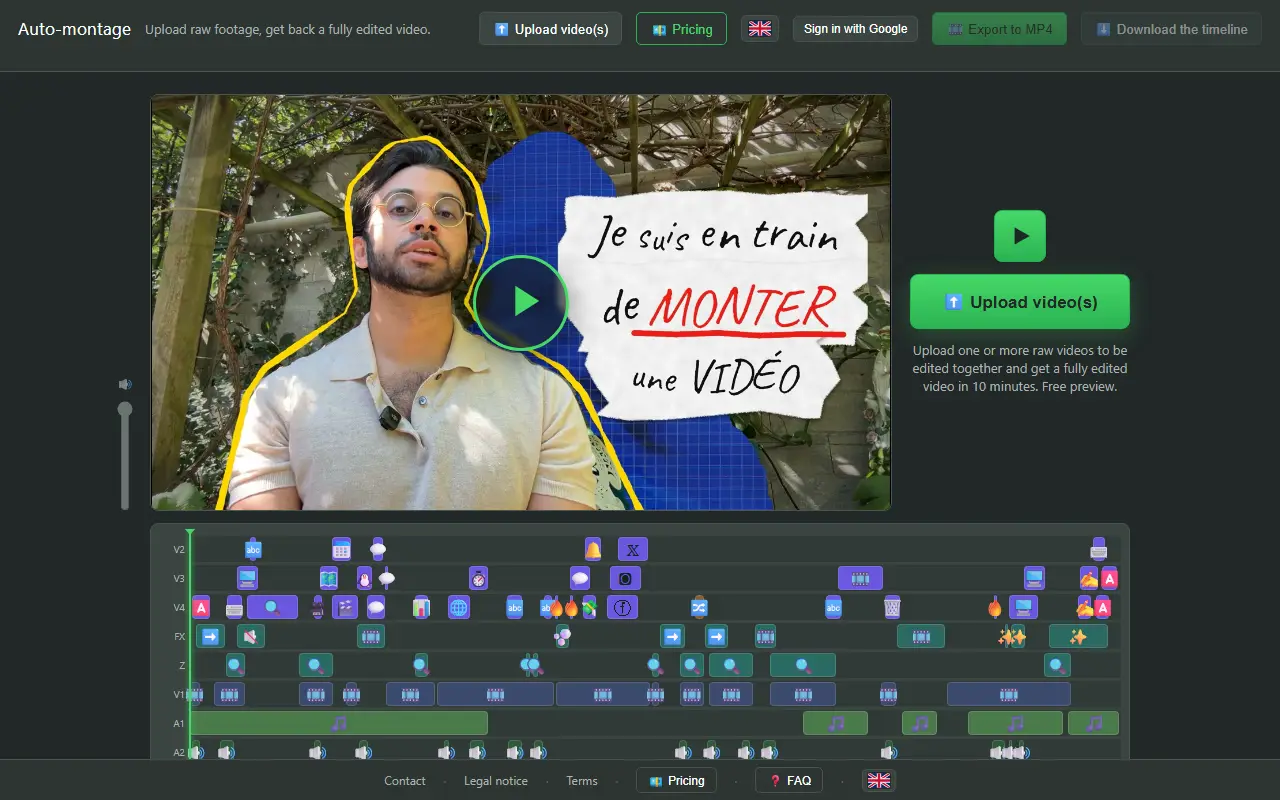
Auto-montage takes one or more raw videos, edits them together and sends back a finished video. Most are ready in about ten minutes, not counting upload time, and a free preview comes first. It is built for original footage under 30 minutes, either facecam or speech-focused, for YouTube and social networks.
The result can be checked in a browser timeline editor, exported as MP4, or downloaded as a timeline for Premiere or Resolve. The unwatermarked video is paid for with credits: 10 credits cost 10 euros and cover one raw video under 30 minutes. The interface is available in French and English.
Key features
- Edits raw footage into a finished video in about ten minutes
- Cuts bad takes marked with a spoken phrase
- Joins several uploaded files into one video
- Accepts common video formats
- Tuned for facecam and speech under 30 minutes
Good fit for
- Editing facecam videos
- Preparing YouTube videos
- Editing speech-based social media clips
Auto-montage: questions and answers
- What is Auto-montage used for?
- Auto-montage is an online service that edits raw talking-head videos for you and returns a finished video, with a free preview before you pay. It is a good fit for editing facecam videos, preparing YouTube videos and editing speech-based social media clips.
- How much does Auto-montage cost?
- Auto-montage is a paid product with no free plan. The preview is free. Removing the watermark requires credits: 10 credits cost 10 euros and cover one raw video under 30 minutes.
- Is Auto-montage open source?
- No. Auto-montage is proprietary (closed-source) software. In the Video Editing category, open-source options include FilmCraft, EffectCraft and Cap.
- What are some alternatives to Auto-montage?
- Auto-montage competes with Gling, Vizard and Opus Clip.
Open-source alternatives to Auto-montage
See all
FilmCraft
Video Editing
An open-source, clean-room reimplementation of Adobe Premiere Pro built in pure Rust.
Apache-2.0vs Adobe Premiere Pro★ 18k
EffectCraft
Video Editing
Motion graphics and visual effects compositor written in pure Rust
Apache-2.0vs Adobe After Effects★ 8.7k
Cap
Video Editing
Open source Loom alternative. Beautiful, shareable screen recordings.
OSSvs Loom★ 25k
OpenCut
Video Editing
The open-source CapCut alternative
MITvs CapCut★ 98k
OBS Studio
Video Editing
OBS Studio - Free and open source software for live streaming and screen recording
GPL-2.0vs vMix★ 79k
HandBrake
Video Editing
HandBrake's development repository
OSS★ 25k
SaaS alternatives to Auto-montage
See all
Gling
Video Editing
AI video editing tool that removes silences and bad takes from raw footage
SaaS
Vizard
Video Editing
AI tool that turns long videos into short clips with captions
SaaS
Opus Clip
AI Tools
Cuts long videos into short vertical clips with captions for social platforms
SaaS
Descript
AI Tools
Edit video and podcasts by editing their transcript, with AI voice and cleanup tools
SaaS
Captions
Video Editing
AI video editing app for captions, dubbing and talking-head content
SaaS
Submagic
Video Editing
AI tool that adds captions and edits to short-form videos
SaaS