#1
A self-hosted, Markdown-based notes timeline for capturing quick thoughts, private by default, with search, tags, pinned memos and per-note visibility.
- GitHub stars
- 64k
- Last commit
- yesterday
- Latest release
- 26.11.0
- Licence
- MIT
- Self-hosted
- Yes
usememos.com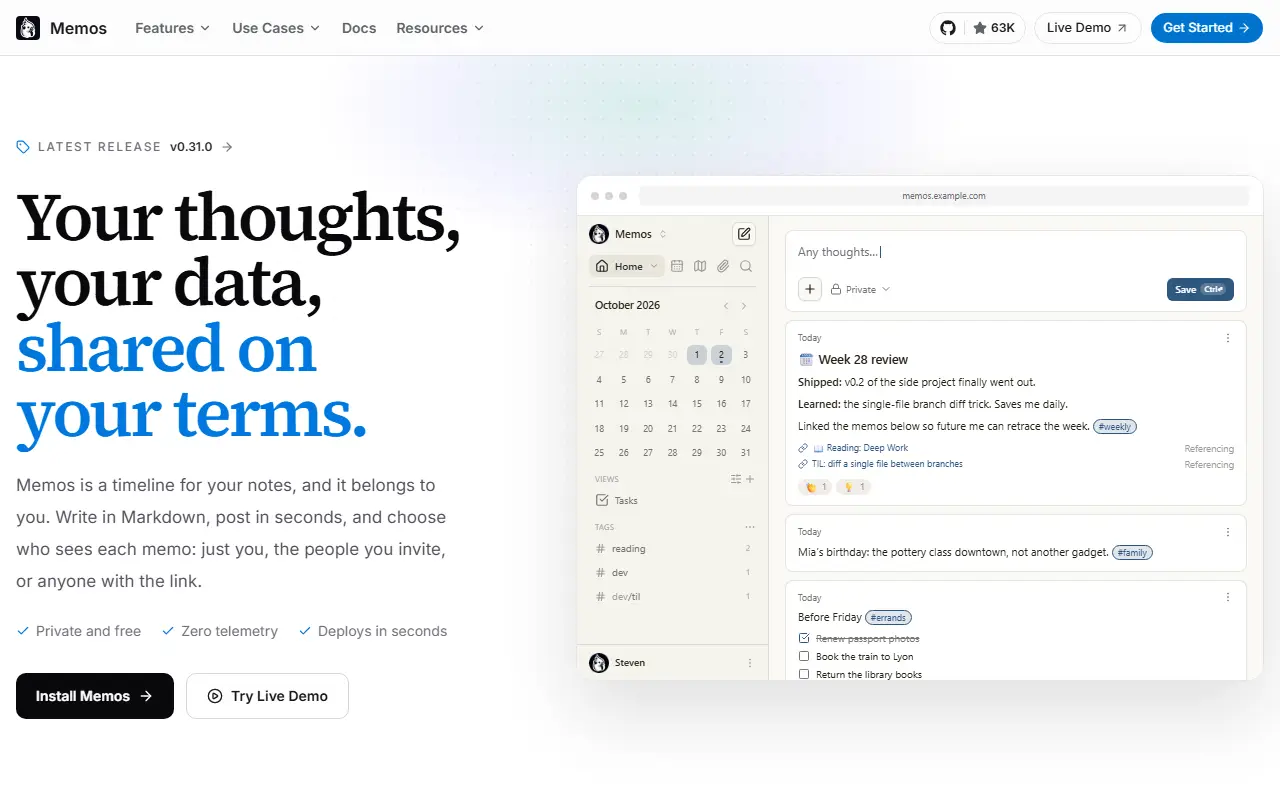
Memos is a personal timeline for quick notes that you host yourself. The idea is to write first and organize later: you save a thought in Markdown without choosing a title or folder, optionally attach images and files, and it lands on a chronological feed.
Finding things again relies on search, tag filters and a view of any given day on the timeline. You can pin important memos and save frequently used filters as views. New memos are private, and you decide per memo whether to keep it to yourself, show it to signed-in users or invite specific people, or make it public with a link. The project advertises zero telemetry and a full export of your data.
Memos is MIT licensed and built with Go on the back end, React on the front end and SQLite for storage. The quickest way to run it is a Docker container, with other options in the deployment guide, and there is a live demo to try first. Releases follow a year-and-month version scheme.
Key features
- Markdown notes with images and file attachments
- Chronological timeline of memos
- Search, tag filters and saved views
- Per-memo visibility controls
- Pinned memos for important notes
- Full data export with zero telemetry
Pricing: Memos is free, MIT-licensed software with no paid tiers, seat fees or usage charges. Only your own hosting costs apply.
#2
A free, open-source, offline-first note-taking and to-do app with Markdown notes, end-to-end encrypted sync, plugins and apps for desktop and mobile.
- GitHub stars
- 57k
- Last commit
- today
- Latest release
- v3.7.22
- Self-hosted
- Yes
- Hosted version
- Available
joplinapp.org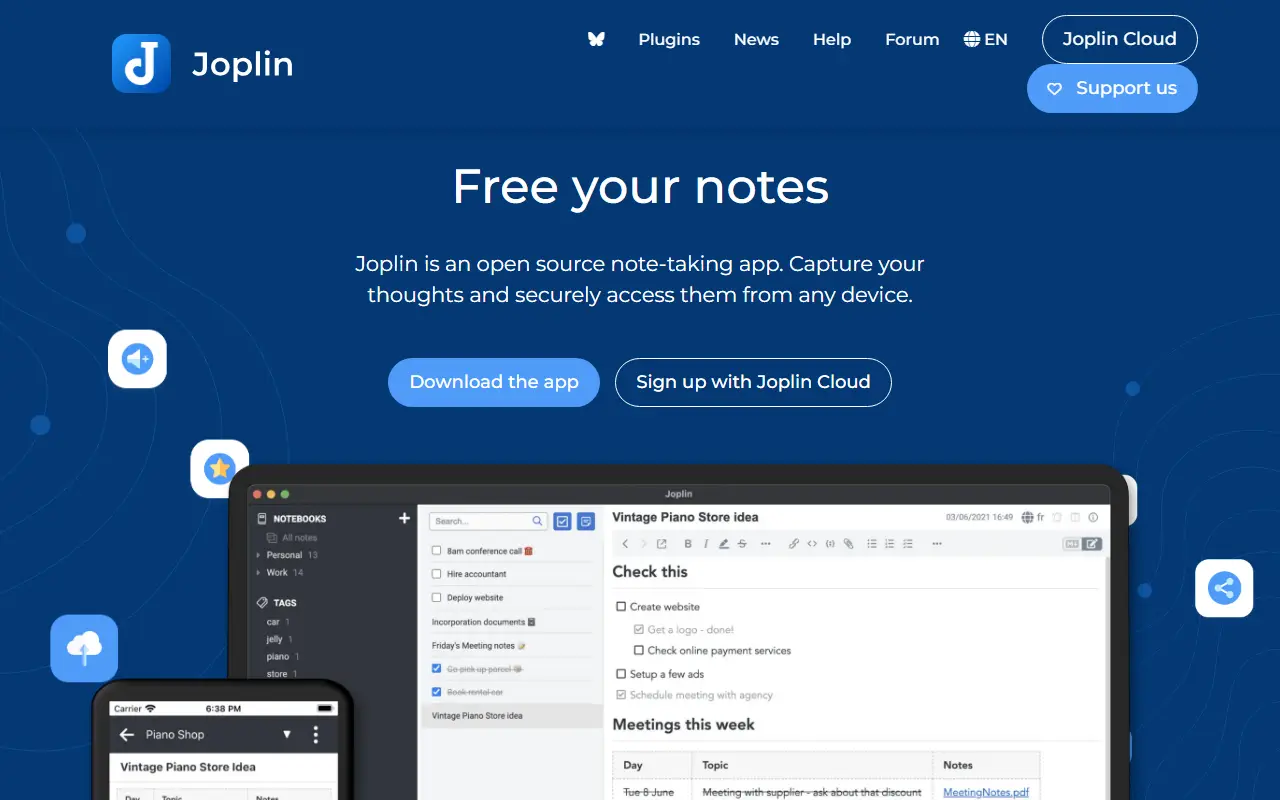
Joplin is a note-taking and to-do application, free and open source, that can manage large collections of notes organized into notebooks. Notes are written in Markdown, are searchable, can be tagged, and can be edited either in the app or in your own text editor. Apps are available for Windows, macOS, Linux, Android and iOS.
The app is offline first, so all your data lives on your phone or computer and stays accessible without a connection. Notes can be synchronized with end-to-end encryption through services such as Nextcloud, Dropbox, OneDrive and Joplin Cloud, and topics also mention WebDAV. Full-text search is available on every platform, and plugins and themes let you customize the app. A web clipper saves pages, and notes exported from Evernote can be imported with formatting, attachments and metadata intact; plain Markdown files can be imported as well.
The repository license is listed as 'Other', so check its terms if you plan to redistribute. Joplin is a popular choice for people who want an Evernote replacement that keeps data local or on storage they already control.
Key features
- Markdown notes organized into notebooks
- Offline-first storage on your own devices
- End-to-end encrypted sync via Nextcloud, Dropbox or OneDrive
- Evernote import with attachments and metadata
- Plugins and themes
- Web clipper for saving pages
- Apps for desktop and mobile
Pricing: Joplin Cloud costs 2.99€ (Basic), 5.99€ (Pro) or 9.99€ (Pro 100 GB) per month, and Teams 7.99€ per user per month. Self-hosted Server Business is 3.33€ per user per month; 14-day trial.
#3
A privacy-first, local-first knowledge management app built around linked, outliner-style notes in Markdown or Org-mode, with a graph view and plugin support.
- GitHub stars
- 46k
- Last commit
- today
- Latest release
- 2.0.2
- Licence
- AGPL-3.0
- Self-hosted
- Yes
logseq.com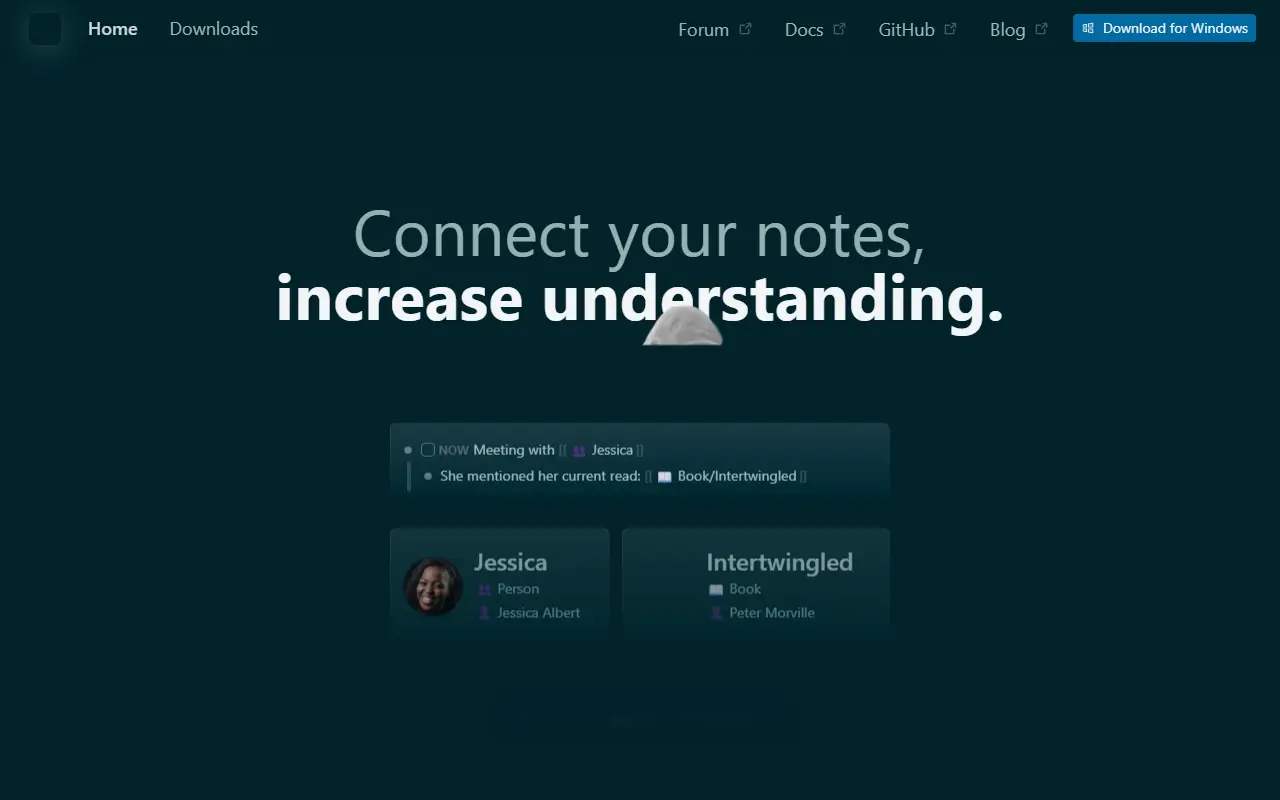
Logseq is an open-source platform for knowledge management and collaboration that puts privacy and local storage first. Notes are organized as linked blocks in an outliner, forming a knowledge graph, and topics show it works with both Markdown and Org-mode files and can be backed by Git.
The project is moving toward a database-backed version that introduces DB graphs. That version is in beta, comes with a new iOS mobile app in alpha and a Real Time Collaboration approach to syncing graphs across devices or working with others, also in alpha. Because data loss is possible while these features mature, the maintainers recommend automated backups. A plugin API, themes and a public roadmap round out the ecosystem.
Logseq is written in Clojure and ClojureScript under the AGPL-3.0 license, and desktop builds are available from the releases page. It appeals to researchers, students and knowledge workers who want a personal wiki with bidirectional links and full ownership of their files.
Key features
- Outliner-style linked notes
- Markdown and Org-mode support
- Knowledge graph of connected pages
- Local-first storage with Git compatibility
- Plugin API and themes
- Real Time Collaboration sync in alpha
Pricing: Free and open source under the AGPL-3.0 license.
#4
Markdown editor for researchers and writers with citation management, Pandoc exports and Zettelkasten-style note linking.
- GitHub stars
- 14k
- Last commit
- 2 days ago
- Latest release
- v4.9.0
- Licence
- GPL-3.0
zettlr.com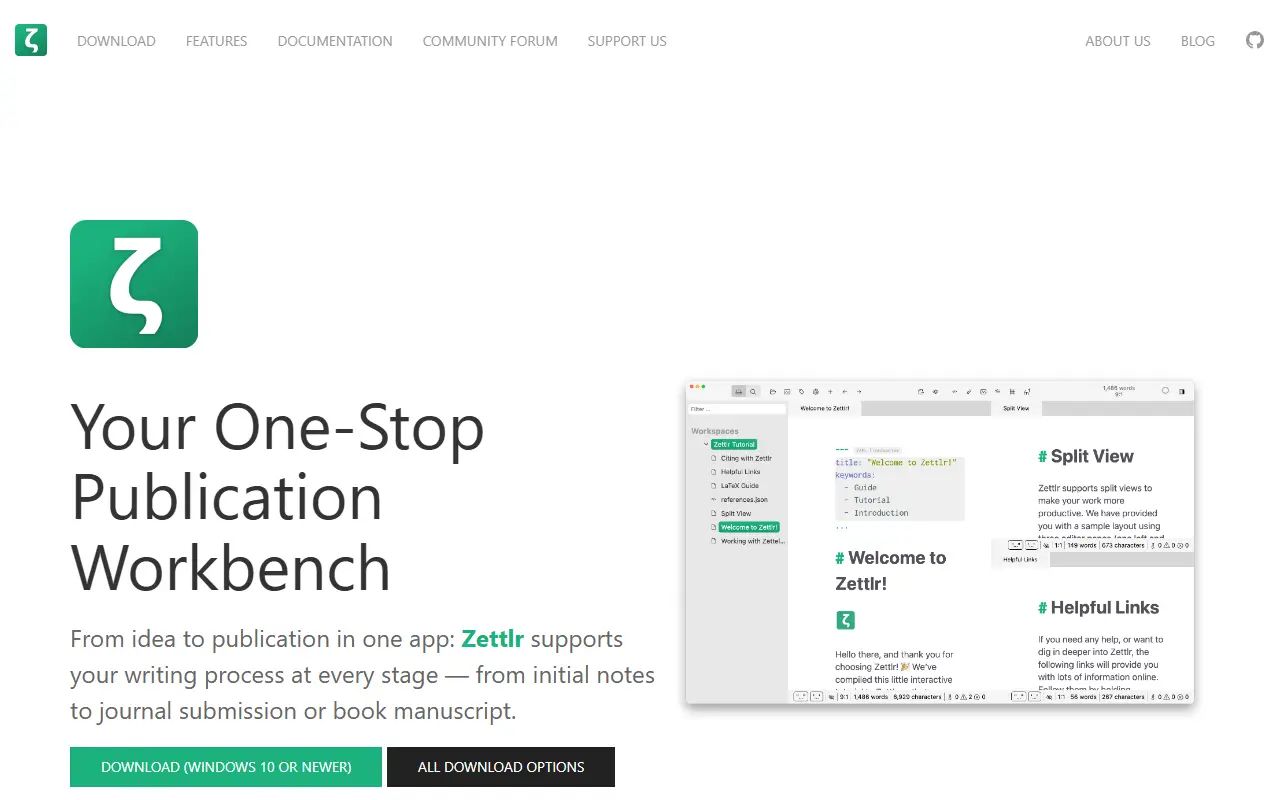
Zettlr is a desktop Markdown editor aimed at academic and long-form writing. It presents itself as a publication workbench, combining note-taking, drafting, reference management and export in one application, with a focus on keeping your notes private and stored as ordinary files on your own computer.
Citations integrate with reference managers such as Zotero and JabRef, and exports rely on Pandoc, LaTeX and Textbundle, with support for LaTeX and Word templates. Other capabilities include snippets for boilerplate text, themes with dark modes and custom CSS, code highlighting, full-text search, and techniques from the Zettelkasten knowledge management method. The interface is translated into over a dozen languages.
Zettlr is built with TypeScript, Electron and Node.js and released under GPL-3.0. Installers are provided for macOS, Windows and most Linux distributions, and the repository documents building from source, command-line switches and contribution workflows. The project is also reachable through a community forum, Discord and Mastodon.
Key features
- Markdown editor with a distraction-free writing focus
- Citation support for Zotero and JabRef
- Export via Pandoc, LaTeX and Textbundle
- Zettelkasten-style linking and full-text search
- Snippets, themes and custom CSS
- Installers for macOS, Windows and Linux
Pricing: Free and open source under the GPL-3.0 license.
#5
Blinko is an open-source, self-hosted personal AI note app that lets you capture quick card notes and search them in natural language.
- GitHub stars
- 11k
- Last commit
- 8 days ago
- Latest release
- 1.8.9
- Licence
- GPL-3.0
- Self-hosted
- Yes
blinko.space
Blinko is a card-style note-taking app with AI features, designed for people who want to capture fleeting ideas the moment they happen. It is self-hosted and puts privacy first, so your notes stay on a server you control. The interface is built with Next.js and React in TypeScript, backed by PostgreSQL.
Its AI-enhanced retrieval uses retrieval-augmented generation, so you can find notes by asking in natural language rather than remembering keywords. Notes use Markdown and the project is tagged for memos and notebooks. A live demo, official site, documentation and English and Chinese Telegram communities are linked from the README.
Blinko is licensed under GPL-3.0 and installed on your own server, typically with Docker. It suits individuals who want a private alternative to cloud note and memo apps and are comfortable connecting their own AI provider.
Key features
- Quick card-style note capture
- AI-powered natural language note search
- Markdown note support
- Self-hosted with privacy focus
- Next.js and PostgreSQL stack
- Live demo available
Pricing: The open-source edition is free to self-host, and Blinko Cloud has a free plan. Paid cloud plans are Pro at $5.99 and Pro Plus at $10.99 per month.
#6
A fast, native Markdown notes app for macOS and iOS that keeps every note as a plain Markdown or text file, with tags, wiki-style links and encryption.
- GitHub stars
- 7.6k
- Last commit
- 5 days ago
- Latest release
- v7.5.1
- Licence
- MIT
fsnot.es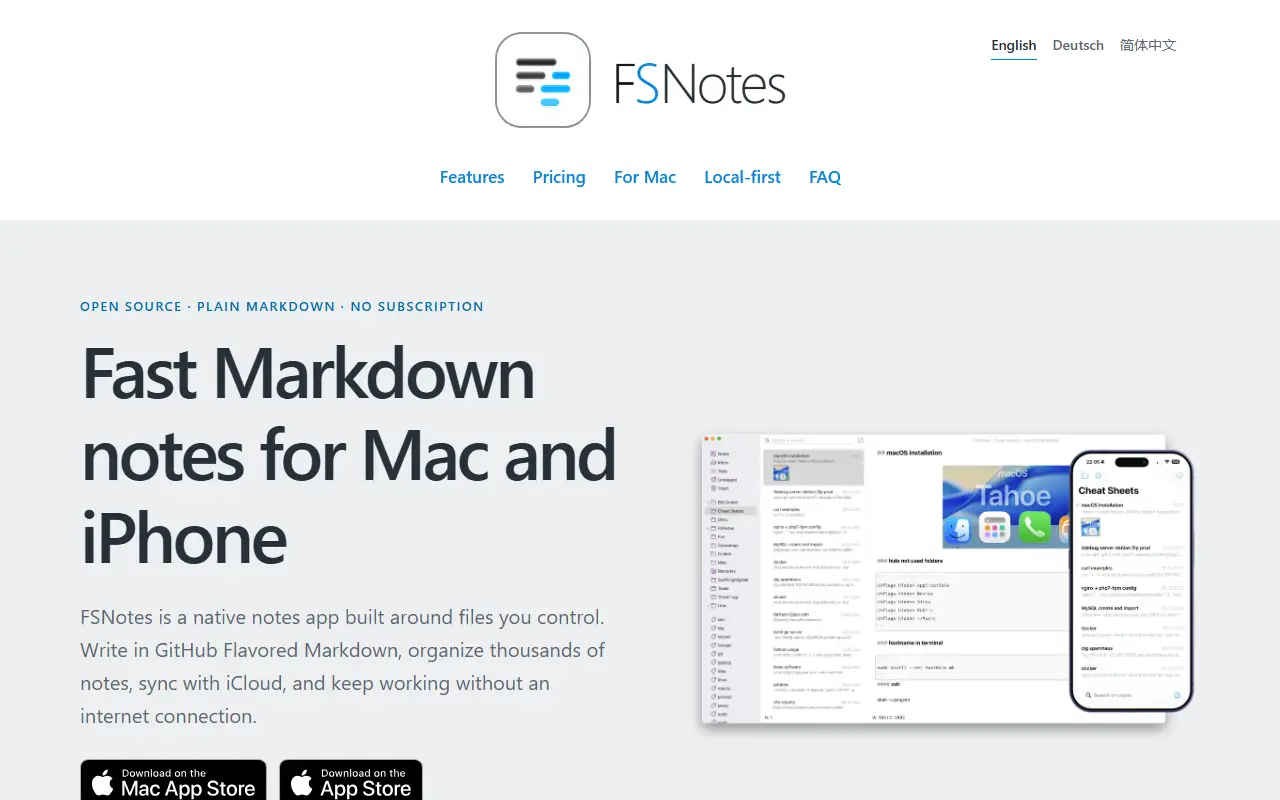
FSNotes is a native notes app for macOS and iOS built around the idea of owning your notes. Each note is stored as a portable Markdown or plain-text file rather than in a proprietary database, so the notes can be opened with any compatible app now or years later.
The app focuses on writing and quick retrieval. It handles several folders, external editors, sync through iCloud Drive or Dropbox, and Git backups if you want them, and connects ideas with tags and double-bracket links. Private notes can be protected with AES-256 encryption, and it renders code blocks, Mermaid diagrams and MathJax math. Search and navigation are designed to stay smooth across large note collections.
FSNotes is written in Swift and released under the MIT licence. The apps are sold through the App Store, and those purchases support continued development, while the source code is open. It suits Apple users who want local Markdown notes with sync through their own storage service.
Key features
- Notes stored as Markdown or text files
- Tags and wiki-style note links
- AES-256 encryption for private notes
- iCloud Drive, Dropbox and Git backups
- Mermaid diagrams and MathJax rendering
- Native macOS and iOS apps
Pricing: Source code is MIT licensed; App Store purchases support development.
#7
An end-to-end encrypted note-taking app with sync across devices and a self-hostable server, available on web, desktop and mobile.
- GitHub stars
- 6.7k
- Last commit
- today
- Latest release
- @standardnotes/desktop@3.202.11
- Licence
- AGPL-3.0
- Self-hosted
- Yes
- Hosted version
- Available
standardnotes.com
Standard Notes is a note-taking app with end-to-end encryption, built for digitalists and professionals, aiming to keep notes, files and life's work in one secure place. Only the user can read their notes, and sync across devices is encrypted by default.
You register for an account on the web app and install clients for Mac, Windows, Linux, iOS and Android. The README highlights fast, free and encrypted sync on an unlimited number of devices, public source code, the option of hosting your own server with a few steps, and a focus on longevity and sustainability. A companion service called Listed turns notes into an online publication with email newsletters, and developers can build and publish extensions.
The web app compiles to static HTML, JavaScript and CSS files that can be served from any web server, and the README includes build and development instructions. Standard Notes is written in TypeScript and licensed under AGPL-3.0, with a forum and help pages for support. It suits privacy-minded users who want encrypted notes with the option to host their own backend.
Key features
- End-to-end encrypted notes and files
- Sync across unlimited devices
- Apps for web, desktop and mobile
- Self-hostable sync server
- Listed publishing and newsletters
- Extensions published by developers
Pricing: Free Standard plan includes end-to-end encryption and device sync. Productivity costs $90 and Professional $120 per year; there is no trial, but refunds are offered.
#8
The open-source Simplenote client for web, Windows and Linux, a React app packaged in Electron that syncs notes through Simperium.
- GitHub stars
- 5.3k
- Last commit
- 4 days ago
- Latest release
- v2.27.1
- Licence
- GPL-2.0
- Self-hosted
- No
- Hosted version
- Available
app.simplenote.com
Simplenote Electron is the open-source desktop and web client for Simplenote, a note-taking service from Automattic. The app is built with React and packaged with Electron, which lets the same codebase run in a browser and as an installable application, with packages producible for macOS, Windows and Linux.
Notes are synchronized through the Simperium library, and the interface is written in TypeScript with ReactJS. The repository documents how to build packages and how to run unit tests. Local development currently requires an existing account on the test server or access to production credentials, because the email-first signup flow no longer allows creating accounts in the test database, and sharing and publishing features do not work in development builds.
The code is released under GPL-2.0 and follows the coding guidelines used by wp-calypso. As a client for the hosted Simplenote service, it is meant for people who already use that service rather than for self-hosting their own notes server.
Key features
- React note-taking client packaged with Electron
- Runs on the web, Windows and Linux
- Note syncing through Simperium
- Build targets for macOS, Windows and Linux
- TypeScript codebase with unit tests

Heynote is a desktop scratchpad for developers and power users, built around a persistent, block-based text buffer with per-block syntax highlighting.
- GitHub stars
- 5.4k
- Last commit
- 4 mo ago
- Latest release
- v2.9.1
heynote.com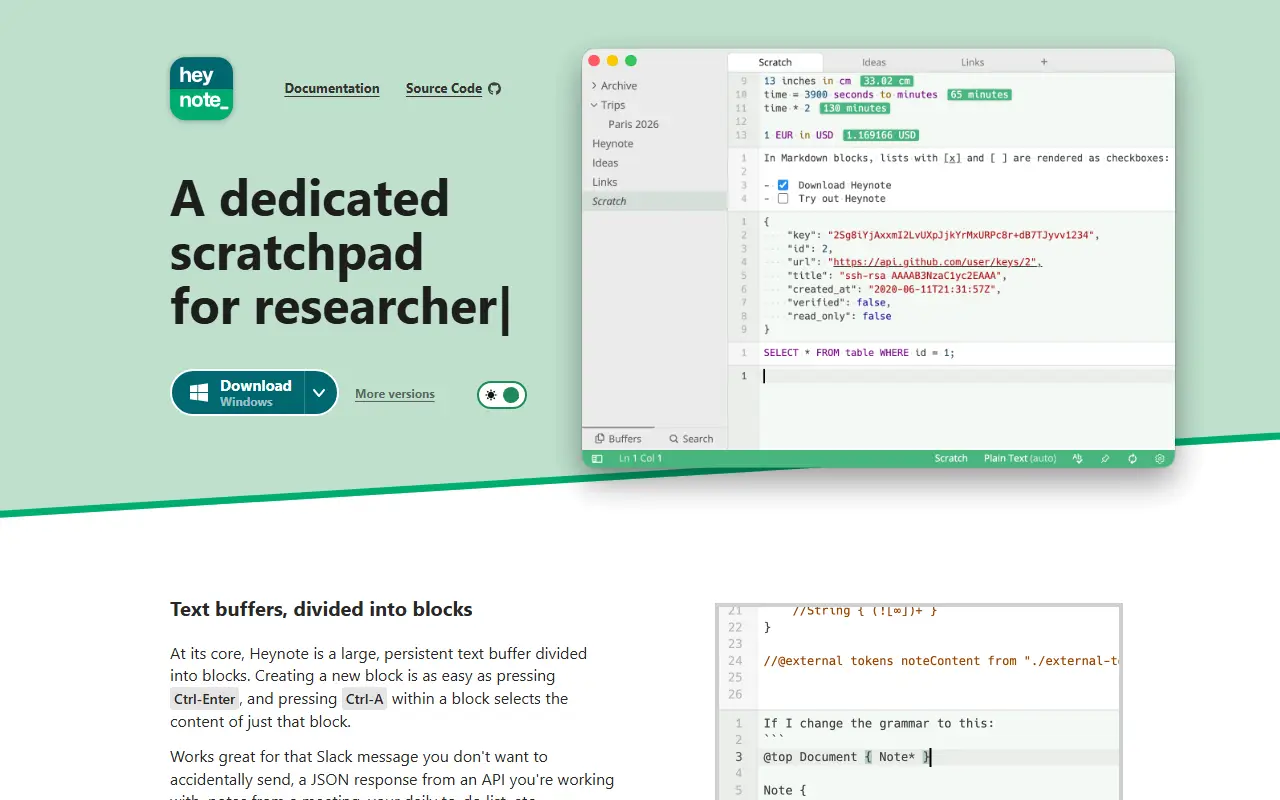
Heynote is a scratchpad and note-taking app for developers and power users. It works like one large persistent text buffer where you can drop anything: a Slack message you are not ready to send, an API's JSON response, meeting notes or a daily to-do list.
Buffers are divided into blocks, and each block can be assigned a language such as JavaScript, JSON or Markdown, giving syntax highlighting and auto-formatting for JSON. Language auto-detection, multiple buffers in tabs, single and multi-buffer search, inline images, a math and calculator mode with currency conversion, multi-cursor editing, spell checking and dark and light themes are included. A global hotkey can show or hide the app, and key bindings can be default, Emacs-like or custom.
Heynote runs on macOS, Windows and Linux; there is no mobile app. It is built with JavaScript and its license is listed as Other, so check the repository terms before reuse. The author accepts contributions that fit the project's vision, especially bug fixes.
Key features
- Block-based persistent text buffers
- Per-block syntax highlighting for many languages
- Math mode with currency conversion
- Multiple buffers in tabs
- Auto-formatting and language detection
- Global hotkey and custom key bindings
Drafts alternatives: questions
- What is the best open-source alternative to Drafts?
- Memos is the top-ranked open-source alternative to Drafts on Enlisted: A self-hosted, Markdown-based notes timeline for capturing quick thoughts, private by default, with search, tags, pinned memos and per-note visibility. Other strong options are Joplin, Logseq, Zettlr and Blinko.
- What are the best commercial alternatives to Drafts?
- Tot, iA Writer, Ulysses, Agenda and NotePlan are among the hosted, closed-source alternatives to Drafts listed on Enlisted, which lists 19 in total. Compare their pricing and features on each tool page.
- Are these Drafts alternatives free?
- All 9 are open source, so the code is free to use under its licence, and 8 of them can be self-hosted on your own server or computer. 3 also offer a paid or managed cloud version if you'd rather not host it yourself.
- How is this list of Drafts alternatives ranked?
- By a score built from GitHub stars, star growth over the last 30 days and how recently the code changed. 8 of these projects shipped code in the last 30 days. Data is refreshed daily, and nobody can pay to move up.
 TrackMedia
 TrackRev