
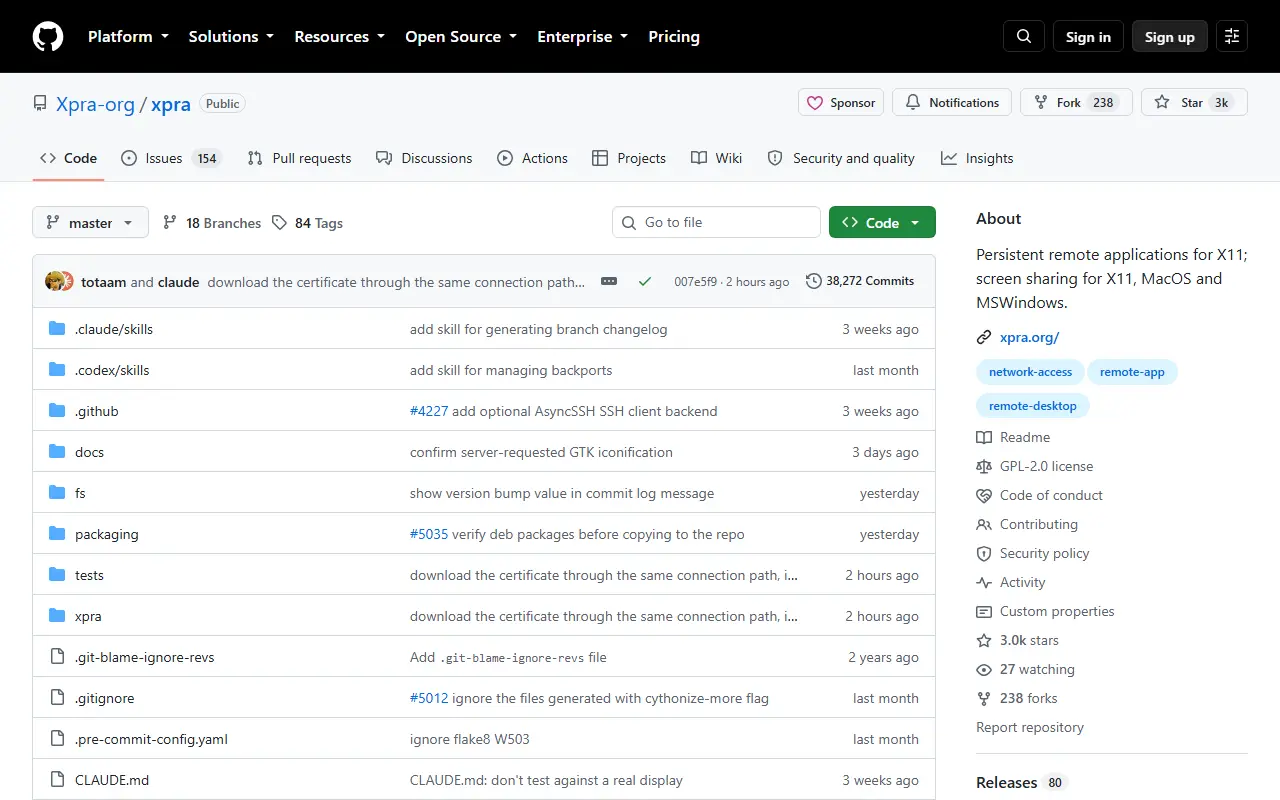
About Xpra
Xpra is an open-source tool, nicknamed screen for X, that lets you run X11 programs on a remote machine while displaying them on your local one. In its seamless mode, individual application windows appear alongside your local windows. You can disconnect, then reconnect later from the same or a different computer, and the applications keep running with their state intact.
Beyond single applications, Xpra can attach to existing desktop sessions and start remote desktops, and it can share screens on X11, macOS and Windows. It forwards audio input and output, printers, the clipboard, system trays, notifications and webcams so remote programs blend into the local desktop. It can also open documents and URLs remotely, show high bit depth content and respect the display DPI.
Clients exist for many platforms, and the server includes a built-in HTML5 client that works in a browser. Xpra adapts to different network conditions and protocols. Signed packages are offered for Windows, macOS and Linux, with LTS and beta builds as well. It is written in Python and licensed under GPL-2.0 or later.
Key features
- Seamless remote windows for X11 applications
- Disconnect and reattach without losing state
- Built-in HTML5 browser client
- Audio, clipboard, printer and webcam forwarding
- Remote desktop and shadow sessions
- Signed packages for Windows, macOS and Linux
Good fit for
- →Running Linux GUI applications from a remote server
- →Keeping long-running graphical sessions alive
- Built with
- Python
- Tags
- remote-desktop
- x11
- remote-app
- screen-sharing
- html5
- python
- linux
- network-access
Xpra: questions and answers
- What is Xpra used for?
- Xpra is known as screen for X: it runs graphical Linux applications on a remote host and lets you detach and reattach without losing state. It is a good fit for running Linux GUI applications from a remote server and keeping long-running graphical sessions alive.
- Is Xpra open source?
- Yes. Xpra is open source under the GPL-2.0 licence. Its source code is on GitHub at Xpra-org/xpra and is written mainly in Python.
- Is Xpra free?
- Yes. Xpra is open source, so the software itself is free to use.
- Can I self-host Xpra?
- Yes. Xpra can be self-hosted on your own server or infrastructure; there is no official hosted version.
- What is Xpra an alternative to?
- Xpra is an open-source alternative to TeamViewer and AnyDesk. Other open-source alternatives to TeamViewer include FreeRDP, TigerVNC and Remmina.
- Is Xpra actively maintained?
- Yes. The most recent commit to Xpra was on 2 October 2026, and the latest release is v6.5.4, published on 27 September 2026. The project has 3k stars on GitHub.
Open-source alternatives to Xpra
See all
FreeRDP
Networking & VPN
FreeRDP is a free remote desktop protocol library and clients
Apache-2.0vs TeamViewer★ 14k
TigerVNC
Networking & VPN
High performance, multi-platform VNC client and server
GPL-2.0vs TeamViewer★ 7.5k
Remmina
Networking & VPN
Mirror of https://gitlab.com/Remmina/Remmina The GTK+ Remmina Remote Desktop Client
GPL-2.0vs TeamViewer★ 2.6k
KasmVNC
Networking & VPN
Modern VNC Server and client, web based and secure
GPL-2.0vs TeamViewer★ 5.3k
Apache Guacamole
Networking & VPN
The Apache Guacamole proxy daemon (guacd), C API (libguac), and protocol support.
Apache-2.0vs TeamViewer★ 4k
RustDesk
Networking & VPN
RustDesk is the best open-source remote desktop software. Secure alternative to TeamViewer
AGPL-3.0vs TeamViewer★ 125k
SaaS alternatives to Xpra
See all
TeamViewer
Networking & VPN
Remote access and support software for desktops, servers and mobile devices
SaaS
AnyDesk
Networking & VPN
Remote desktop software for support, administration and file transfer
SaaS
Chrome Remote Desktop
Networking & VPN
Free remote desktop access tool from Google that works through Chrome
SaaS
RealVNC
Networking & VPN
Remote access software built on the VNC protocol
SaaS
Parsec
Networking & VPN
Low-latency remote desktop and game streaming app
SaaS
Splashtop
Networking & VPN
Remote access and remote support software for desktops and IT teams
SaaS