
About SubLingo
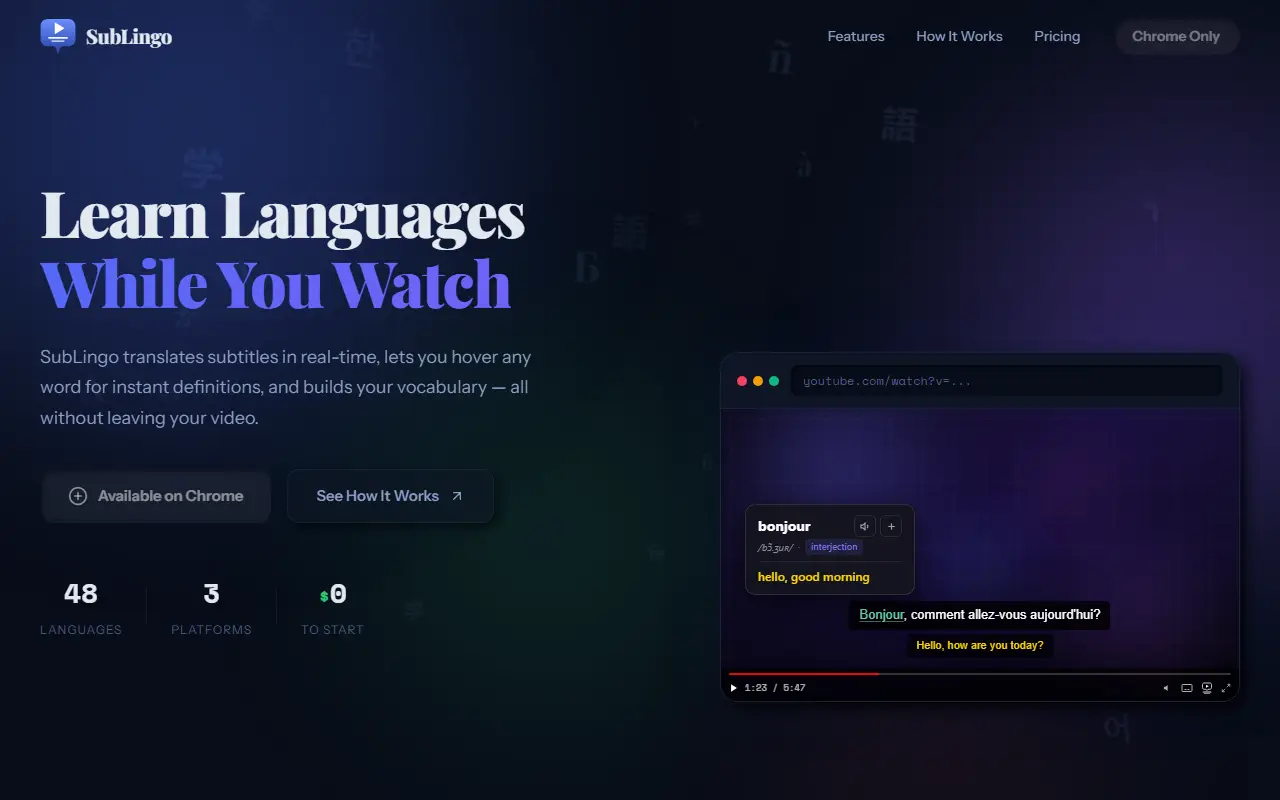
SubLingo turns video watching into language study. The extension converts subtitles into your language as you watch on YouTube, Netflix and other sites and can show the original and translated subtitles together, in sync. Hovering over any word shows a translation, pronunciation and definition without pausing, and a plus button saves it to a word list.
Every saved word becomes a card showing a picture, its sound, its meaning and the sentence from the video it came from, along with the source video. A side panel offers daily practice with quizzes, fill-in-the-blank and listening exercises and flashcards timed with spaced repetition. The extension is described as free to start, and a pricing page lists paid options. It is aimed at people learning languages such as Korean, French and Japanese through shows and videos.
Key features
- Real-time subtitle translation
- Dual subtitles in original and translated language
- Hover any word for translation and pronunciation
- Saved word list with the context sentence
- Word cards with images
- Spaced repetition exercises in a side panel
Good fit for
- Learning Korean or Japanese from dramas
- Building vocabulary from YouTube videos
- Reviewing words from episodes you watched
SubLingo: questions and answers
- What is SubLingo used for?
- SubLingo is a Chrome extension that translates subtitles in real time on YouTube and Netflix, with hover definitions, saved vocabulary and review exercises. It is a good fit for learning Korean or Japanese from dramas, building vocabulary from YouTube videos and reviewing words from episodes you watched.
- Is SubLingo free?
- Yes. SubLingo has a free plan, and paid plans start at $9 per month.
- Is SubLingo open source?
- No. SubLingo is proprietary (closed-source) software and can't be self-hosted. In the Education & LMS category, open-source options include Anki, AnkiDroid and freeCodeCamp.
- What are some alternatives to SubLingo?
- Other SaaS products in the Education & LMS category include LingoSwap, Brill and Flashcards: Learn & Study.
Open-source alternatives to SubLingo
See all
Anki
Education & LMS
Anki is a smart spaced repetition flashcard program
OSSvs Quizlet★ 32k
AnkiDroid
Education & LMS
AnkiDroid: Anki flashcards on Android. Your secret trick to achieve superhuman information
GPL-3.0vs Quizlet★ 12k
freeCodeCamp
Education & LMS
freeCodeCamp.org's open-source codebase and curriculum. Learn math, programming, and compu
BSD-3-Clausevs Codecademy★ 457k
Stellarium
Education & LMS
Stellarium is a free GPL software which renders realistic skies in real time with OpenGL.
GPL-2.0★ 10k
Frappe Learning
Education & LMS
Easy to Use, 100% Open Source Learning Management System
AGPL-3.0vs Thinkific★ 3.3k
Wikipedia Android
Education & LMS
📱The official Wikipedia app for Android!
Apache-2.0vs GitHub★ 3k
SaaS alternatives to SubLingo
See all
LingoSwap
Education & LMS
Browser-based translation tool for language learners
SaaS
Brill
Education & LMS
Home screen widget app that shows daily words from your language course
SaaS
Flashcards: Learn & Study
Education & LMS
iOS flashcards app for learning with interactive flashcards
SaaS
FluentBoo
Education & LMS
Vocabulary builder for 100+ languages that turns saved words into flashcards, quizzes and stories
SaaS
HSKLord
Education & LMS
Spaced-repetition flashcards for HSK Chinese vocabulary
SaaS
LingoDrip
Education & LMS
Language learning app that teaches vocabulary and phrases through a feed of short videos
SaaS