 TrackMedia
 TrackRev

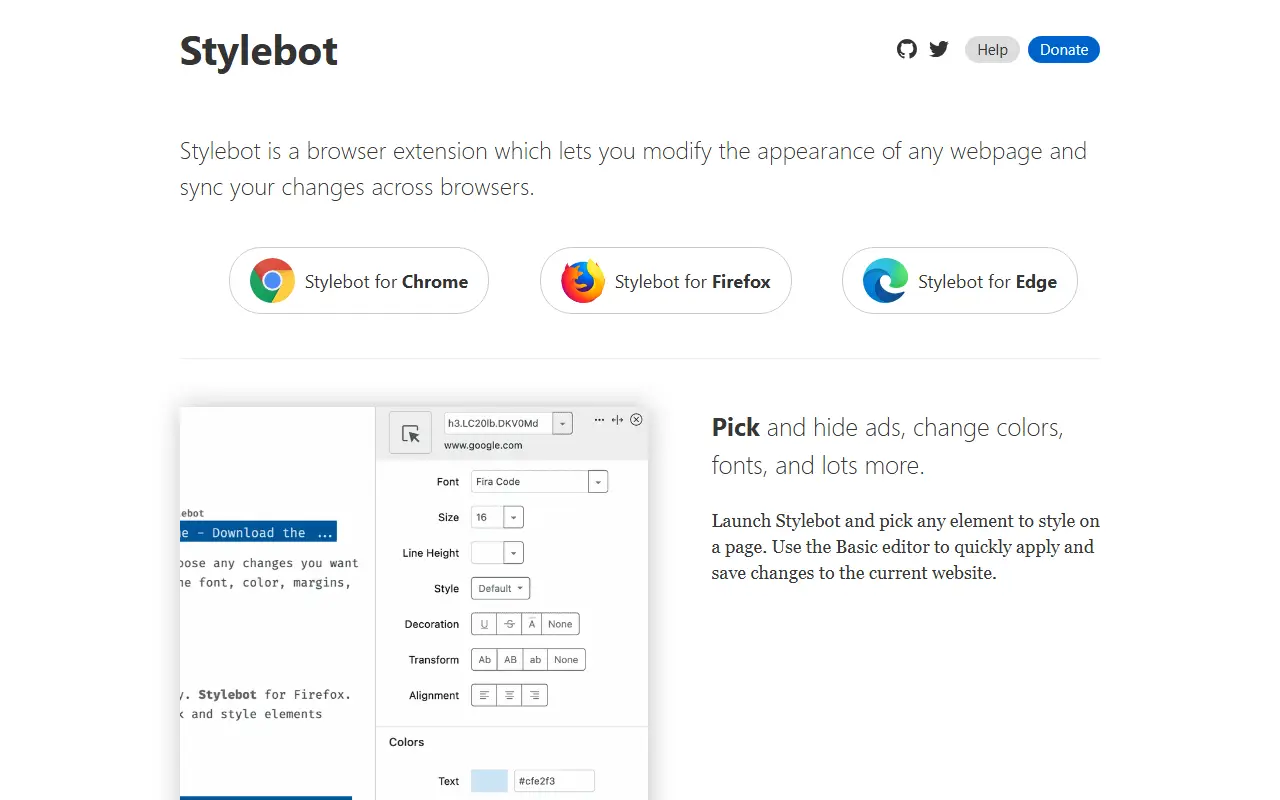
About Stylebot
Stylebot is a browser extension that changes the appearance of any website. It is available for Chrome, Firefox and Edge, and it lets you adjust pages to your preference, whether that means improving readability, switching to a dark appearance, muting colors or removing distracting elements.
There are two ways to work. A visual editor lets you pick any element on the page and restyle it without writing CSS, while a code editor offers autocomplete and color swatches for people who prefer to write their own CSS. Changes apply instantly and save automatically. Presets such as Readability and Grayscale provide quick starting points, and styles can be synced across browsers with a history to restore earlier versions.
The extension is written in TypeScript and released under the MIT licence. The README notes that version 3.x is what the browser stores currently ship, while Stylebot 4 is in active development on a separate branch. It suits readers, accessibility-minded users and developers who want per-site control over how the web looks.
Key features
- Visual element picker and style editor
- Custom CSS editor with autocomplete
- Instant, automatically saved changes
- Readability and Grayscale presets
- Style sync across browsers
- Version history for each site
Good fit for
- Making articles easier to read
- Applying dark mode to sites without one
- Hiding distracting page elements
Stylebot: questions and answers
- What is Stylebot used for?
- Stylebot is a browser extension for Chrome, Firefox and Edge that lets you restyle any website with a visual editor or custom CSS. It is a good fit for making articles easier to read, applying dark mode to sites without one and hiding distracting page elements.
- Is Stylebot open source?
- Yes. Stylebot is open source under the MIT licence. Its source code is on GitHub at ankit/stylebot and is written mainly in TypeScript.
- Is Stylebot free?
- Yes. Stylebot is open source, so the software itself is free to use.
- Can I self-host Stylebot?
- Yes. Stylebot can be self-hosted on your own server or infrastructure.
- What are some alternatives to Stylebot?
- Similar open-source tools in the Productivity category include Dark Reader, Univer and Documenso. SaaS products in the same category include SuperGoogle, TradingView Magical Keyboard Shortcuts and 1 Pixel Workout.
- Is Stylebot actively maintained?
- Yes. The most recent commit to Stylebot was on 11 November 2026, and the latest release is v4.4.1, published on 9 November 2026. The project has 1.7k stars on GitHub, with 40 added in the last 30 days.
Open-source alternatives to Stylebot
See all
Dark Reader
Productivity
Dark Reader Chrome and Firefox extension
MIT★ 23k
Univer
Productivity
The Office Harness for AI Agents — Spreadsheets, Docs, Slides, Canvas, Relational Tables,
Apache-2.0vs Microsoft Excel★ 23k
Documenso
Productivity
Sign everywhere with Documenso. Build workflows, create templates, and integrate seamlessl
AGPL-3.0vs DocuSign★ 16k
Fluent Reader
Productivity
Modern desktop RSS reader built with Electron, React, and Fluent UI
BSD-3-Clausevs Feedly★ 9.8k
Ferdium
Productivity
All your services in one place, built by the community
Apache-2.0vs Beeper★ 4.8k
Floccus
Productivity
:cloud: Sync your bookmarks privately across browsers and devices
MPL-2.0★ 8.6k
SaaS alternatives to Stylebot
See all
SuperGoogle
Productivity
Chrome extension with a sidebar for AI assistants, email, translation and maps, plus Google Search ad blocking
SaaS
TradingView Magical Keyboard Shortcuts
Productivity
Chrome extension that adds and remaps keyboard shortcuts for TradingView to reduce mouse use
SaaS
1 Pixel Workout
Productivity
Site blocker that swaps distracting scrolling for short 60-second workouts
SaaS
AfterFeed
Productivity
Browser extension that remembers posts you scroll past in social feeds so you can recall them later
SaaS
AI Toolbox
Productivity
Chrome extension adding folders, search, a prompt library and bulk export to ChatGPT, Gemini, Claude and Grok
SaaS
Blur It
Productivity
Censors passwords, emails and sensitive data on your screen before you share it on Zoom, Meet or Loom
SaaS