
About securelint
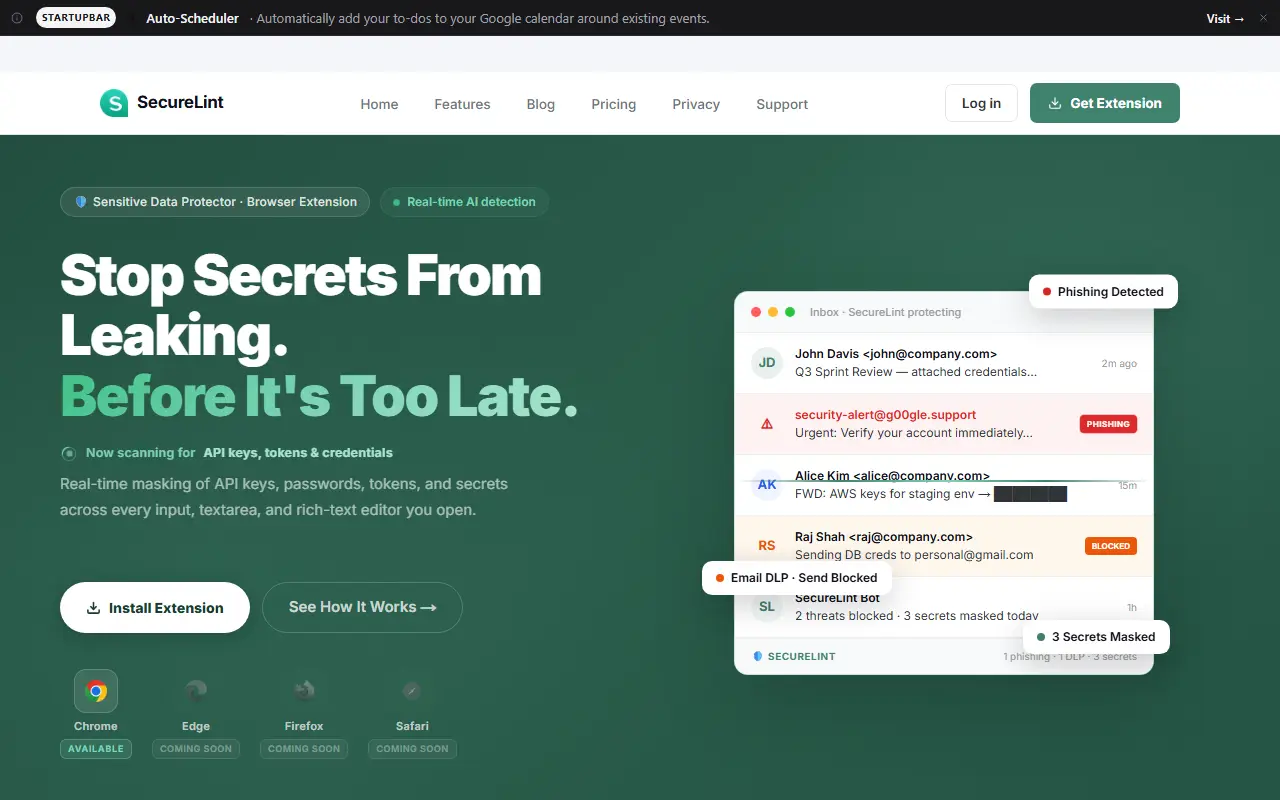
SecureLint is a browser extension, currently on Chrome with Edge, Firefox and Safari listed as coming soon, that protects against leaked credentials and phishing. It detects and masks API keys, passwords and other secrets in real time in web editors and email clients, and a 14-layer engine flags phishing sites, spoofed domains and lookalike brands before a page loads.
Secret detection covers 100+ patterns, including AWS, GCP and Azure credentials, JWT tokens, database connection strings, private keys, Stripe, Twilio and SendGrid keys, SSNs and credit card numbers, with a four-level risk classification from Critical to Low and context-aware masking that is partial in dev mode and full in writing mode. It works across web editors, including CodeMirror, Monaco, Ace and TinyMCE, and in tools such as Google Docs, Notion, Jira and Confluence.
Further protections include phishing email detection in Gmail, Outlook and Yahoo Mail that blocks the reply button, AI brand detection across 100+ languages, a clickjacking shield, a clipboard guard against pastejacking and a floating widget showing detected secrets. Enterprise features add email data-loss prevention that blocks sending company data to personal domains and central incident reporting for IT admins. The site says processing is local to the browser.
Key features
- Real-time masking of API keys and secrets
- 100+ secret detection patterns
- Phishing site and email detection
- Clickjacking and clipboard hijack protection
- Email data-loss prevention for enterprises
- Works in web editors, Docs and Notion
Good fit for
- Preventing keys from leaking during screen sharing
- Blocking phishing emails in Gmail and Outlook
securelint: questions and answers
- What is securelint used for?
- securelint is a browser extension that masks API keys and secrets as you type, blocks phishing sites and emails, and checks SSL, running locally in the browser. It is a good fit for preventing keys from leaking during screen sharing, and blocking phishing emails in Gmail and Outlook.
- Is securelint open source?
- No. securelint is proprietary (closed-source) software and can't be self-hosted. In the Security category, open-source options include Password Pusher, Onetime Secret and Gitleaks.
- What are some alternatives to securelint?
- securelint competes with Malwarebytes, Norton and Bitdefender.
Open-source alternatives to securelint
See allPassword Pusher
Security
🔐 Securely share sensitive information with automatic expiration & deletion after a set
Apache-2.0★ 3.2k
Onetime Secret
Security
Keep passwords and other sensitive information out of your chat logs and inboxes.
MIT★ 3k
Gitleaks
Security
Find secrets with Gitleaks 🔑
MITvs GitGuardian★ 30k
Horusec
Security
Horusec is an open source tool that improves identification of vulnerabilities in your pro
Apache-2.0vs Checkmarx★ 1.3kuBlock Origin
Security
uBlock Origin - An efficient blocker for Chromium and Firefox. Fast and lean.
GPL-3.0★ 68k
Cryptomator
Security
Cryptomator for Windows, macOS, and Linux: Secure client-side encryption for your cloud st
GPL-3.0vs Tresorit★ 16k
SaaS alternatives to securelint
See all
Malwarebytes
Security
Anti-malware software that scans for and removes viruses, ransomware and spyware
SaaS
Norton
Security
Consumer antivirus suites bundling VPN, password manager and identity monitoring
SaaS
Bitdefender
Security
Antivirus and endpoint protection for consumers and businesses
SaaS
Sentinel
Security
Chrome extension that detects phishing emails, suspicious links and scams while you read email
SaaS
Fraud Check
Security
AI fraud protection that detects phishing, spoofed numbers and voice-cloning scams in emails, texts and calls
SaaS
SafeBrowz
Security
Checks whether a link is phishing, a scam site or a crypto wallet drainer before you enter anything
SaaS