
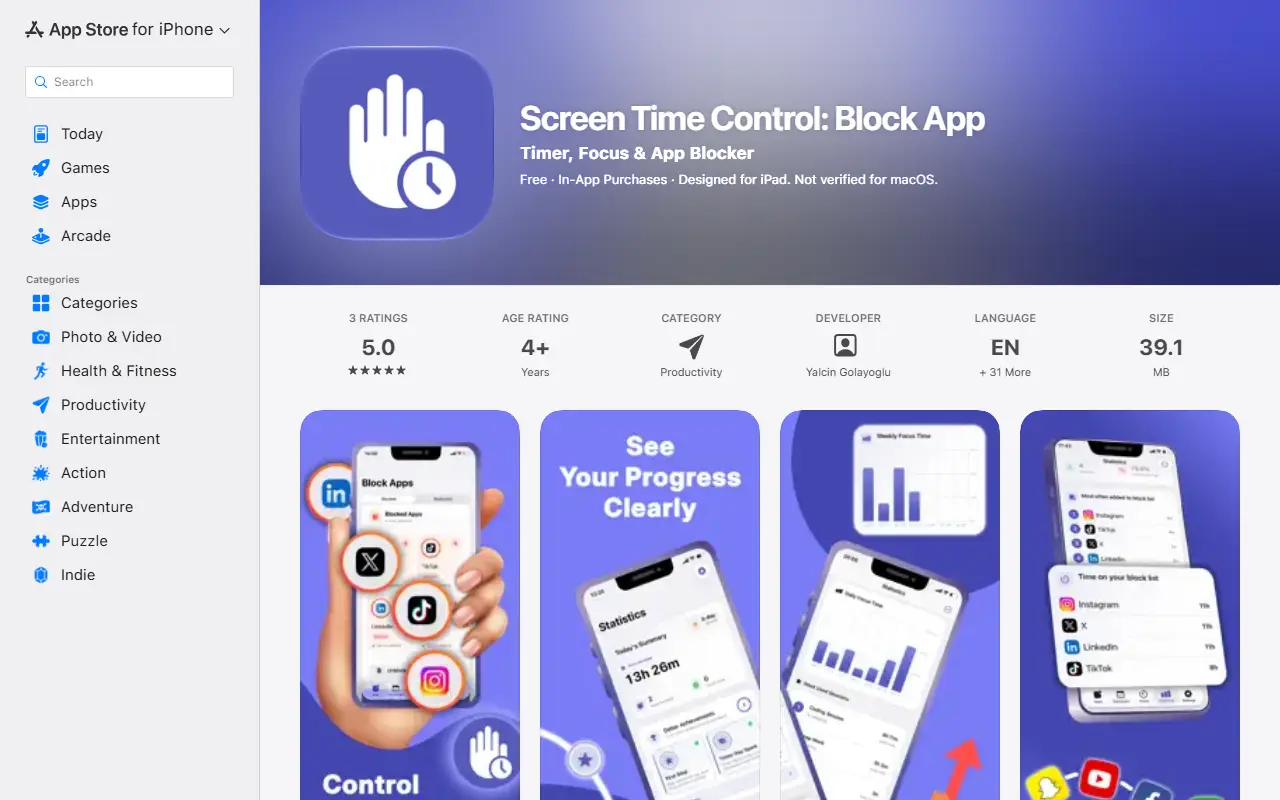
About Screen Time Control
Screen Time Control is an iPhone and iPad app for blocking distracting apps and managing screen time. It uses Apple's Screen Time API to lock selected apps instantly, run timed focus sessions and restrict apps automatically on recurring schedules, so work hours, study blocks or sleep schedules stay protected.
Included are preset templates such as Deep Work, Pomodoro Session and Study Time, custom templates, statistics covering focus time, completed sessions and daily summaries, notifications at the start and end of sessions, and app selection through the native iOS Family Activity Picker. The free version is limited to one blocked app, one active session, a 30-minute timer and one schedule, while Premium removes those limits and adds custom durations and advanced customization. Suggested uses include blocking social media during work hours, 25-minute Pomodoro sessions, study blocks, nightly sleep blocks, limiting games and hiding distractions during meetings.
Key features
- App blocking via Apple's Screen Time API
- Timed focus sessions
- Recurring schedules for work and sleep
- Deep Work and Pomodoro templates
- Focus statistics and daily summaries
- Premium removes app and session limits
Good fit for
- Blocking social media during study hours
- Running 25-minute Pomodoro sessions
- Locking apps at night
Screen Time Control: questions and answers
- What is Screen Time Control used for?
- Screen Time Control is an iPhone app that blocks distracting apps with focus sessions, recurring schedules and Pomodoro templates using Apple's Screen Time technology. It is a good fit for blocking social media during study hours, running 25-minute Pomodoro sessions and locking apps at night.
- Is Screen Time Control free?
- Yes. Screen Time Control has a free plan. Free with limits (1 app, 1 session, 30-minute timer, 1 schedule); a Premium subscription removes them.
- Is Screen Time Control open source?
- No. Screen Time Control is proprietary (closed-source) software. In the Productivity category, open-source options include Foqos, Super Productivity and Moodist.
- What are some alternatives to Screen Time Control?
- Screen Time Control competes with Freedom and Forest.
Open-source alternatives to Screen Time Control
See all
Foqos
Productivity
Foqos allows you to lock apps behind the tap of a NFC tag or scan of a QR code. Free and o
MITvs Freedom★ 860
Super Productivity
Productivity
Super Productivity is an advanced todo list app with integrated Timeboxing and time tracki
MITvs Todoist★ 23k
Moodist
Productivity
Ambient sounds for focus and calm.
MIT★ 3.9k
PowerToys
Productivity
Microsoft PowerToys is a collection of utilities that supercharge productivity and customi
MITvs Alfred★ 139k
Stirling PDF
Productivity
A free, private PDF editor you can run on any infrastructure.
OSSvs Adobe Acrobat★ 94k
Ladybird
Productivity
Truly independent web browser
BSD-2-Clausevs Google Chrome★ 66k
SaaS alternatives to Screen Time Control
See all
Freedom
Productivity
Distraction blocker for websites and apps across devices
SaaS
Forest
Productivity
Focus timer app that grows a virtual tree while you avoid your phone
SaaS
Screenfine
Productivity
App that locks addictive apps over a daily screen-time limit until you complete physical activity
SaaS
Blockit
Productivity
Mobile app that blocks distracting apps until you complete exercises, verified on-device with pose detection
SaaS
DeadBolt
Productivity
Locks distracting apps until you finish your tasks
SaaS
DeepLock
Productivity
Android app blocker that enforces daily limits, focus sessions and sleep guard
SaaS